How do I use Process and Cycle tags in Performance?
Last updated: August 17, 2026
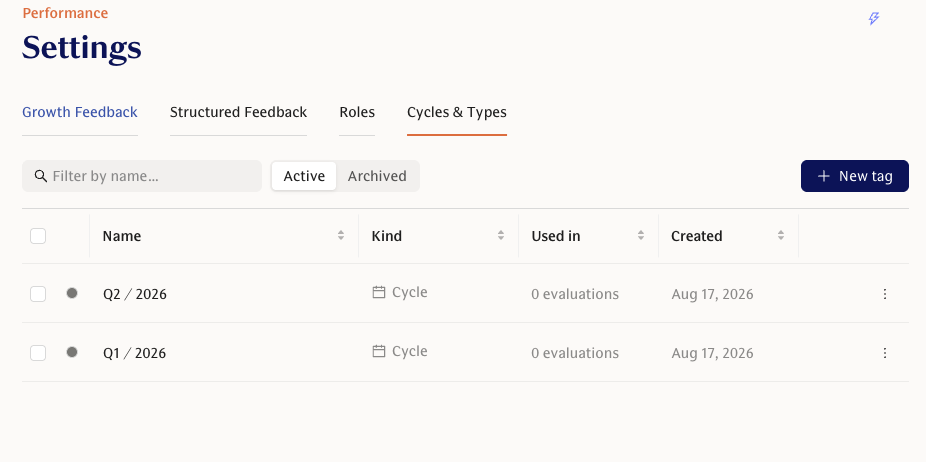
Process and Cycle tags help you categorize feedback requests in Performance, making it easier to organize, filter, and report on feedback across different review processes.
What are Process and Cycle tags?
When sending feedback requests, you can optionally add two types of tags:
Process — labels the type of feedback process, such as annual review, probation review, promotion review, or project feedback.
Cycle — labels the specific review round or timeframe, such as Spring 2026, Q3 Reviews, or H1 Check-in.
Together, these tags help you group related feedback requests and analyze results across different processes or review cycles.
When can I add Process and Cycle tags?
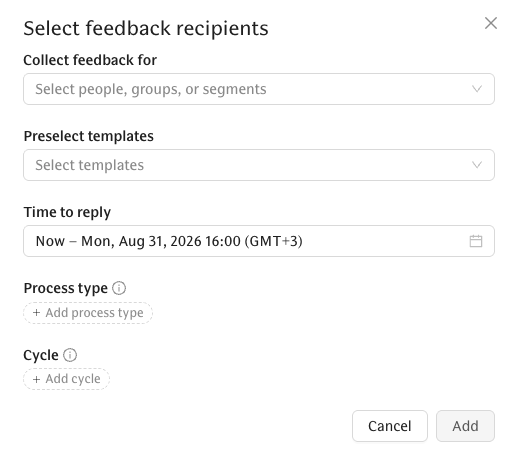
You can add Process and Cycle tags when creating feedback requests in Performance.
In the Select feedback recipients flow, you’ll see fields for:
Process type
Cycle
Both fields are optional, but using them consistently makes reporting and filtering much easier later.
What do these tags affect?
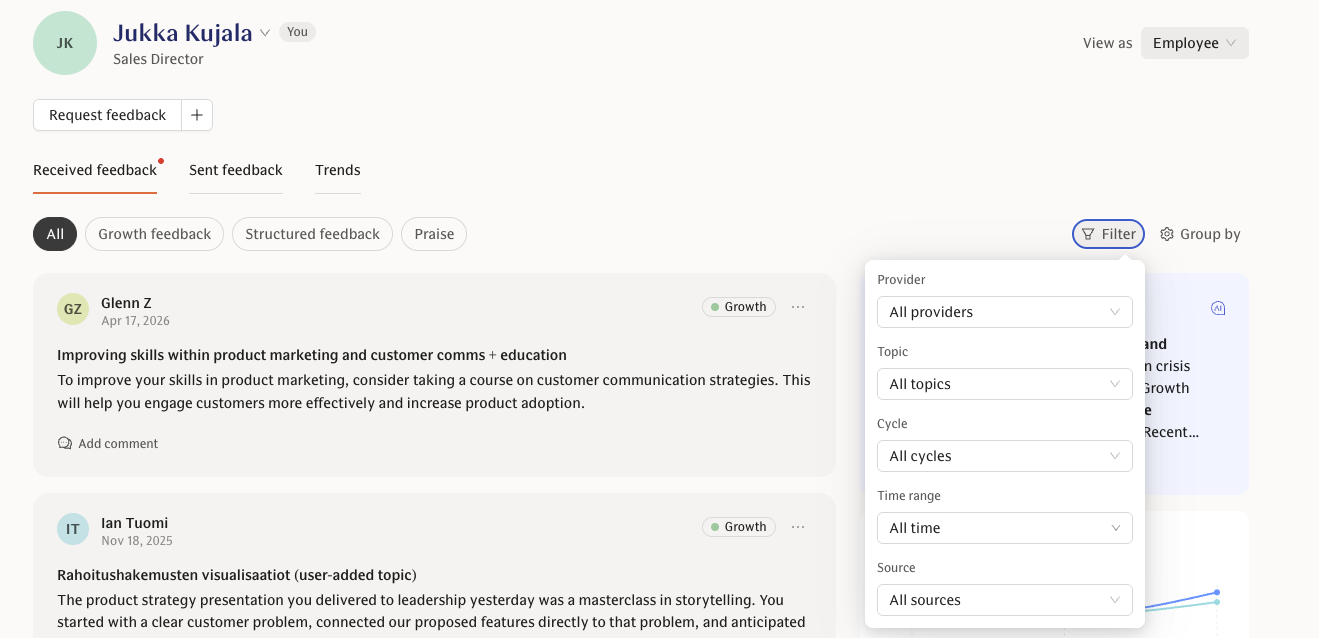
Process and Cycle tags are saved on each feedback request. You can use them later to:
Filter feedback views
Segment summaries and reports
Analyze feedback coverage over time
Compare results across different review processes or cycles
For example, you could filter feedback requests to only show those from a specific annual review cycle, or compare feedback coverage across multiple cycles.
Can I update tags after requests have been sent?
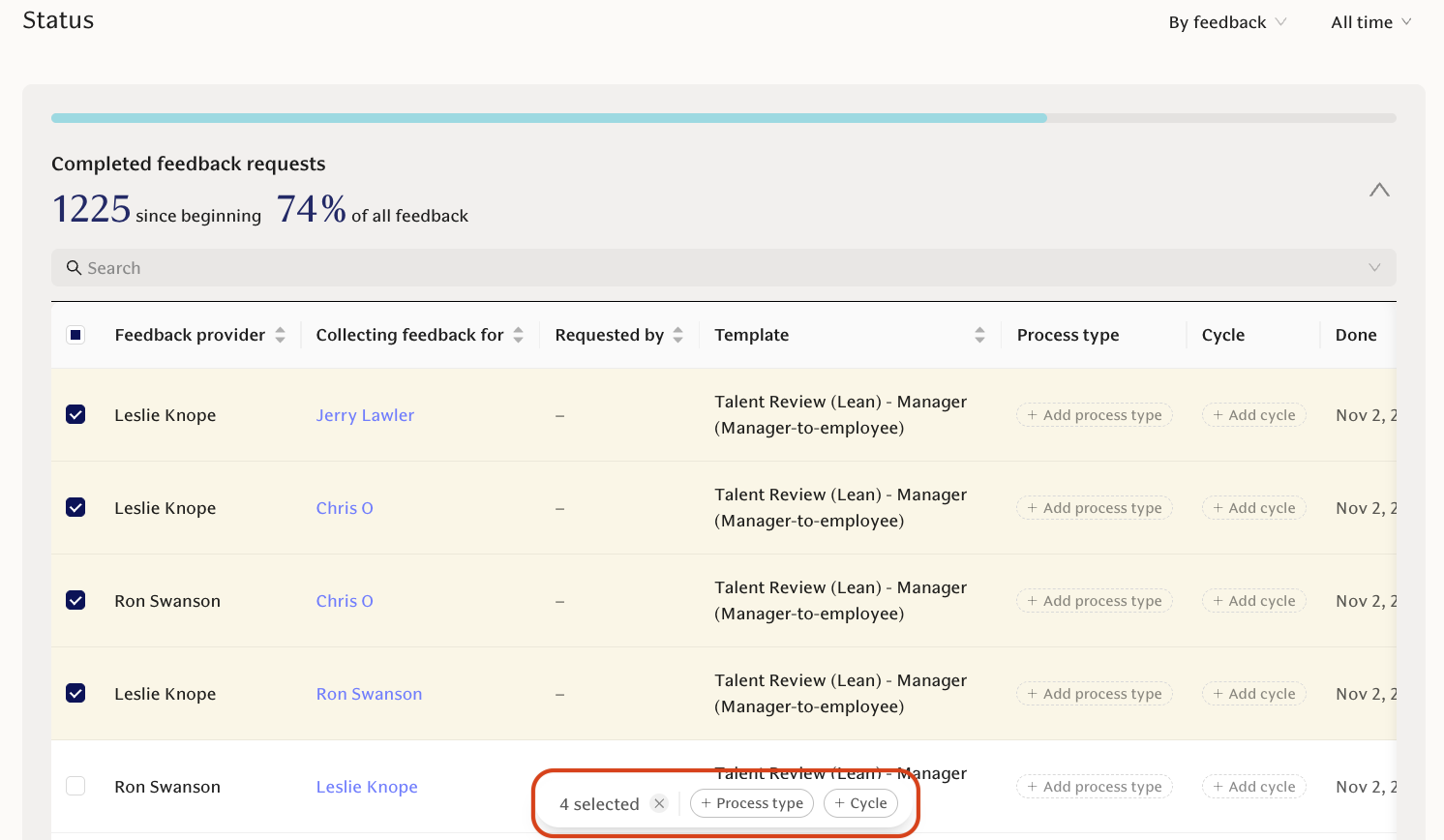
Yes. You can update or backfill Process and Cycle tags for existing feedback requests, including requests that are already completed or expired.
This is done in Feedback requests -> Status table.
This is useful if:
You started using tags after feedback requests had already been sent
You want to clean up historical data
You need more accurate filtering or reporting for past cycles
Depending on your permissions, you can bulk update tags on existing feedback requests.
Can I remove tags?
Yes. Process and Cycle tags can also be cleared from existing feedback requests if needed.
Things to keep in mind
Process and Cycle tags are separate fields, so each tag must be added in the correct place.
Archived tags typically won’t appear in selection lists.
Availability may depend on your organization’s enabled Performance features and admin permissions.
Best practices
To keep reporting clean and consistent:
Use Process tags for the type of feedback, such as
Annual review,Promotion review, orProject feedback.Use Cycle tags for the specific review round or timeframe, such as
Q1 2026,Spring 2026, or2026 Annual Review.Agree on a consistent naming convention before creating tags.
Tag requests consistently from the start whenever possible.
Backfill historical requests if you need accurate reporting across past cycles.