Integrating your HRIS: Sympa
Last updated: June 9, 2026
This article contains specific information related to Sympa HRIS.
You can find our general HRIS integration documentation here:
📄 How to Integrate Teamspective with Your HRIS?
Teamspective uses Kombo as our integration partner. This allows us to:
Support 60+ different integrations to various HR platforms
Provide an integration which is purpose built for our customers' specific needs
Provide a high quality integration which is maintained by integration specialists - including technical support
Setting up the employees endpoint in Sympa
Integrating with Sympa requires configuring an API endpoint from Sympa for Teamspective to access.
The specification for the endpoint follows Sympa's Generic API specification. See the full reference for the API here https://documenter.getpostman.com/view/33639379/2sA3kXG1vX#c4df2b98-3d24-4529-a7d0-780b33271a01.
For the purposes of the Teamspective integration it is enough to implement the Person endpoint.
Authentication: Basic auth
Endpoint URL:
/api/GenericPersonResponse format:
JSON
Data example:
```

{

  "@odata.context": "https://api.sympahr.net/api/$metadata#GenericPerson",

  "value": [

    {

      "Given_first_names": "Aaron Topi Reijo",

      "Preferred_given_name": "Aaron",

      "Surname": "Ruotsalainen",

      "E-mail_address_work": "aaron.ruotsalainen@sympademo.com",

      "Employee_number": "35830",

      "Manager": "35825",

      "Date_of_birth": "1974-02-14",

      "Original_hire_date": "2018-12-03",

      "Test_user": false,

      "created": "2024-05-03T10:21:03Z",

      "modified": "2024-05-03T11:31:31Z",

      "active": true

    }

  ]

}

```
Adding additional fields
You may include additional data fields in the response. These additional fields can be used in Teamspective for result aggregation (requires configuration).
The minimum required fields for Teamspective user provisioning are the:
name fields,
work email address and
employee number.
Adding filters
You can additionally configure filters for the people data sent through the integration. Note that filtering can also be configured at Teamspective's end.
See the full reference for the API here: https://documenter.getpostman.com/view/33639379/2sA3kXG1vX#c4df2b98-3d24-4529-a7d0-780b33271a01
Setting up the connection in Teamspective
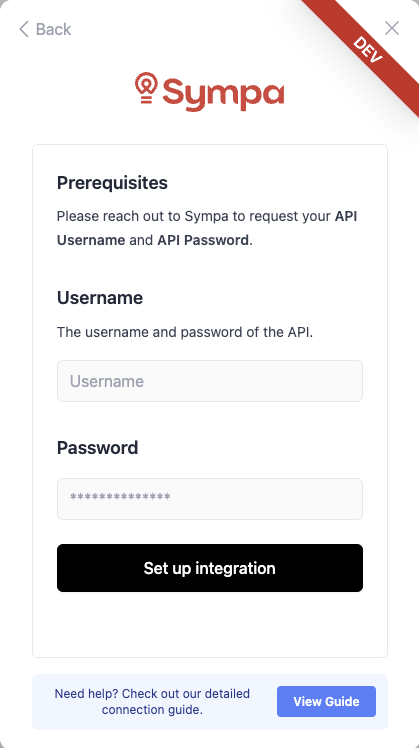
When the endpoint is configured you can enter the credentials for access in Teamspective.
Steps
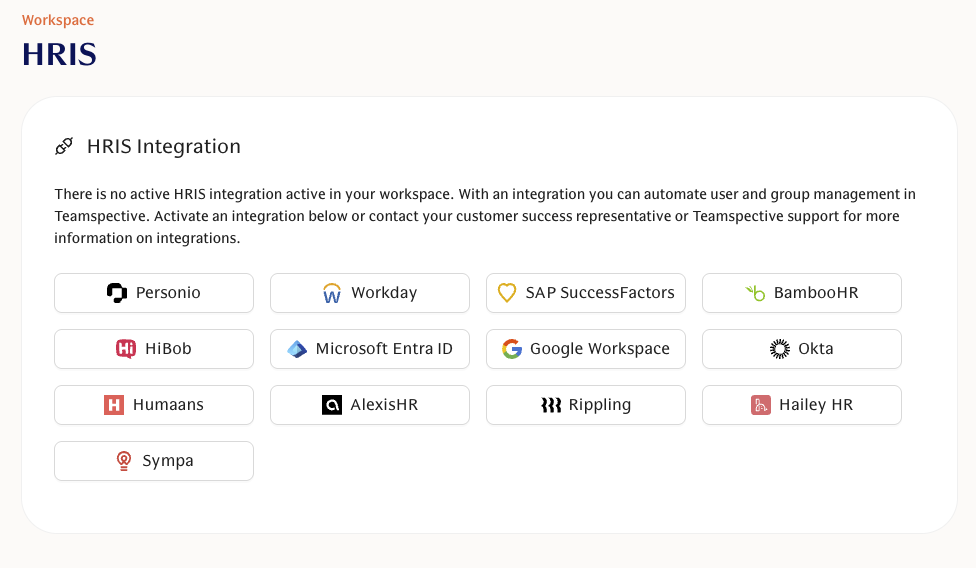
Navigate to Workspace settings > HRIS
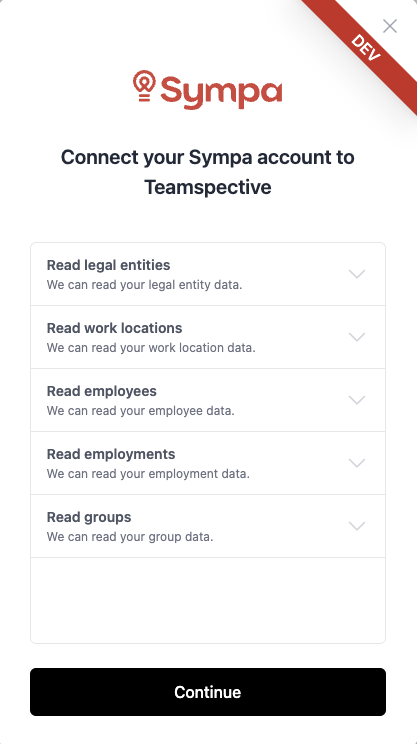
Select Sympa
You're prompted to enter the credentials to finish setting up the integration.