Performance quick start guide
Last updated: October 13, 2025
This quick start guide gives you a jump start to using the Performance product in Teamspective.
📝 Responding to a Feedback request
You will receive feedback requests both into Slack / MS Teams and the web application. Sharing your feedback can be done in either platform.
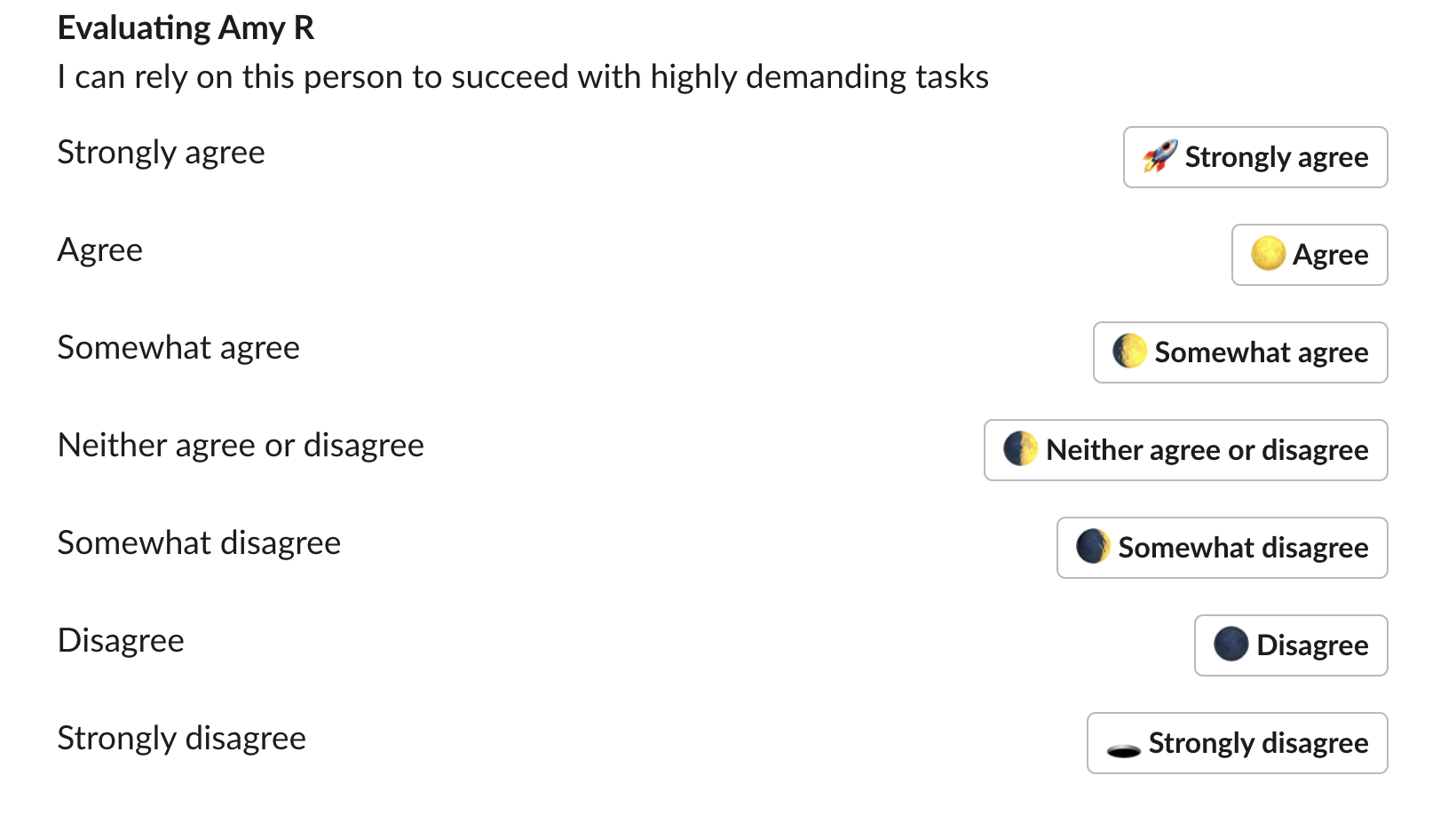
Responding in Slack / MS Teams
You will receive all requests directly into the Teamspective app in Slack / MS Teams and can respond to them within the platform:
Responding in the Web app
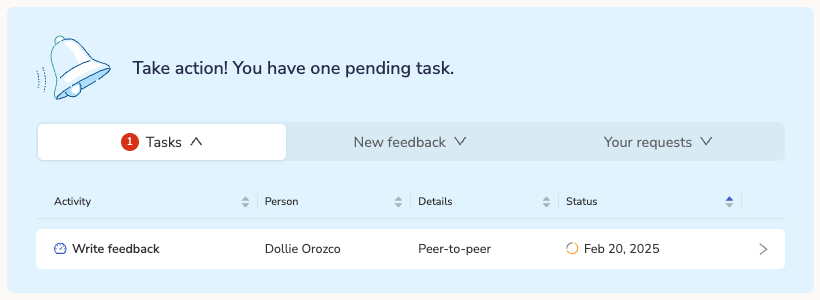
Feedback requests can be found directly on the Home page or My Feedback page in your Task list:
👀 Viewing received feedback
You can view the feedback that you have received on the My Feedback page.
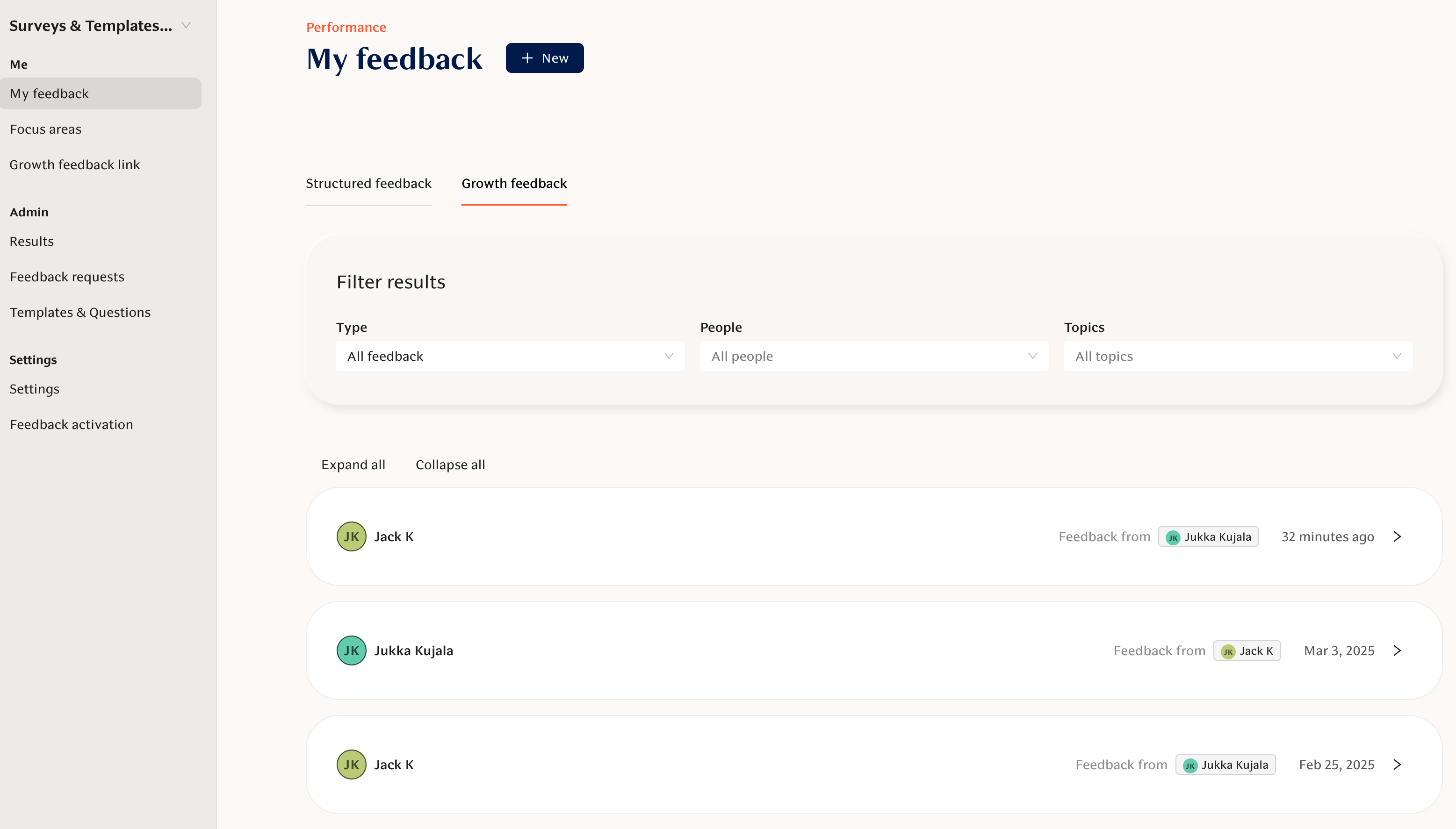
There are 2 possible types of feedback: Structured and Growth. Depending on your organization's practices you either have both available or only the other.
Please read further to explore either one:
📄 Growth Feedback quick start guide
📄 Structured Feedback quick start guide
📥 Asking for feedback
You can ask for feedback in 2 different ways:
Collecting growth feedback by using your personal focus areas, or
Asking for Structured feedback by using feedback templates created by your organization.

People who request for feedback are more likely to receive relevant feedback. This makes is 3x more likely to feel engaged and understand that you are developing at work.
Teamspective encourages you to ask for feedback on a regular basis. This allows you to maintain a healthy understanding of how you are progressing towards your goals and how effective you are at collaborating with colleagues.
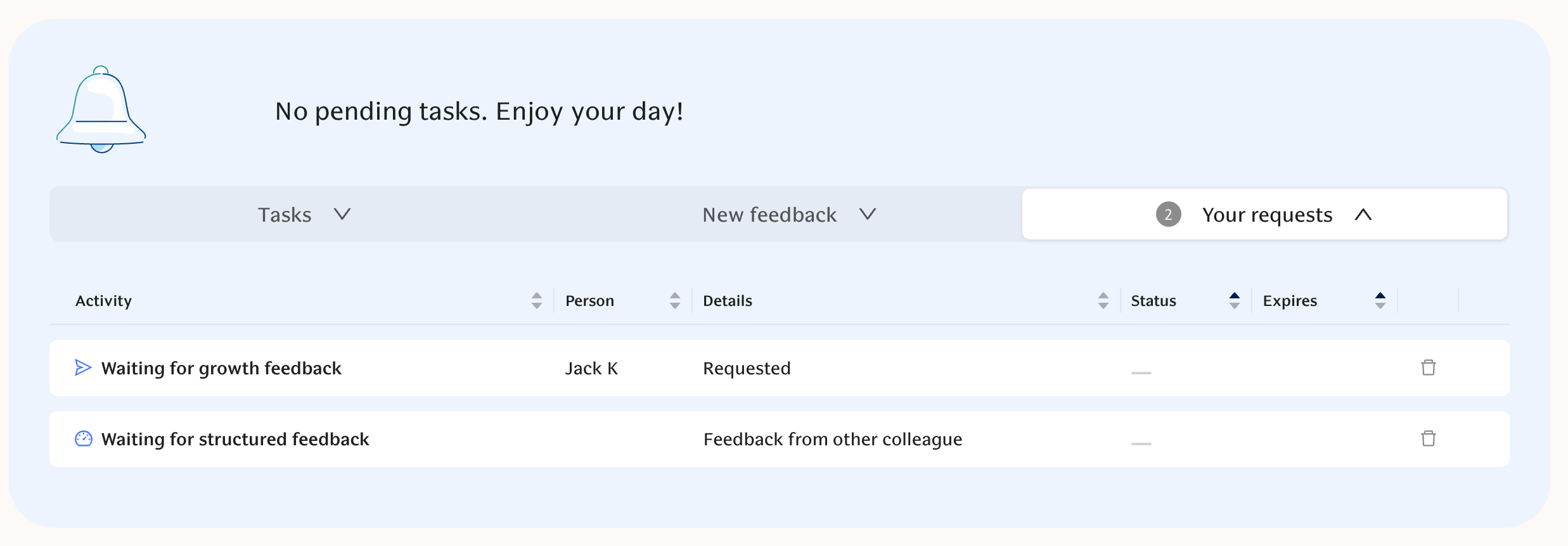
You can track the status of your requests from the Task list in the web application:
Still haven't found what your looking for?
Checkout our Performance FAQ or search the Knowledge Base for a more detailed article!