How to extend or reschedule Feedback request deadlines
Last updated: March 20, 2026
There are different ways to extend request deadlines depending on the type of feedback and its current status.
Extending structured feedback requests
For structured feedback requests that have already expired, you can extend them through the feedback dashboard:
Select the expired feedback requests you want to extend
Click "Reschedule" and set a new deadline
After rescheduling, refresh the page to verify the new times are correct
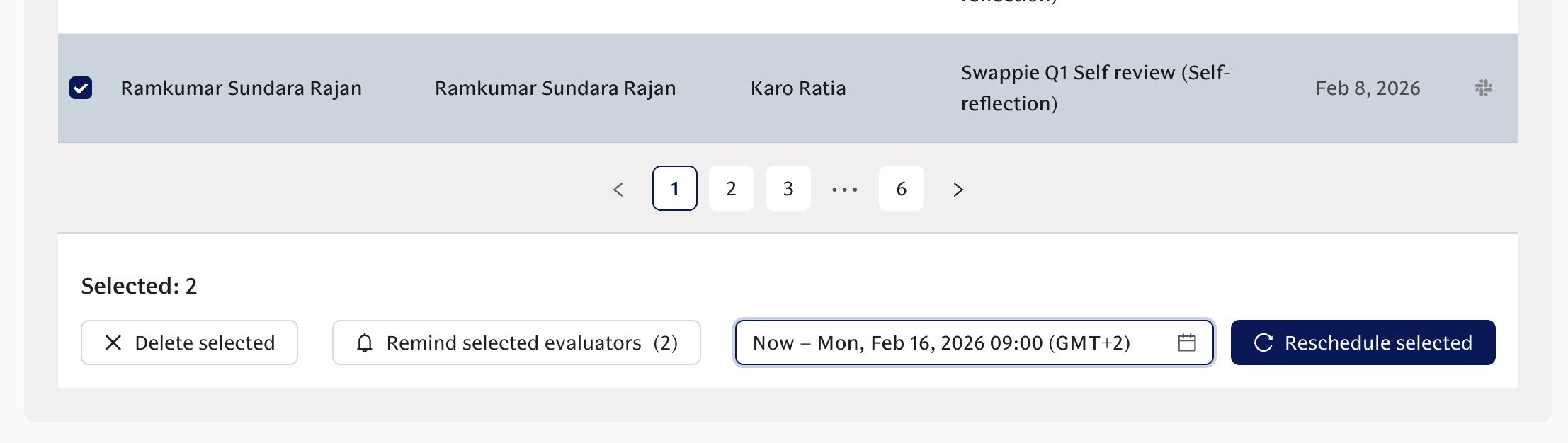
When you reschedule, participants will be automatically reminded to complete their feedback.
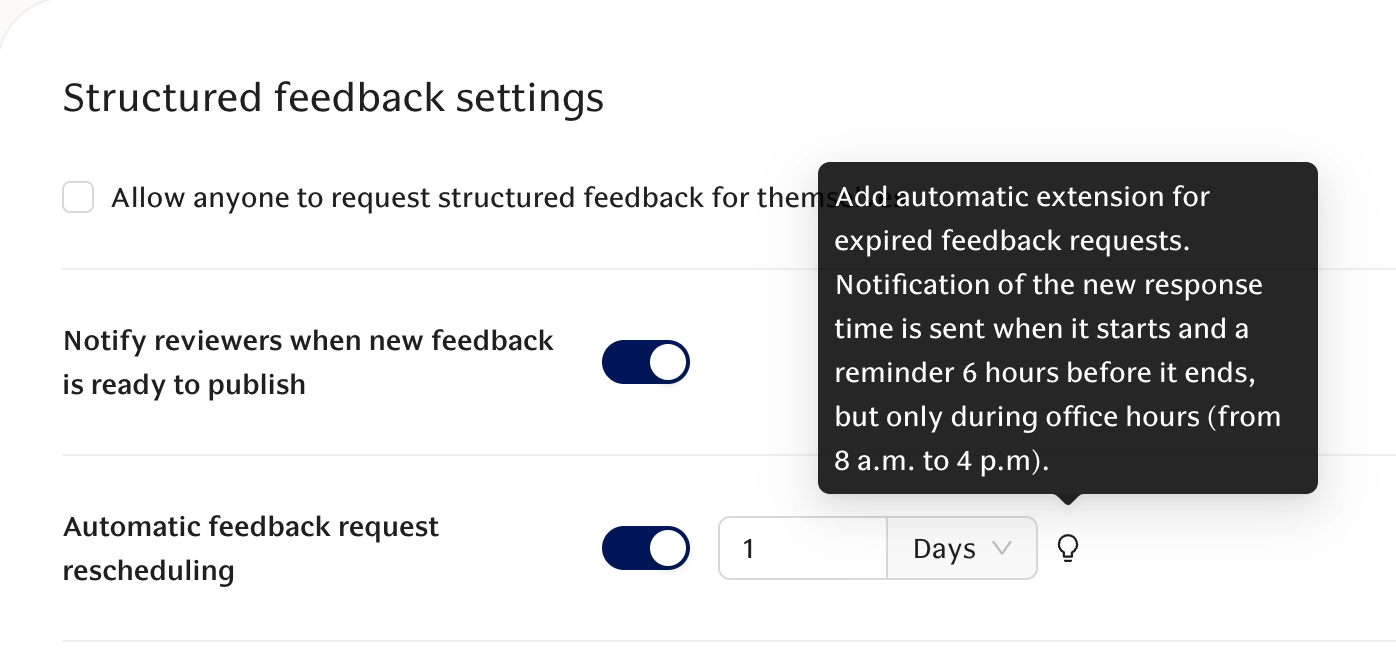
Automatic extensions for structured feedback
Structured feedback requests will automatically extend when they expire. You can configure how long these automatic extensions last by visiting the structured feedback settings page.
Important notes about timezones
Pay attention to timezone settings when scheduling feedback deadlines. The system displays times in your local timezone, but make sure to verify that the scheduled time matches your expectations. Recent updates have improved timezone display accuracy throughout the platform.