Teamspective Product updates
Last updated: August 20, 2026
The latest product updates we've been launching into Teamspective.
July 31, 2026
HIGHLIGHTS
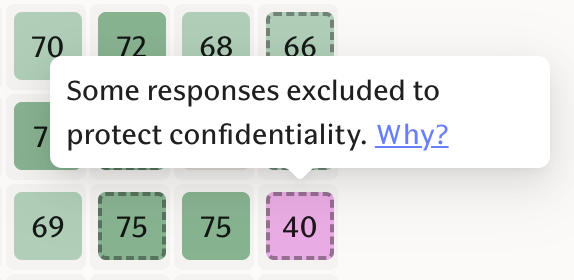
Hierarchy protection for engagement scores
An example might be a department head who is not part of any team within the department. Their answers can be worked out by subtracting the teams' results from the department's. To prevent this, the leaders answers are excluded from the department results. (Engagement)
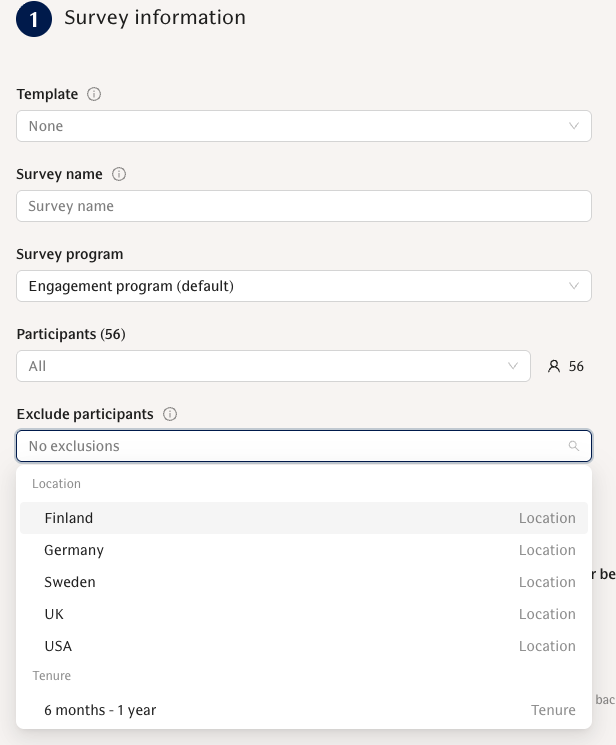
Exclude participants from surveys
Admins can include a broad audience in a single-round survey and subtract specific groups or segments (for example, include "Power solutions" but exclude "Interns/Apprentices"); segment-only programs save correctly and the participant preview shows the right count. (Engagement)
Full changelog - July 2026
ENGAGEMENT
New Features
Hierarchy protection for engagement scores — Optional setting trims parent-group scores to the union of their children with clear UI indicators when protection has occurred.
Exclude participants from surveys — Include a broad audience and subtract specific groups or segments in single-round surveys; segment-only programs save correctly and participant preview is accurate.
Improvements
Documents page visible without structured feedback — If a workspace uses personal Documents but not Structured feedback, Documents and Document templates are reachable rather than blocked by the performance feature flag.
Suggested Actions for group admins — Group/team admins see the engagement Suggested Actions panel when viewing their group.
Decluttered engagement selectors — Internal engagement attributes are hidden from score and pivot dropdowns by default (eNPS group remains visible).
Expanded survey summary on home re-entry — After answering a pulse, the answered survey shows its summary expanded by default so you see responses and response rates at a glance.
Context-aware "Who can see my answer?" note — The visibility note under pulse questions accurately reflects open-text comment visibility (admins-only vs team) across web, Slack and Teams.
Sticky survey view for light users — Code-login (pulse light) respondents stay on the survey they answered — the summary no longer jumps to another active survey — and can reopen and edit answers after logging back in.
Answer attribution stamps team and segment at answer time — Answers record team and segment information at submission, so results and attributions stay correct even if a user leaves mid-round.
Respond permissions for engagement comments — Reply and reaction controls respect a new respond-permission; by default only direct managers can reply or react (others can still view). Admins can grant respond access via roles.
Cleaner mobile layouts and togglable project side panel — The project detail page has a togglable side panel (default open on desktop, closed on small screens), and many pages get responsive fixes so tables, cards and toolbars behave on narrow viewports.
Survey intro card for code-login users — Code-login users see the survey title and admin-written intro with a Start button before the first question, matching the full-account experience.
Restyled comment replies and comment actions menu — Replies match the feedback discussion style (avatar, name, date); comments and replies get a compact "…" menu with actions like creating an action from a comment and deleting your replies.
Bug Fixes
Comment visibility for scoped managers restored — A workspace-level override (default ON) restores the pre-June behavior so scoped managers can see engagement comments relevant to their teams; workspace admins can flip the override.
Survey result notifications now respect the disabled preference; delivery failures are logged and alerted so silent failures are visible.
UI library upgrade styling regressions fixed — selects, skeletons, focus outlines and table/header styling behave consistently.
PERFORMANCE
New Features
Self-serve Unarchive for performance documents — Unarchive from the document toolbar and choose to restore to the previous approved state (when the slot is free) or restore as an editable draft if the approved slot is taken.
Bug Fixes
Documents can now be created for a person even when a draft already exists.
"Ask for structured feedback" buttons hide when the Structured feedback feature is turned off.
AI
Improvements
Customize Lea terminology — The AI customization page uses friendlier labels ("Customize Lea", "Instructions", "Files") so managers find and edit Lea's guidance more easily.
Clearer connector tool names and consent wording — Connector tools show human-readable names in the directory; consent copy is clearer about what a connector can write and that it runs with the user's own permissions.
More reliable AI provider setup — Configurable AI provider options make AI features more resilient to outages and cost changes.
OTHER / PLATFORM
New Features
Bulk import of role descriptions — Prefill role descriptions from HRIS CSVs or the Kombo integration; exports preserve descriptions so imports/exports roundtrip cleanly.
Improvements
"Workspace" renamed to "Organization" — Consistent wording across results, settings, notifications and onboarding.
More reliable email-based actions — Email lookups for sign-ups, invitations, account linking and HRIS sync handle duplicate or secondary addresses correctly.
Bug Fixes
CSV imports that would remove the sole admin now keep those admins and warn in the preview; import errors return a readable message instead of a blank failure.
Access-denied screen (with switch org / contact admin / sign out) replaces the reload loop when a user lacks access to an organization.
June 30, 2026
HIGHLIGHTS
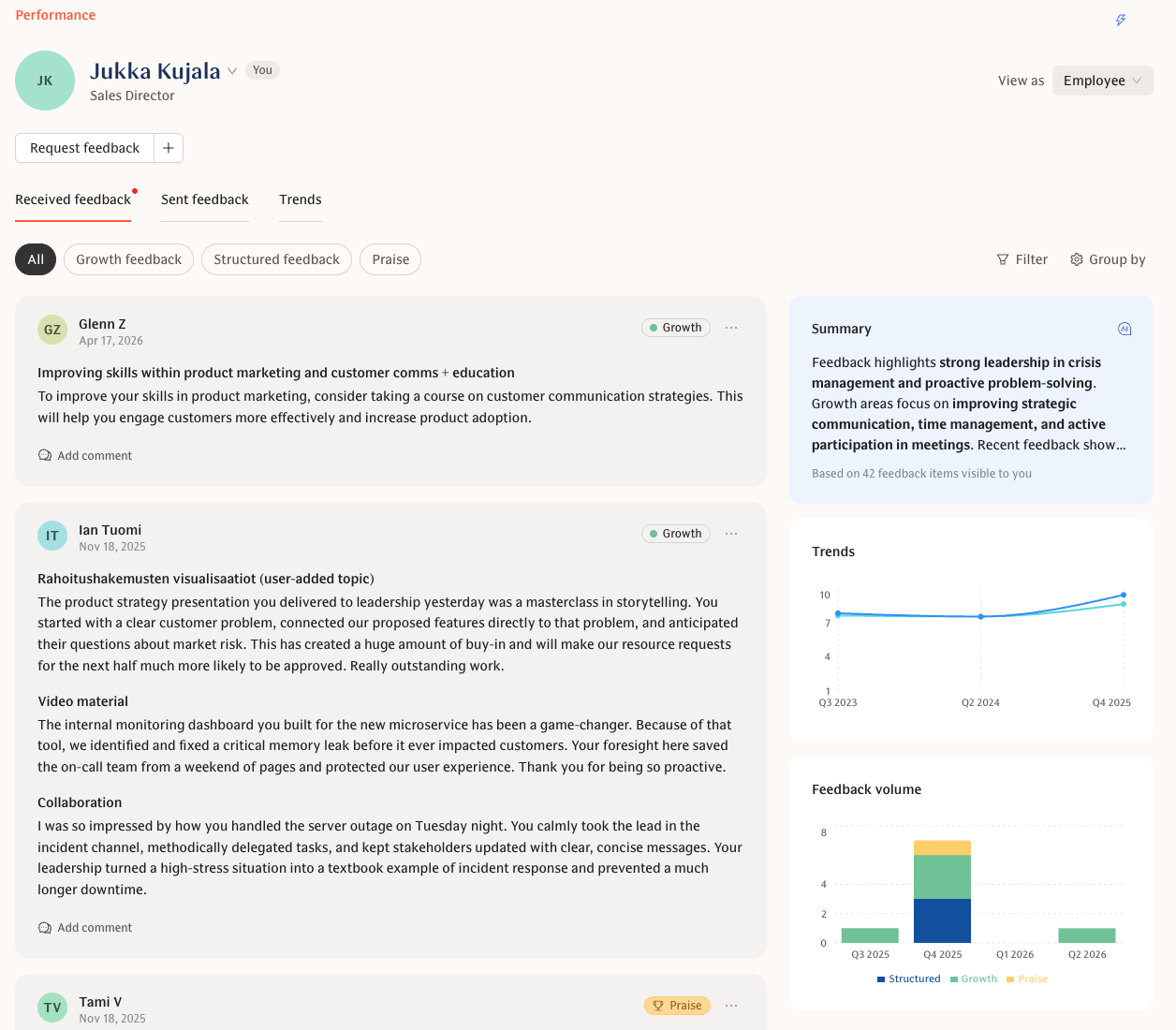
My feedback, rebuilt
Received and Sent are now unified tabs with source and cycle/process-type filters, group-by (question, source, cycle, quarter), a Theme-scores-over-time view, and a compact AI summary widget that follows your active filters. (Performance)
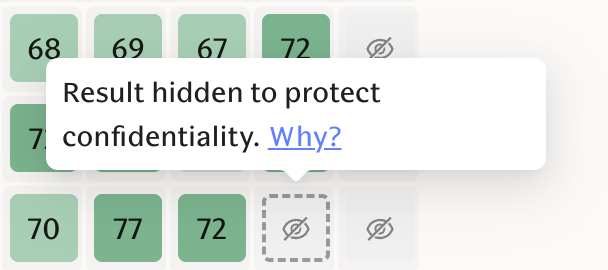
Stronger engagement privacy
A new Advanced privacy setting adds an extra suppression step so small segments can't be reconstructed by subtraction, and admins get three explicit remainder-protection modes (None / Protect individuals / Protect all small groups). (Engagement)
New Lea Tooling
Lea can now:
scope results to a specific survey, recurring survey or program (e.g. "eNPS trend across all our pulse surveys"), and
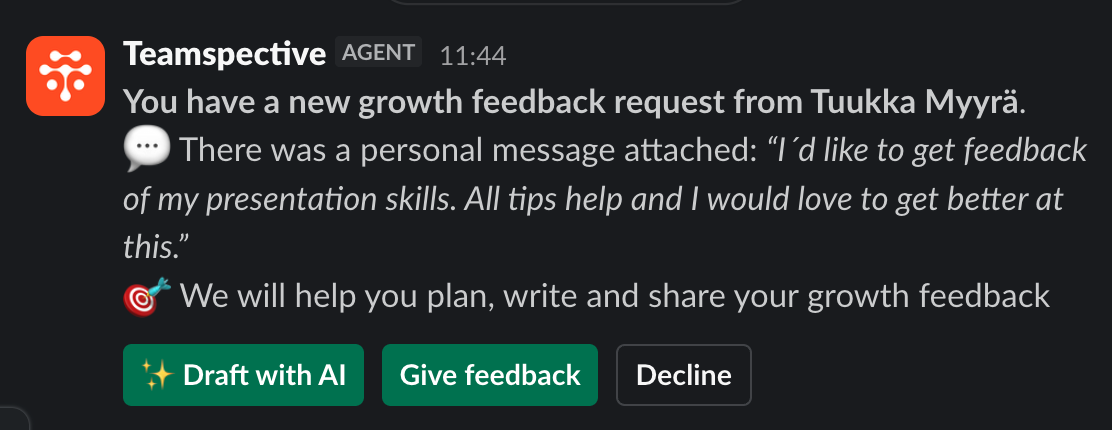
you can start or continue an AI-drafted feedback response with one button from the Slack notification. (AI)
Full changelog - June 2026
ENGAGEMENT
New Features
Survey intro messages — Surveys can include an optional intro that appears as an extra step in Slack/Teams/web and is used in the survey notification email.
List completed rounds for recurring surveys — Recurring surveys now expose their completed rounds (round IDs, end dates, response counts) so admins can target or compare specific rounds.
Improvements
Stronger privacy for small segments — An additional suppression step (Advanced privacy setting) prevents individual answers from being reconstructed by subtraction.
Privacy remainder protection options — Three admin modes (None, Protect individuals, Protect all small groups) control how aggressively small groups are suppressed.
Lower attribute response threshold — Admins can drop the minimum respondents for attribute-based segments to 2 (default remains 5; engagement attributes still floor at 5), and survey form copy reflects the workspace setting.
Pivoting by hidden attributes — Reports can be pivoted by attributes hidden from the main filter list without exposing their standalone scores.
Unified engagement visibility — Heatmaps, trends, snapshots, comments and AI suggestions now apply the same visibility rules so viewers only see what they're allowed to.
Path-based Engagement routes — Pages move to
/engagement/*with deep links and automatic redirects from old pulse URLs so bookmarks keep working.Heatmap controls and loading polish — Export moves to a compact icon, hover previews show select labels, the previous heatmap stays visible under a dim overlay while loading, and dropdown spacing is more stable.
13 additional survey question languages — Including Japanese, Korean, Portuguese-PT, Hindi and Turkish (question translations only; app UI languages unchanged).
Multi-recipient praise shown as one card — Praise to multiple people appears as a single card with an "and N others" display to reduce feed clutter.
Manager view: survey progress visibility — Managers see report answer rates in the survey progress component.
Cleaner trend and date displays — Trend dates render as date-only so charts and tables are easier to read.
Survey schedule CSV includes override questions — Recurring-survey schedule exports now surface questions running on an overridden cadence.
Bug Fixes
Segment members now correctly see segment-filtered engagement results when appropriate.
Snapshots shared to Slack/Teams or embedded in discussions only show questions and aggregates the source is allowed to publish.
Heatmap no longer drops the attribute selection from the URL while segments load.
Long free-text pulse comments are accepted without validation errors.
PERFORMANCE
New Features
Unified My feedback with Sent tab — Received and Sent tabs share a profile-style header with new filters by source (peer, manager, self, external) and by cycle/process tags.
Tag management on evaluations — Admins can create and manage cycle/process-type tags in Performance settings, and evaluations can be stamped with those tags for grouping and filtering.
Group-by on Received feedback — Group your Received feed by question, source, cycle, process type or quarter; aggregate mode shows per-question score breakdowns and routes open comments into a trailing list.
Theme scores over time — A compact Trends widget and a full Theme breakdown on the Trends tab show how theme scores change across periods.
AI summary widget on Received feedback — A compact AI-generated summary card in the Received side panel updates with your active filters and links to the full analysis.
Real Sent feedback view + top-recipient widgets — The Sent tab shows your actual sent feedback (no placeholders) with widgets for top recipients and sent-volume over time.
Share private feedback & comment on anonymous feedback — Recipients can share private feedback with their managers from the feed, and recipients and their managers can add comments on anonymous feedback.
Read/unread tracking for feedback — Received growth and praise items show a "New" tag until opened and auto-mark as read after a short dwell; the Sent view shows whether the recipient has opened what you sent.
Deep-link to a single feedback item — Notification links (Slack, email, Teams, in-app) land directly on the exact item in the unified feed and pin it at the top.
Manager access setting on document templates — A template-level toggle gives a subject's managers automatic read-only access to documents created from that template, including drafts.
Improvements
Persistent toolbar and unified structured feedback views — Table and Grid are unified under a single Structured feedback tab so filters, search and actions feel stable when switching views.
Sticky user header on Results — When you drill into a user, the back arrow and header stay above the tabs and include a quick search popover to jump to another user.
Better feedback filters and provider selection — Provider dropdown, cycle/process-type tags and separate Received/Sent filter displays are fully wired; provider filter respects evaluator visibility rules.
Trends side-panel and Feedback volume charts — The Trends sidebar shows Biggest changes, Top topics and Feedback coverage widgets; Trends gains a Feedback-volume-over-time chart (with a compact variant in the Received sidebar).
Received feed grouping and by-question view — The Received list respects display group-by options and includes a by-question view that aggregates numeric answers and lists open responses.
Feedback profile filters and empty states — The feedback profile page adapts to the feedback kinds enabled in your workspace, respects topic filters, preserves link state and shows helpful empty states.
Sensible "View as" defaults on My feedback — Defaults to Employee on your own feedback and Manager on someone else's; previewing your manager view on your own feedback correctly hides private items.
Performance section URL updates — The Performance area now uses
/performance(instead of/feedback) with proper routes and redirects.
Bug Fixes
Structured feedback admin template editing now respects the correct permission.
Feedback deep links reliably land on the targeted item and pin it correctly.
Provider dropdown shows the selected user's name on first paint for deep links.
Small layout/padding issues in the Results user view are fixed.
AI
New Features
Draft with AI on the feedback writing page — A single "Draft with AI / Continue writing with AI" button next to Send starts or continues an AI-drafted response.
Assistant survey scoping — Lea can discover recurring surveys and programs and scope answers to a specific survey or program (e.g. "eNPS from the latest program").
AI prompt suggestions and message action bar — A rotating, role-tailored set of AI prompt suggestions (with a temporary "New" badge); assistant messages include copy, thumbs up/down and link-click tracking.
Improvements
LLM output caching — Feedback and engagement comment summaries are cached for faster repeat views and fewer redundant AI calls; loading and error states are polished, and low-value refresh buttons removed.
AI Chat preview and "Lea" label re-enabled — Workspace admins can preview AI Chat again, and the chat intro shows "Lea — Leadership Enablement Agent" for clearer positioning.
Bug Fixes
Slack AI streaming renders prose and tool cards in the correct order.
DISCUSSIONS / COLLABORATION
Improvements
Path-based Collaboration routes — Network pages move to
/collaboration/*with backwards-compatible redirects from/network.Last-edited attribution in collaborative editing — Discussion notes show who last edited and when so it's clear when content changed and by whom.
OTHER / PLATFORM
New Features
Workspace language for action-planning suggestions — Workspaces can set a language so action-planning suggestions are generated in that language.
Improvements
Rename "Tasks" to "Actions" — User-facing URLs, labels and translations now say "Actions"; old
/taskslinks and query params continue to work.Actions section uses real paths (
/actions/*) — My actions, My team, Projects, Insights, etc. have real routes so tabs can be shared and nested reliably.Auto-save for profile settings — Name, language, timezone and demo toggle save automatically with a brief "Saved" indicator.
White tooltips — Tooltips now use a white background matching popovers for a cleaner, consistent look.
Friendlier, translated update toasts — Version-change toasts show friendlier copy in English, Finnish and Swedish.
Hide duplicate support button when chat is open — The custom support bubble hides automatically when the embedded Pylon chat is open.
Bug Fixes
Task notifications are no longer sent to people who have lost visibility of the task.
"Your session has expired" toasts are deduplicated when parallel requests fail.
May 29, 2026
✨ Highlights
Lea, the Leadership Enablement Agent
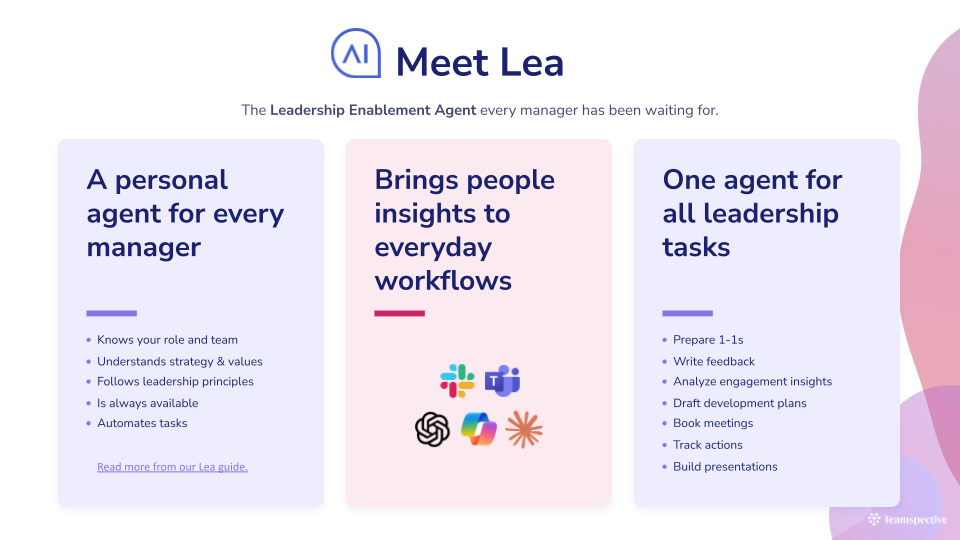
Teamspective's leadership enablement agent is now called Lea! Read more about Lea's capabilities and how it can help you across different workflows:
AI-guided feedback drafting in Slack and web
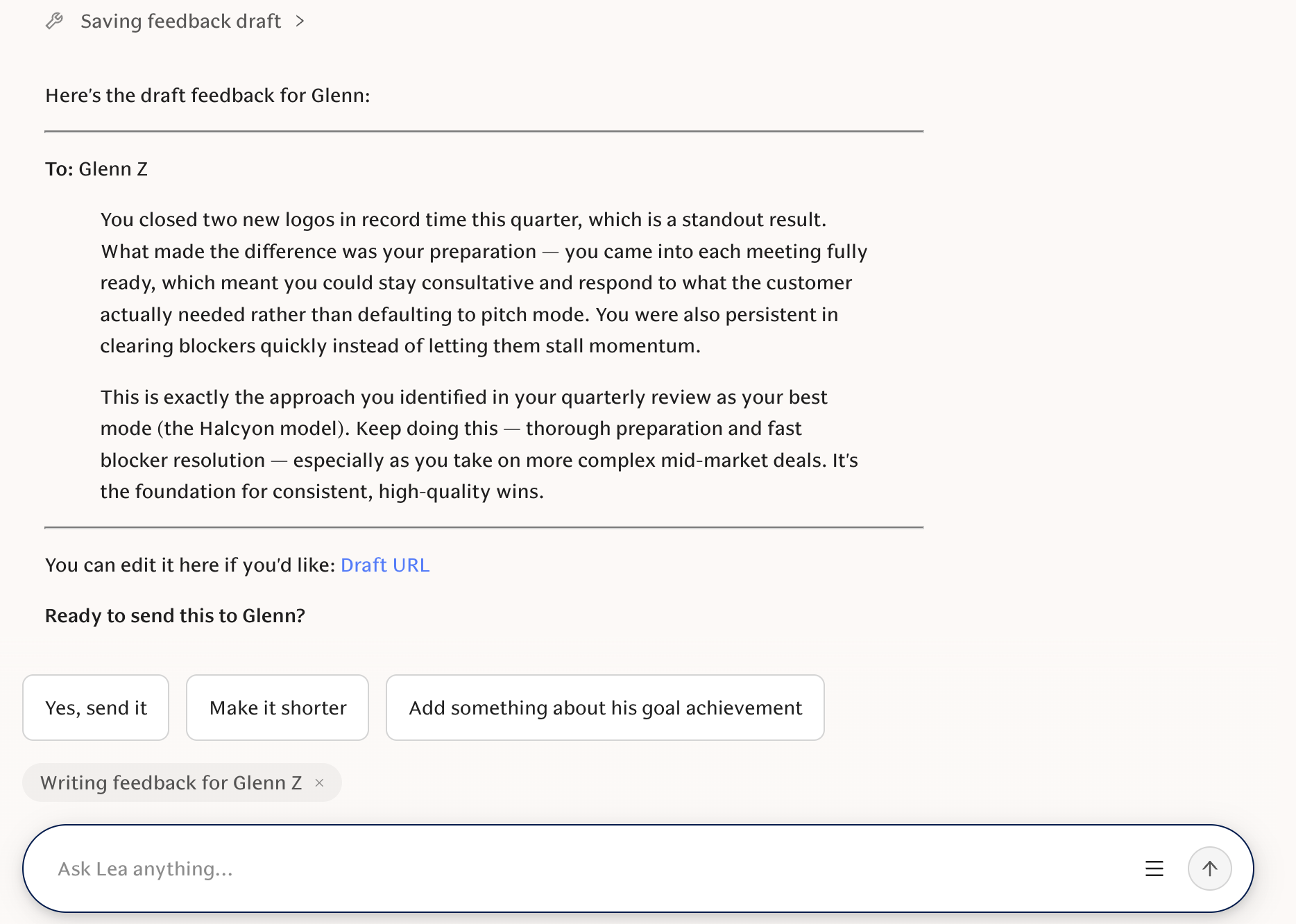
Employees can now use the AI Agent Lea to draft, save, and send feedback directly from a feedback request in Slack or in-app, with AI guidance throughout.
Fine tune your access and visibility permissions with Roles
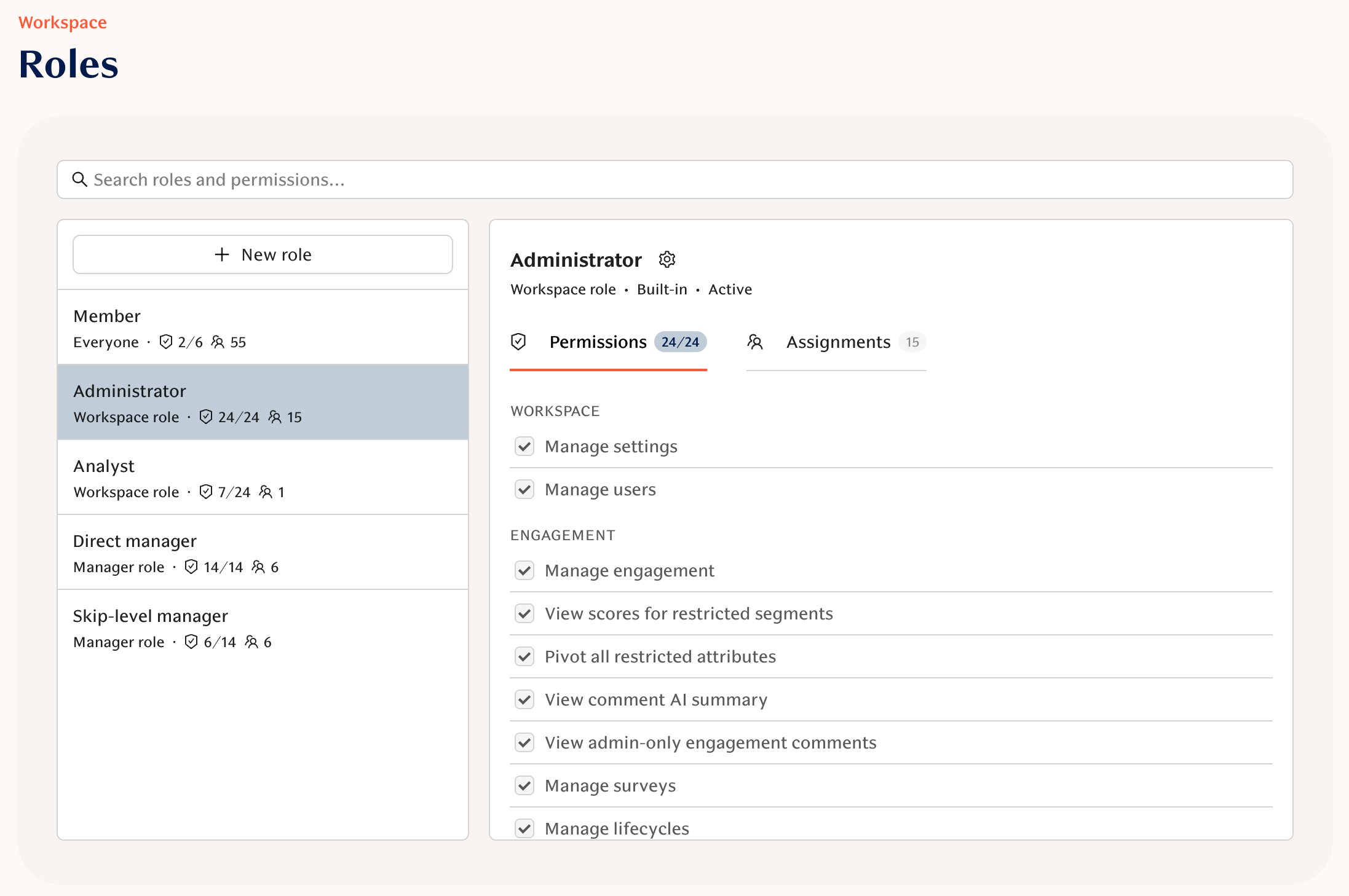
Create and manage custom workspace roles, assign them to users or segments, and edit permissions from a new Roles page in Settings. Roles will be released to general availability in Q3. If you want to take it into use immediately, reach out to your CSM or support@teamspective.com.
Specify Audiences for your AI context
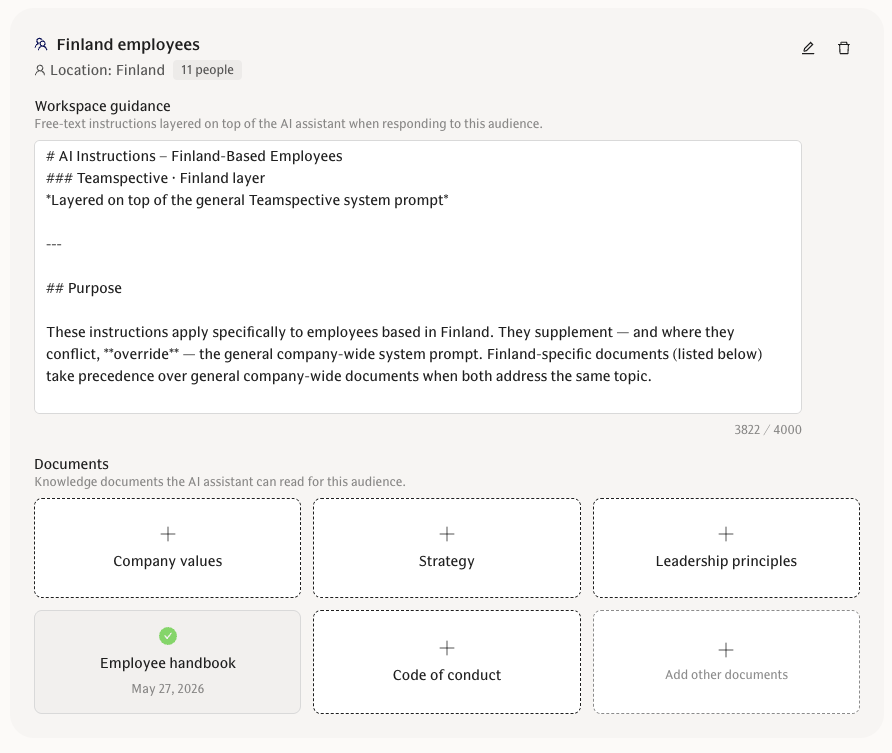
Customise your AI context based on specific employee groups. This includes both a custom instruction and documents. These will be used as context information by the AI Agent Lea only when the specified employees use the agent. Create your first Audience here.
Tasks: Introducing Projects
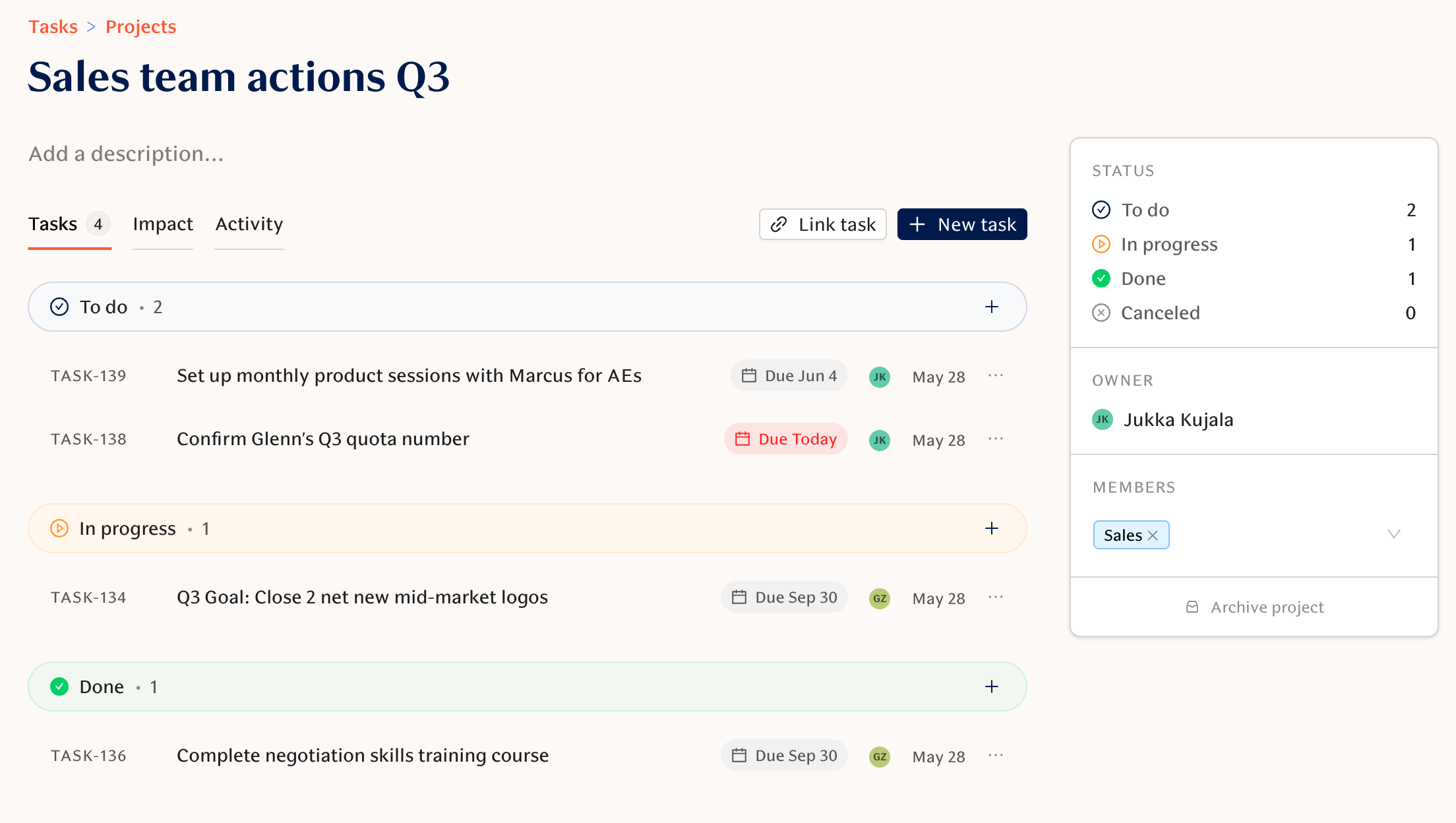
A new way to group related tasks and give segment-based members shared access, making multi-team initiatives easier to coordinate.
Tasks: Impact tab and Impact markers
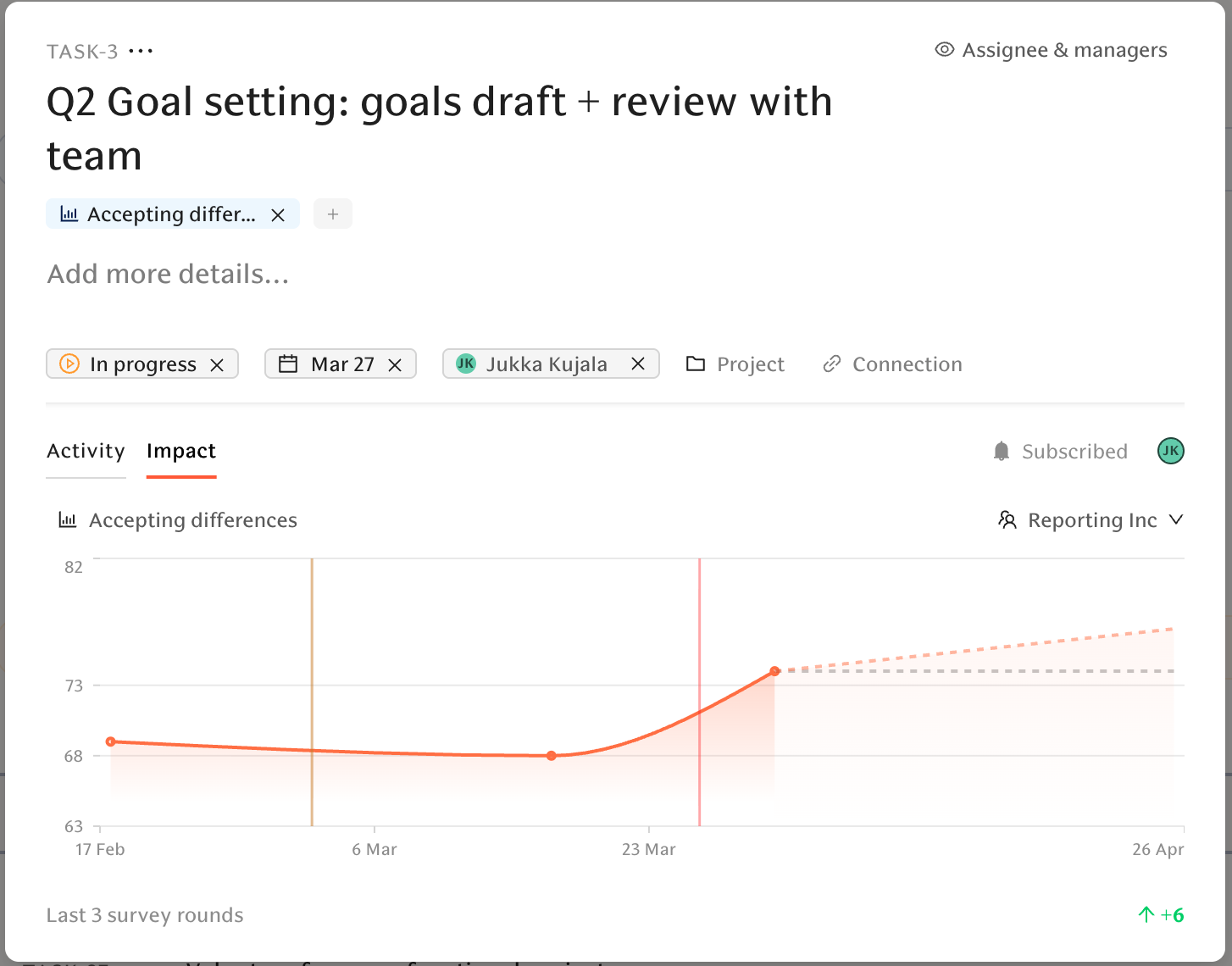
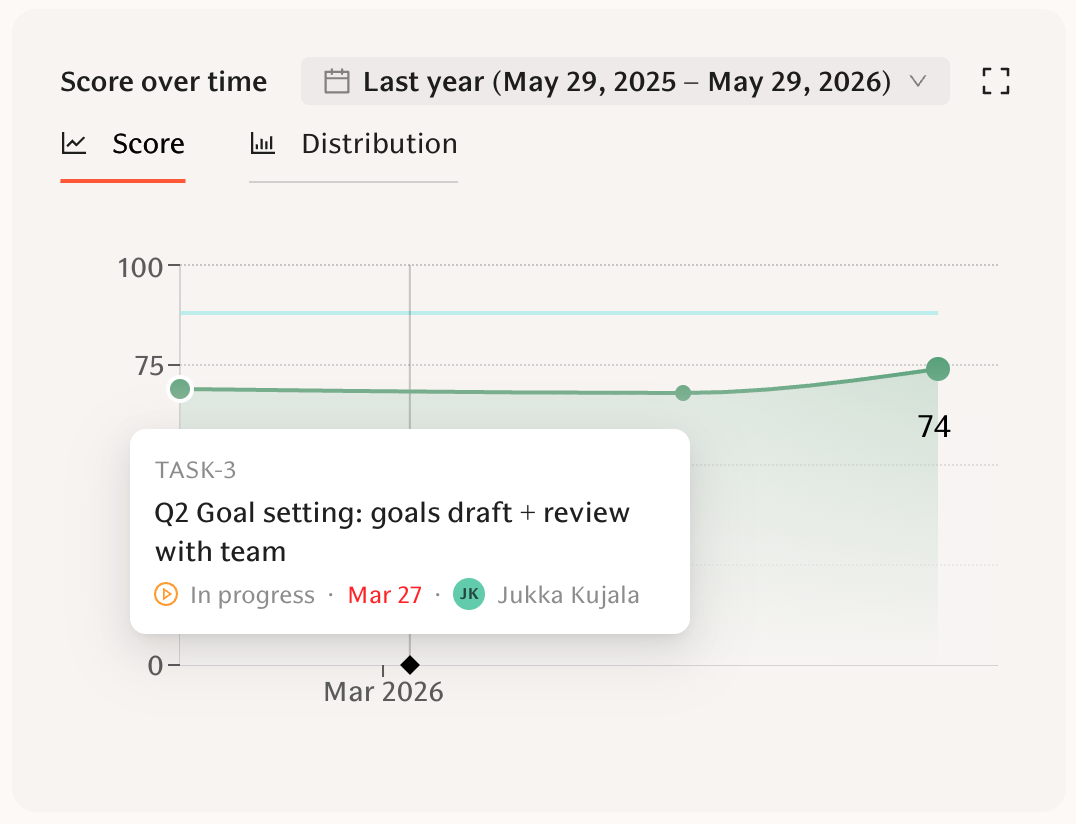
You can now analyse the impact of Tasks directly from the task view when it has been linked to a specific metrics. Moreover, question score pages in the Engagement reporting views display task markers in the trend section: you can click to see which task was completed at which point in time.
Archive default engagement questions per workspace
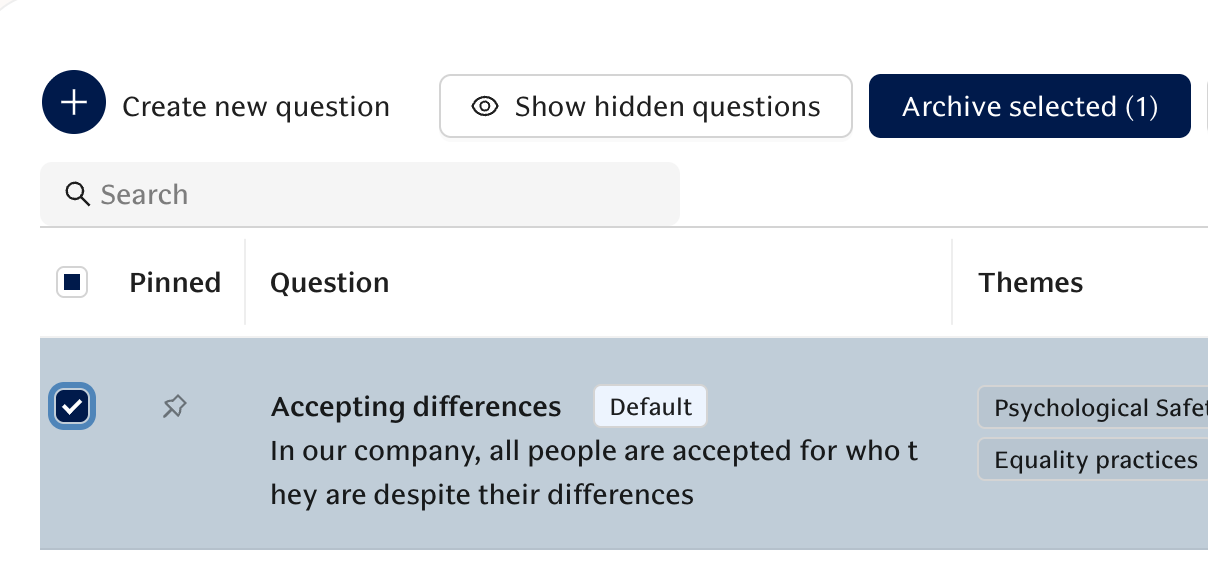
Admins can archive Teamspective default questions for their workspace, with bulk archive/unarchive and a "Show hidden questions" toggle. See Questions library.
Per-attribute response visibility threshold
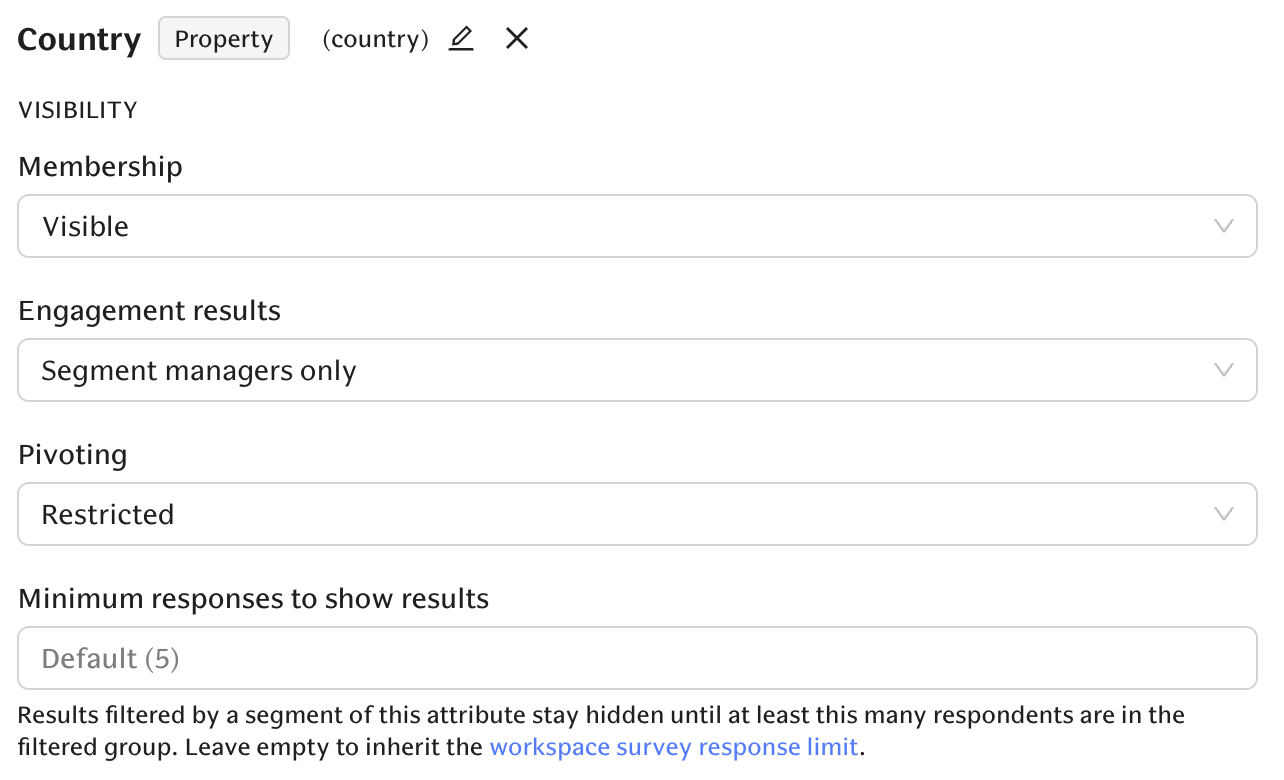
Admins can set a minimum response count per attribute; segment results are automatically redacted when below the privacy floor. The thresholds can be adjusted on the Attributes settings page.
Outlook calendar for AI scheduling
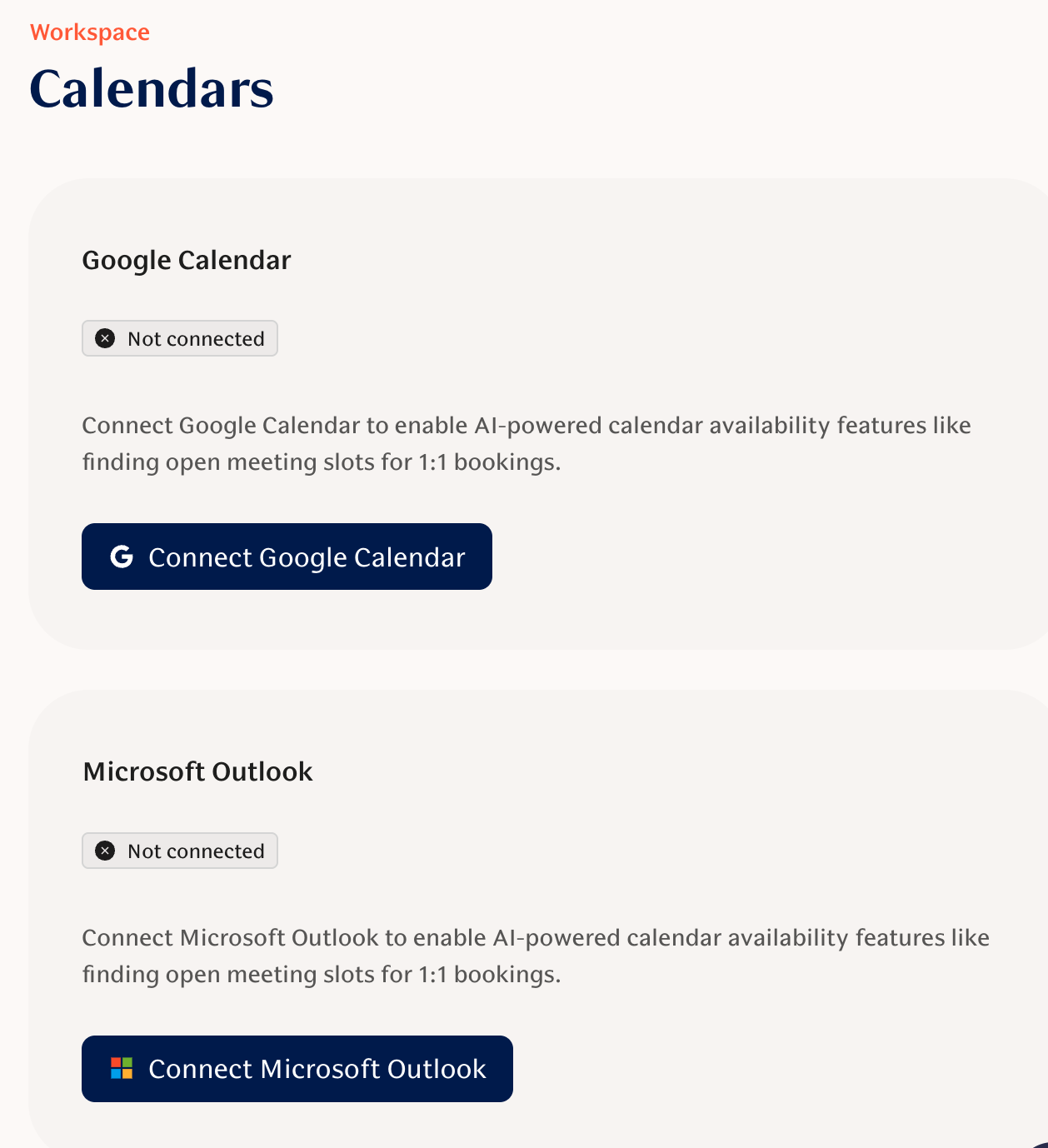
The AI scheduling assistant now supports Microsoft Outlook in addition to Google Calendar. Connect your company's Outlook calendar from the Calendar settings page.
FULL CHANGELOG
Engagement
New Features
Reminder schedule preview in survey setup — Admins creating or editing a survey now see the exact reminder dates + times so there are no surprises on send day.
PowerPoint export labels for trend charts — Exports now label each survey close date and annotate data points with scores so slides are readable standalone.
Archive default engagement questions per workspace — Admins can archive Teamspective default questions for their workspace, with bulk archive/unarchive and a "Show hidden questions" toggle.
Per-attribute response visibility threshold — Admins can set a minimum response count per attribute; segment results are automatically redacted when below the privacy floor.
Archive individual lifecycle surveys — Admins can stop a single lifecycle survey from triggering while keeping the rest of the lifecycle and historical responses intact.
Improvements
Group admins receive pulse snapshots even when they didn't participate in the survey.
Compare scores table now supports attribute hierarchy drill-down (Department → Unit → Team) and correctly shows child rows for non-KPI-only surveys.
Question-level segment targeting now hides questions from users outside the targeted segment (admins still see everything).
Pulse comment summaries handle AI timeouts gracefully — showing a retry state instead of a server error.
Manager segments for direct and secondary reports — if your org uses secondary reporting, new attributes let you target direct or secondary reports separately.
Bug Fixes
Comment reply formatting now preserves paragraph breaks and whitespace.
You can remove survey managers via the tag "X" on the Survey management permissions page.
Lifecycle survey segment-only targeting no longer forces the workspace team ID into requests.
Scale selector shows the correct value when editing questions with predefined scales.
Comment deep links load correctly even when workspace default filters would otherwise exclude them.
Pulse answer concurrency fixed — rapid/simultaneous submissions no longer cause server errors.
Performance
New Features
Customize feedback request email subject — Managers can now edit the subject line when customizing evaluation notification emails.
AI-guided feedback drafting in Slack and chat — Draft, save, and send feedback from a Slack feedback request or in-app chat with AI assistance.
Improvements
Workspace admin document access expanded — Admins can view (read-only) manager-created documents before they're shared; employee drafts stay private until shared.
Document visibility and reviewer suggestions refined — Admins get reader-level visibility across the workspace; "Send for approval" prefers direct managers with admins as fallback.
MS Teams embedded view polished — URL hash routes are maintained, double-rendering avoided, and extraneous UI elements hidden inside the Teams modal.
Tabbed performance settings — Settings are reorganized into tabs (Growth Feedback, Structured Feedback, Roles) with URL hash routing and "Changes saved" toasts.
Request feedback modal now filters to only users who can actually receive feedback requests.
Bug Fixes
Feedback notifications now correctly route to the user's chosen feedback notification preference.
Document AI features (evaluation and tips widgets) now work for workspace admins viewing another user's document.
AI
New Features
search_users MCP tool — The AI assistant can now find people and manager-owned segments by name or email, enabling reliable "breakdown by manager" queries.
Documents filters and status summary in AI tools — The AI/document tool accepts segment and document-type filters and returns per-status summaries (approved, draft, pending review, etc.).
Outlook calendar for AI scheduling — The AI scheduling assistant now supports Microsoft Outlook in addition to Google Calendar.
AI feedback coach on public feedback links — The AI coach works on public anonymous feedback pages accessed via a valid link slug, no sign-in required.
Improvements
User timezone saved to profile, auto-detected on first login, and used as default in calendar and AI tools.
AI chat tool output no longer truncates at 500 characters; errors are shown clearly; long results appear in a scrollable block.
Assistant message rendering now interleaves reasoning, tool outputs, and text in production order; the step lane is visually muted.
AI assistant in Slack uses your profile timezone and audience guidance for more accurate, context-aware replies; longer timeout and updated fast model improve reliability.
Bug Fixes
Calendar tool approval flow disabled to prevent approval-related errors on calendar events.
PDF uploads with hidden null characters no longer crash AI personalization.
Other (Projects, Tasks, Admin)
New Features
Projects — Create projects to group related tasks and give segment- or group-based members shared access.
Task impact markers and Impact tab — Tasks show sparklines and lifecycle markers; engagement charts display task markers you can click to see whether a task moved its target metric.
Roles & permissions admin — Create and manage custom workspace roles, assign them to users or segments, and edit permissions from a new Roles page in Settings.
Tasks: comments, linking, and public visibility — Tasks now support comments, a /task reference command, and a workspace-wide "public" visibility option.
Groups as project members — Add groups as project members so all group members receive project access.
Link existing tasks to projects — A "Link task" button in the Project view opens a searchable popover to attach existing tasks.
Improvements
Calendly booking links and scheduling widget now used consistently across the product.
Calendly links include UTM parameters so bookings are attributed to the correct touchpoint.
Task suggestions only run when the suggestion UI is visible; overview and detail cards are unified.
Bug Fixes
Project assignment persists for editors even when they're not the task creator.
May 4, 2026
✨ Highlights
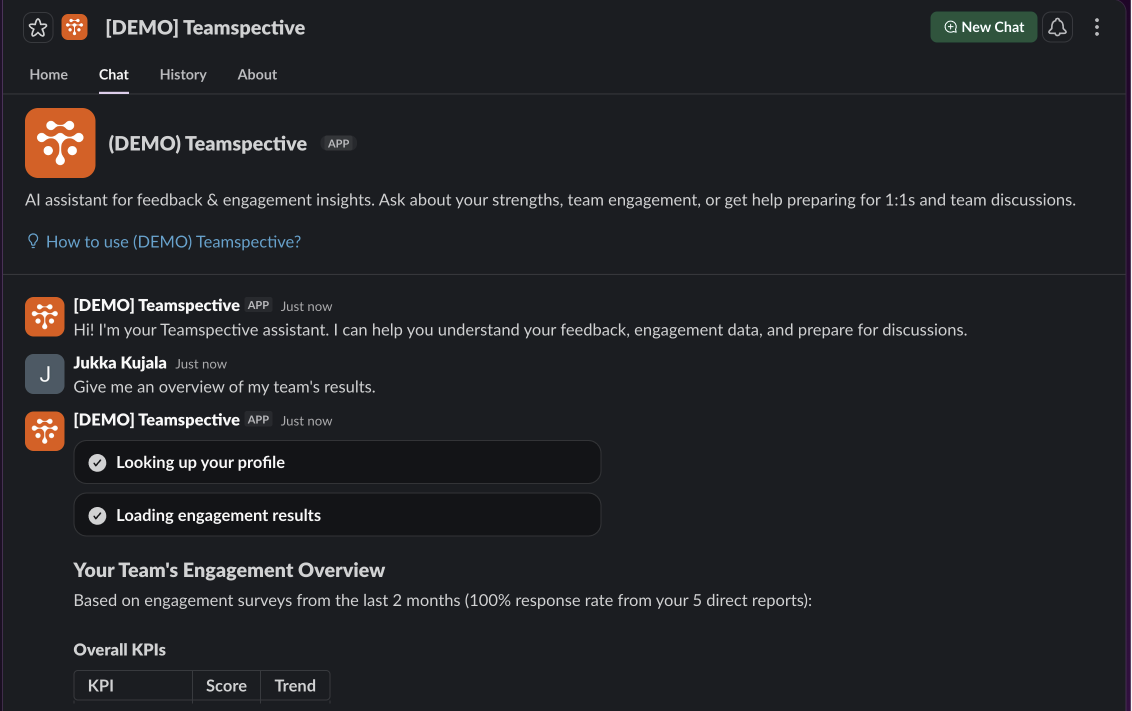
AI Assistant now available in Slack
You can now activate the AI Assistant to work directly in Slack within the Teamspective Slack app. The AI Assistant is the same assistant as in the Teamspective web app. Re-install the Slack app to enable this feature.
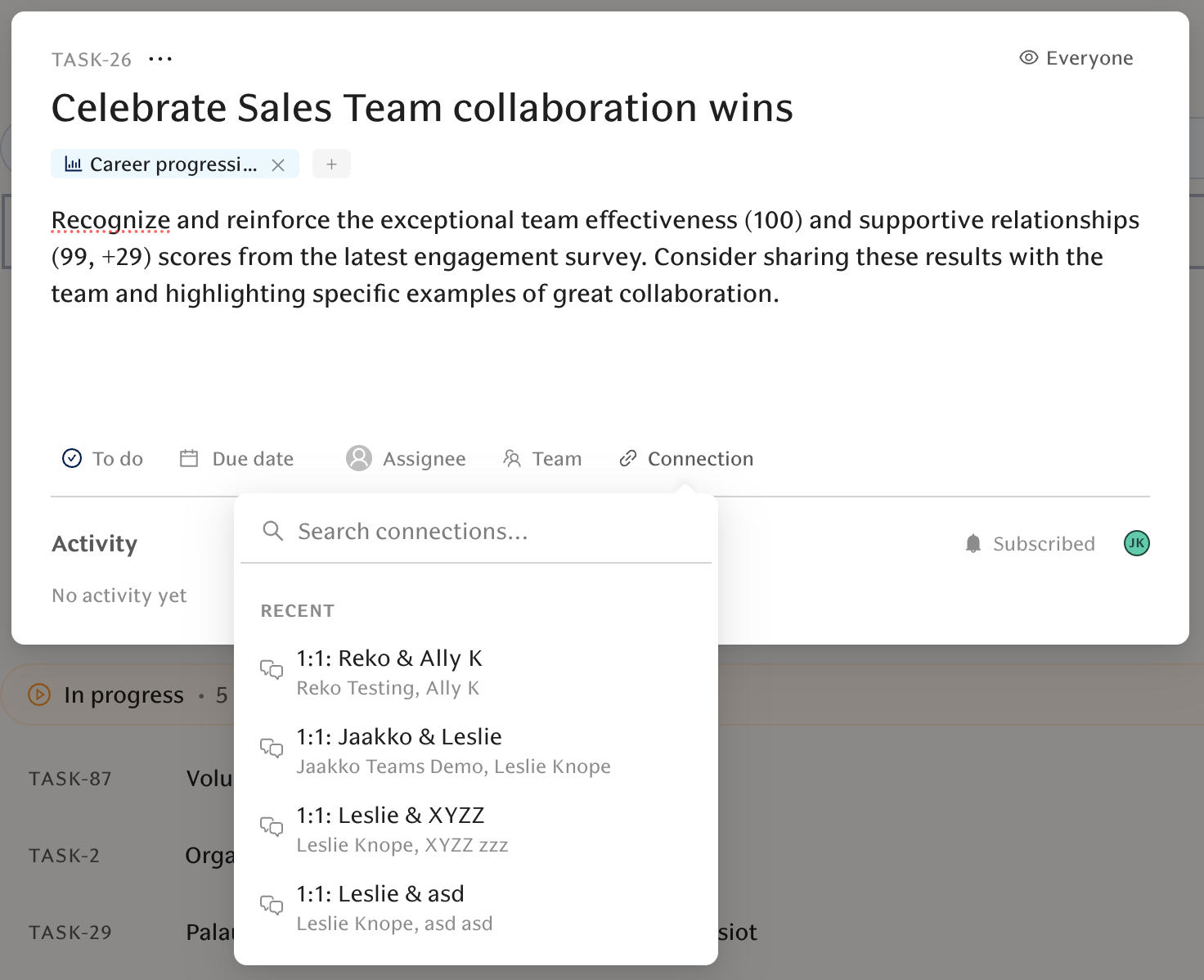
Improve your Tasks' documentation with Connections
Tasks can now be linked to discussions, feedback, documents, pulse comments/rounds, and metrics. Connections appear as colored tags on the task, fields pre-fill when creating a task from context, and you can preview task details on hover. This ensures you fully understand why a task has been prioritized and what it will be impacting.
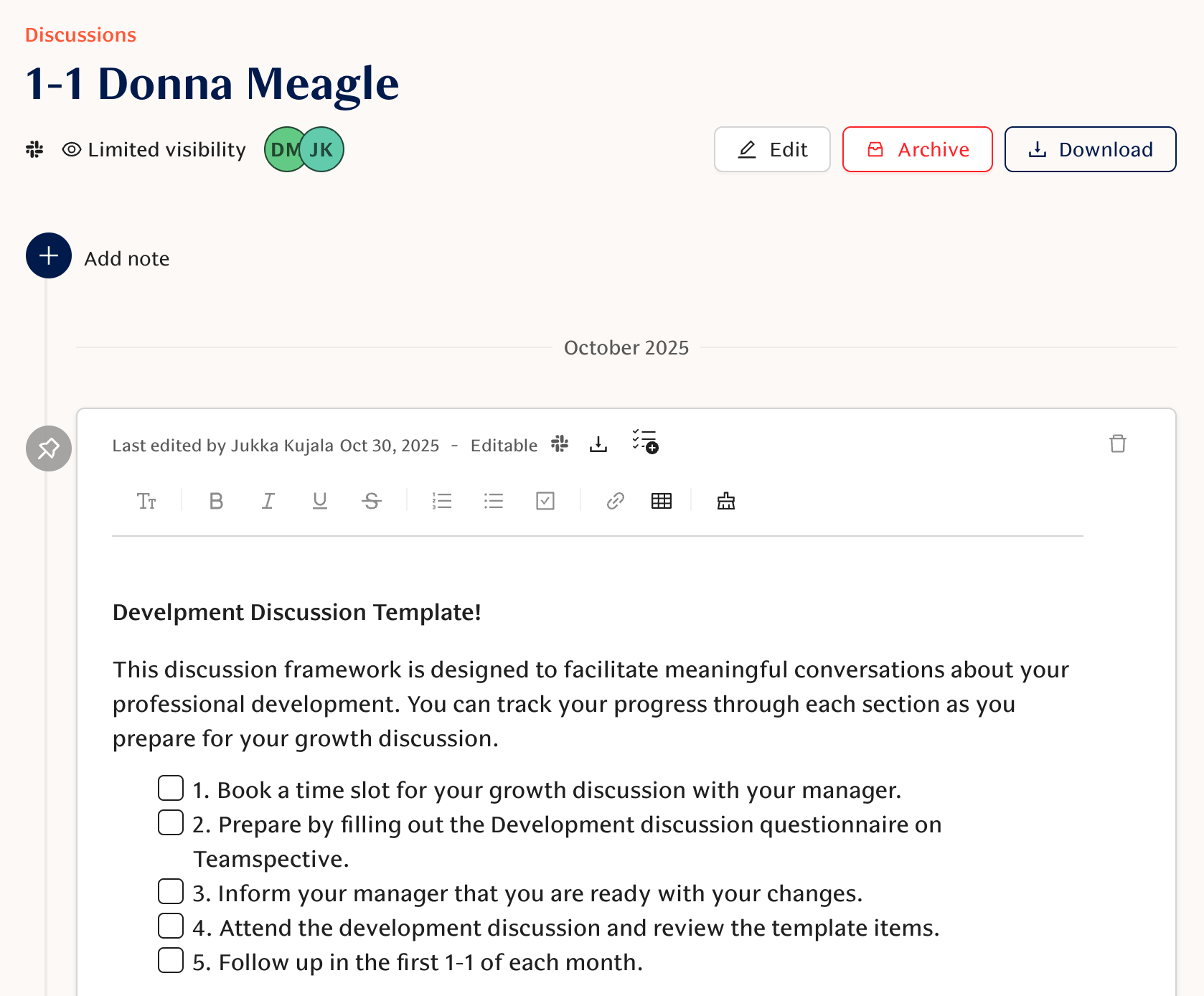
Improve meeting quality with Discussions
Discussions is now enabled by default for all customers. This helps managers and employees prepare and keep better track of their 1-1s. Teams can prepare for their meetings and document notes. Participants can edit the discussion name, and collaborative editing means AI-authored and manual changes appear in real time to everyone viewing the same document. The AI Assistant can help draft your meeting agendas and save tasks from meeting notes. Read more here.
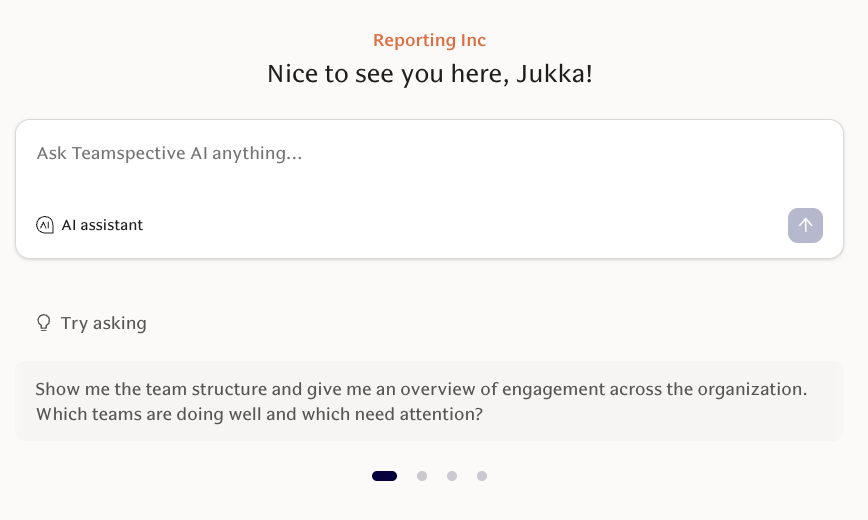
AI Assistant on the Home page
The AI Assistant is now accessible from the web app's Home page for faster discovery and access.
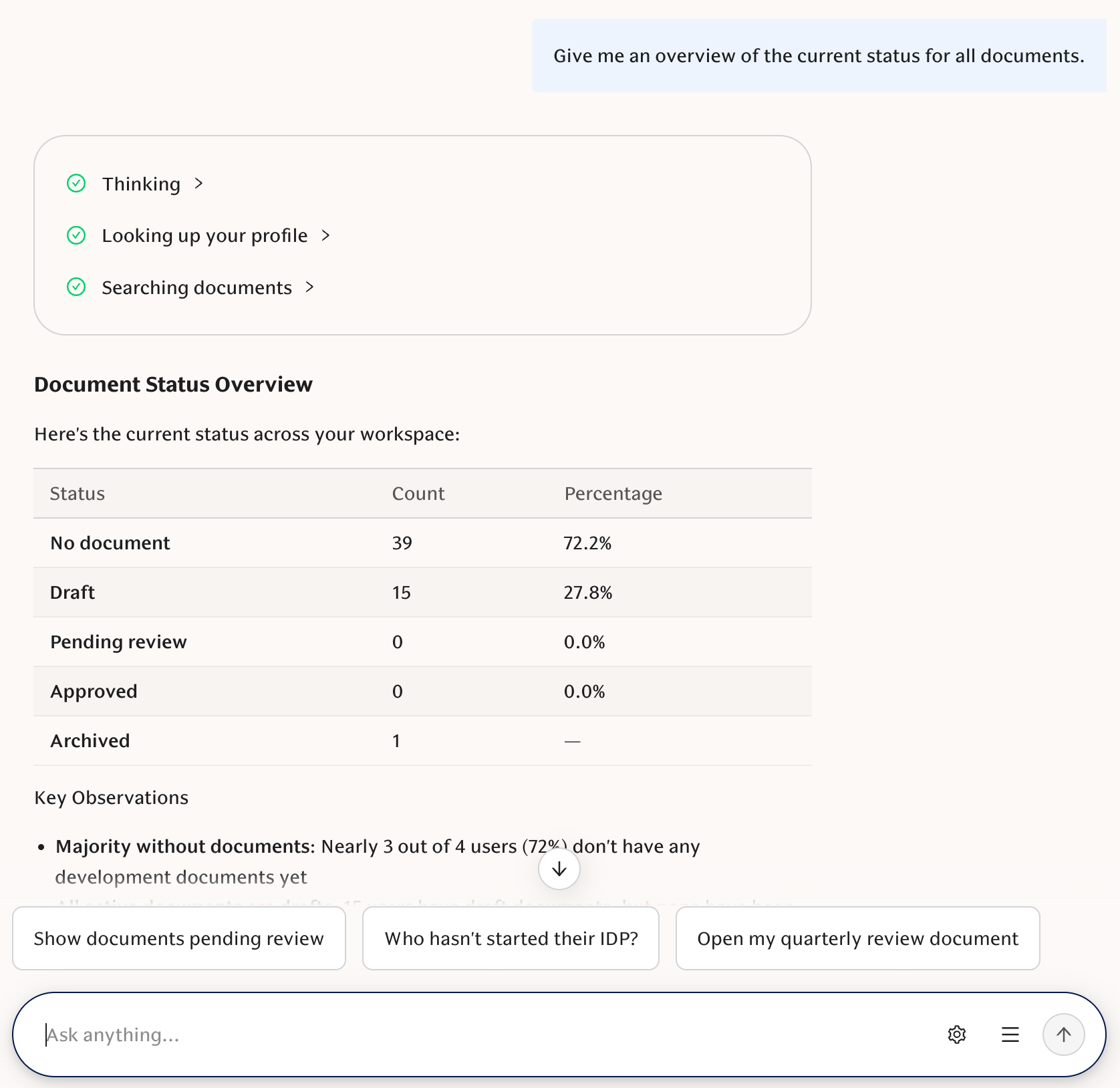
Analyse the progress of your Documents with AI
The AI document tool now accepts segment and document-type filters and returns a per-status summary (approved, draft, pending review, no document, archived). Ask questions like "How many HQ employees completed their Performance Assessment?" and get counts and percentages.
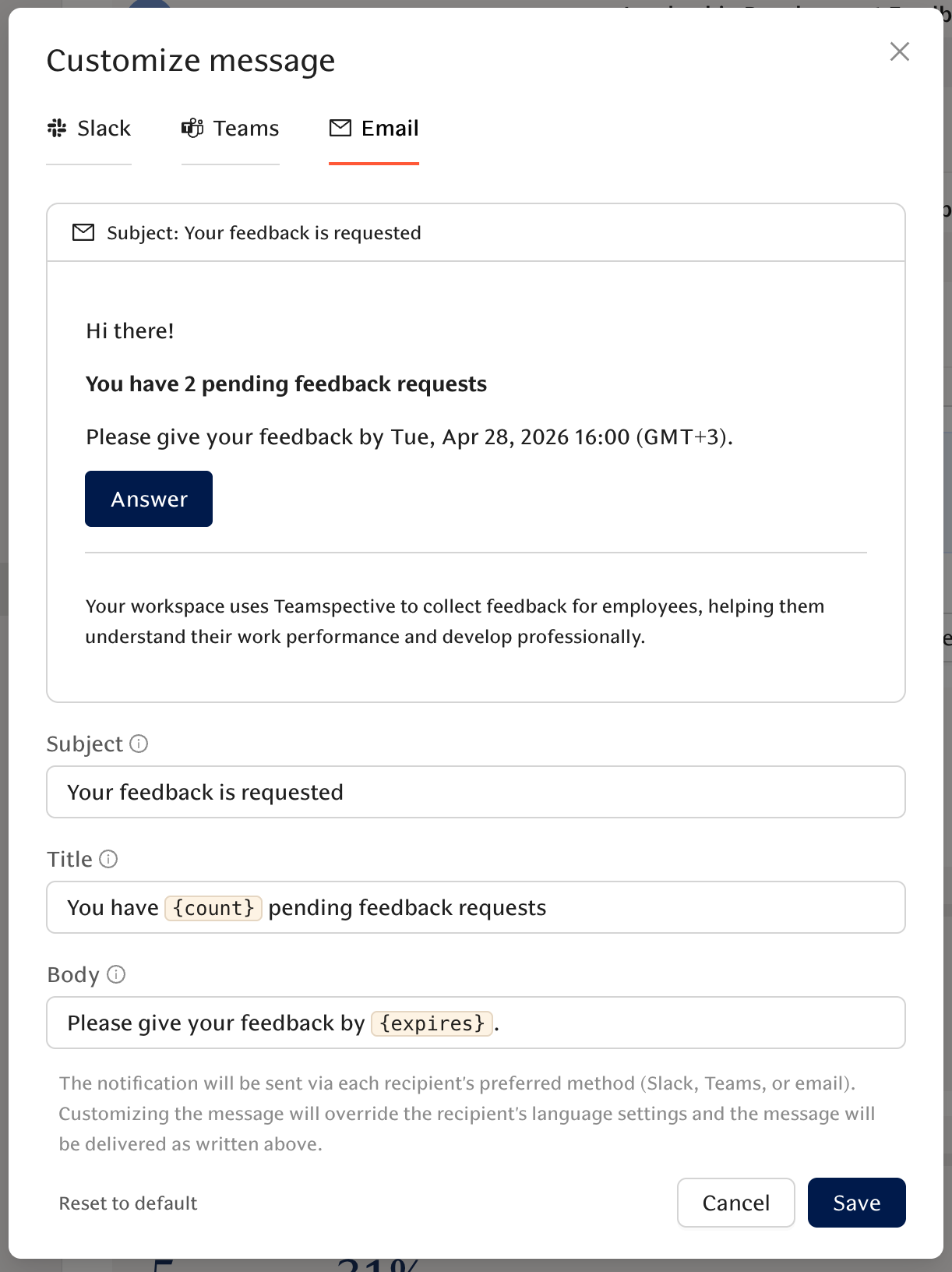
Customise your feedback template request notifications
The notification sent for feedback template requests (email/Teams/Slack) can now be customized with previews when launching requests from the Feedback requests page. This helps you ensure the highest quality communication for any feedback process you are running.
FULL CHANGELOG
Engagement
New Features
- Reminder schedule preview in survey setup — When creating or editing a pulse or single-round survey, a collapsible reminder schedule now shows each reminder time so admins know exactly when participants will be notified.
- PowerPoint export labels for trend charts — PowerPoint exports now label each survey close date on the x-axis and annotate every data point with its score, making slides readable without interactive tooltips.
- Segment snapshots — Managers can view engagement snapshots scoped to the segments they manage (segments appear in the snapshot picker).
Improvements
- Group admins receive pulse snapshots — Group admins of targeted pulse groups now receive the group snapshot even if they didn't participate in the survey.
- Cleaner engagement question score chart controls — The engagement chart's time range picker now blends into the card for a less distracting look.
- Clearer engagement comment attribution — Open comment cards now make the author line and segment/team tags unambiguous (e.g., "Anonymous commenter" appears first; tags are prefixed like "Direct reports:" or "Group:").
- AI Chat guidance on segment access — AI Chat now shows accurate, up-to-date guidance on who can see engagement results by segment.
- Heatmap ordering for tenure/age — Heatmaps preserve natural ordering for attributes like tenure and age.
- AI task suggestions grouped by audience — Engagement task suggestions are grouped by audience (e.g., "For admins" vs "For managers") for faster scanning and more relevant suggestions.
Bug Fixes
- Fix recurring pulse snapshots showing old data — Recurring survey snapshots now correctly show the current round's questions and results.
- Theme visibility selector bug fixed — The theme visibility selector now works correctly when choosing who can see a theme.
- Participant counts in engagement previews fixed — Previewing targeted users now shows the correct participant count when scheduling a survey.
- Comment visibility regression fixed — Comments that lose their originally referenced teams no longer become accidentally invisible to managers who should still see them.
- Attribute hierarchy and comparison fixes — Heatmaps and comparison views now respect attribute hierarchies and avoid showing the wrong groups or empty results.
Performance
New Features
- Documents filters and status summary in AI tools — The AI document tool now accepts segment and document-type filters and returns a per-status summary (approved, draft, pending review, no document, archived). Ask questions like "How many HQ employees completed their Performance Assessment?" and get counts and percentages.
- Custom evaluation request notifications — The notification sent for feedback requests (email/Teams/Slack) can now be customized with previews when a channel is connected.
- Document listing: group/segment and document type filters — Admins can filter the Documents listing by group/segment and by document type to see who has (or is missing) a specific document. The create (+) button only appears for eligible users per template subject segment settings.
- Template settings apply to existing documents — Template settings (approval type, sharing permissions, header deletability) take effect immediately for all documents created from that template. Admins see a count of affected documents when saving or deleting a template.
- Workspace role descriptions on by default — Role description generation is enabled by default; workspace admins can toggle it on or off from Performance settings.
Improvements
- Group combined feedback items by origin — My Feedback page now groups related answers from the same provider into a single card, making it easier to see whom feedback came from.
- Received feedback stats box — Admin views now include a fourth stats box showing received feedback for a fuller picture at a glance.
- AI helpers respond in the language you write — The AI feedback and document coaches detect the language of your input and reply in that language; the UI language is used only as a fallback.
Bug Fixes
- Feedback request notifications respect feedback preference — Feedback notifications now correctly route to the channel set in your feedback notification preference.
- Document template edits now show immediately after saving — Edits to a document template no longer look stale when you reopen the template.
AI
New Features
- Search users MCP tool — The AI assistant can now find people and manager-owned segments by name or email, enabling reliable "breakdown by manager" queries without requiring internal IDs.
- AI chat on the frontpage — AI chat is now accessible from the frontpage for faster discovery and access.
Improvements
- User timezone stored and used across the product — Your timezone is saved to your profile (auto-detected on first login, editable in Settings) and used as the default in calendar and AI tools.
- AI chat tool output and errors — Tool outputs in AI chat no longer truncate at 500 characters. Errors are displayed clearly and long results appear in a scrollable block.
- Dynamic example prompts — Example prompts and suggestions adapt to the features available in your workspace so recommendations feel more relevant.
- Smarter person resolution for AI task creation — The assistant resolves people more reliably by searching direct reports, then your team, then the whole workspace.
- AI personalization across features — AI helpers (feedback coach, document coach, discussion insights, feedback analysis and summaries) now include the relevant person's role/profile and your company principles for more personalized suggestions.
- Stop button and clearer tool progress in AI chat — You can stop a streaming AI response mid-generation (Escape key or stop button). The assistant shows friendly, translated progress messages when running background tools.
- More reliable AI chat streaming and nicer formatting — Streaming and retries are more robust; answers and approval state persist better after navigation or reconnects. H2 headings render more cleanly in chat.
- Download company principles files — Uploaded company principles files now have a download button in Workspace Settings.
Bug Fixes
- Calendar tool approval flow disabled — The broken approval step for calendar tool calls is disabled so calendar events execute immediately without approval-related errors.
- AI personalization PDF upload crash fixed — Uploads of certain PDFs no longer crash due to hidden null characters in extracted text.
- Slack & Teams AI chat retains tool call history — The AI assistant in Slack and Teams now preserves tool inputs and outputs between turns, reducing hallucinations and making follow-up questions more accurate.
Discussions
New Features
- Collaborative editing on by default — Collaborative editing is enabled by default so edits (including AI-authored changes) appear in real time to all viewers of the same document or discussion. Workspaces can opt out via support.
Improvements
- Discussions prep and timeline polish — Discussions now have a clearer empty-state intro, a private visibility option, and improved timeline styling.
Bug Fixes
- Edit button restored for workspace admins — Workspace admins can again open the full Edit modal on discussions to change the host, participants, and visibility.
- Discussion/editor responsiveness improved — Typing and real-time edits in discussions are smoother and less likely to become sluggish.
Tasks
New Features
- Automated task reminders and activity feed — Tasks now include an activity feed that logs important changes and sends automated deadline reminders (7 days, 24 hours, overdue). A "My Subscriptions" view and subscriber notifications keep assignees and stakeholders informed.
- Tasks in Slack — You can view and create tasks from the Slack home tab.
Other
Improvements
- Better Google sign-in on mobile — The Google sign-in button renders more reliably on smaller screens.
- Navigation and login styling for smaller screens — The main sidebar scales better on shorter screens (switches to icon-only when needed) and the login page has improved styling.
Bug Fixes
- Google and other login redirects work correctly — Fixed Google sign-in redirect issues and a bug with login links that included a hash; you should no longer see redirect_uri_mismatch errors.
- MS Teams notification links fixed — Links in MS Teams notifications now open correctly.
- Empty quick action no longer appears — You no longer see an empty quick action when there are no feedback methods available.
- Task status label unified to "In progress" — Slack, Teams, and email notifications now say "In progress" to match the app.
March 27, 2026
✨ Highlights
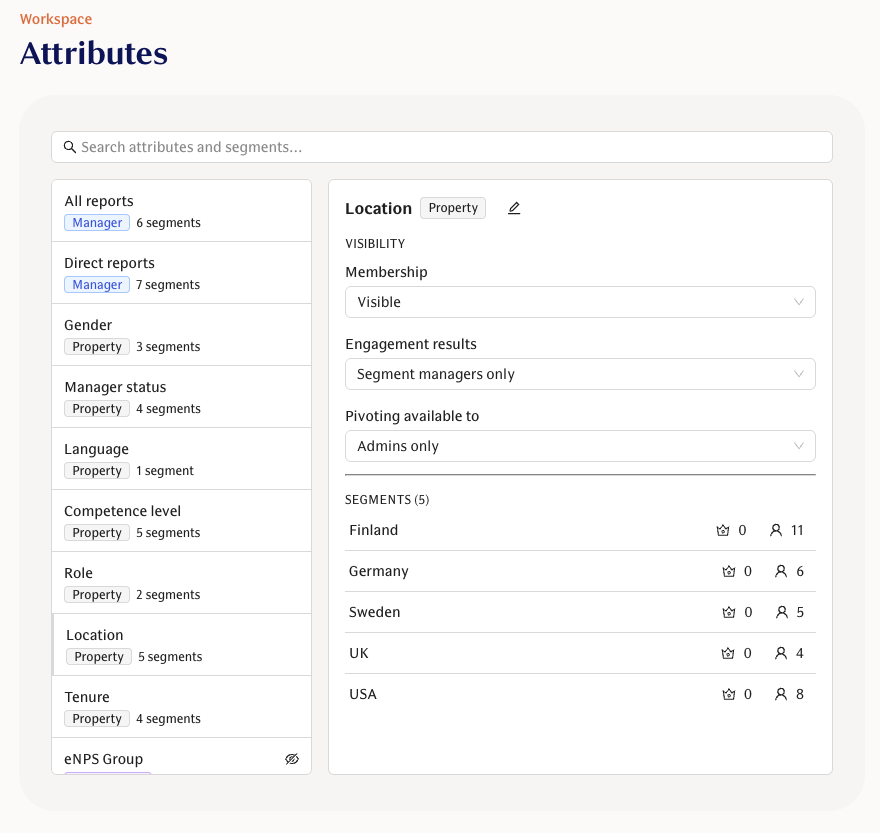
Attributes & Segments now provide more granular user grouping and visibility. Workspace admins can now organise employees into Attributes and segments via the HRIS integration. This enables more granular segmentation and visibility settings compared to the existing Groups functionality.
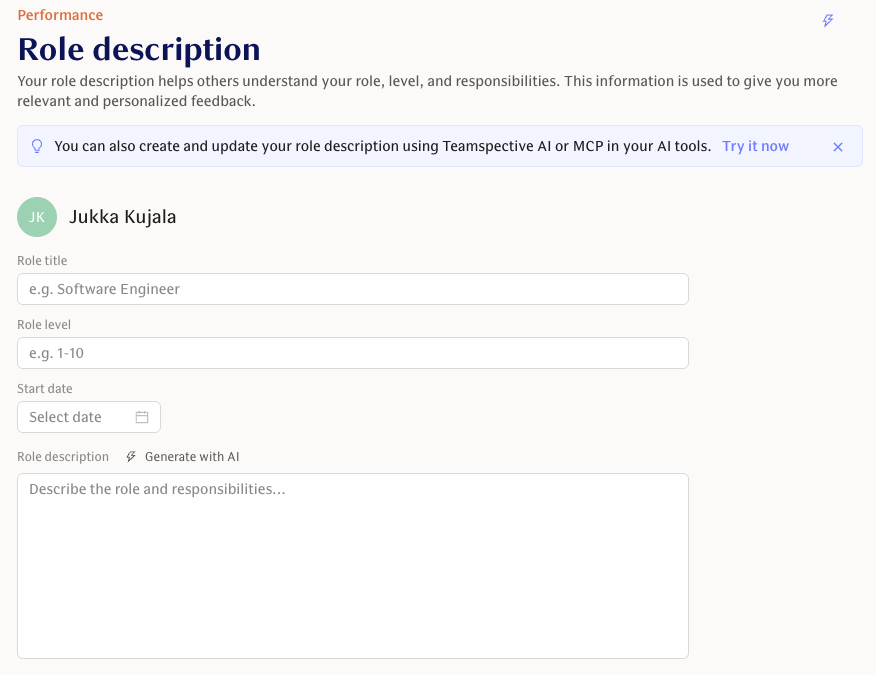
Role descriptions in Performance — View and edit a user's role title, level, start date, and free-text role description from a new Role description tab in Performance. Optional AI-assisted generation is available to help write descriptions. Reach out to your CSM to enable this into your Performance module.
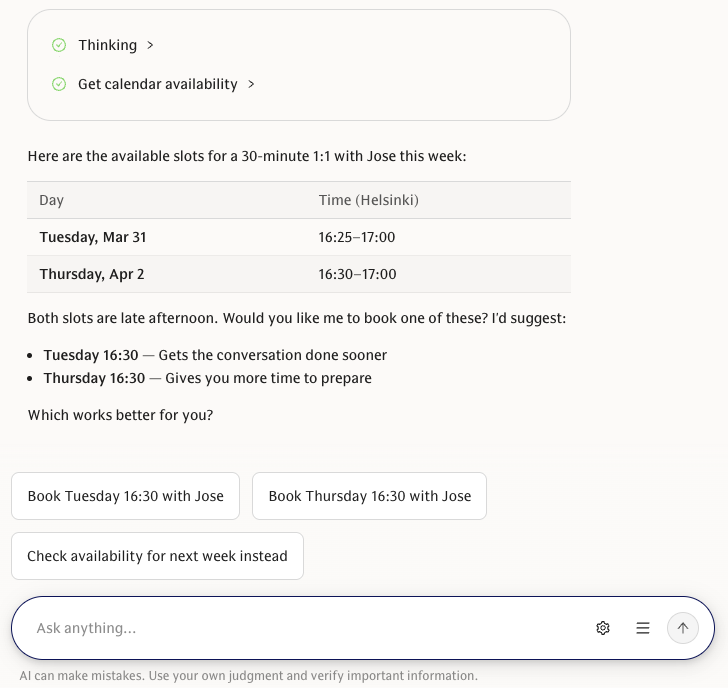
AI can now create and manage your calendar. The AI assistant can suggest shared free times for 1:1s and directly create or cancel Google Calendar events — with a confirmation card so nothing is booked without your approval.
AI drafting and management tools for surveys, documents, and discussions — The assistant can now draft surveys, suggest and save questions, create or update personal documents from templates, and read discussion templates. Drafts still require your review before launch.
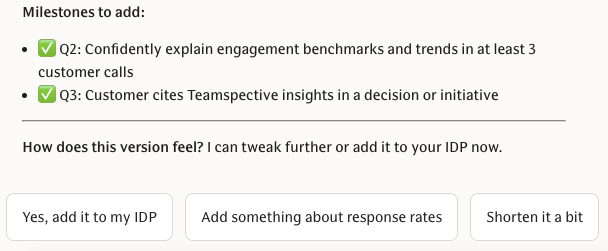
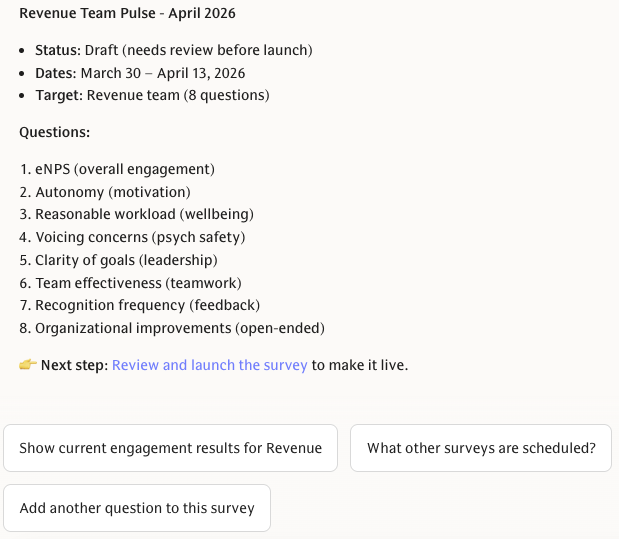
Convert AI suggestions to tasks — Convert AI-generated suggestions directly into tracked tasks with pre-filled title, description, and context so insights become assigned work items.
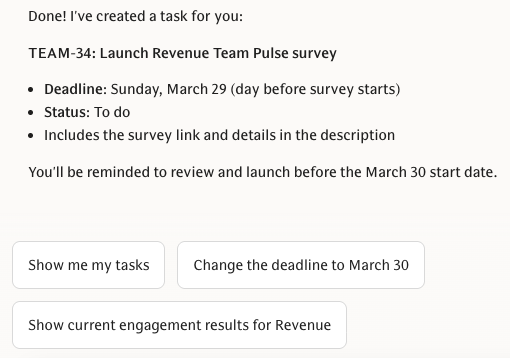
FULL CHANGELOG
AI Assistant
New Features
Calendar availability tool + Calendars settings — AI can now suggest shared free time ranges for 1:1 booking using connected Google calendars. A new Calendars tab in workspace settings lets you connect or disconnect Google Calendar.
AI Chat follow-up suggestions across platforms — AI Chat now offers short follow-up prompt suggestions as clickable buttons in web, Slack, and Teams (Teams uses native suggested actions).
AI access to Discussions & Documents — The AI assistant can read discussion notes and personal development documents (list and detail) to suggest action points and surface relevant content from meeting notes.
Larger AI personalization file uploads with progress — Upload files for AI personalization up to 100 MB via a direct-to-cloud flow with a visible progress indicator.
Improvements
Responsible AI guardrails and LLM disclaimer — New responsible-AI guardrails added to the assistant's system prompt; the chat footer now reminds users to verify important information.
Responsive AI Chat for mobile — AI Chat layout and sidebar now work better on smaller screens with improved scrolling and a clearer chat container.
AI Chat page copy refresh — The AI Chat enablement and settings pages now use clearer, value-first messaging and a tightened privacy summary.
AI discussions: time-based note filtering — The discussions tool used by AI now supports filtering notes by a configurable time range and limiting the number of notes returned. List views show the date of the latest note.
Better AI summaries in combined personal feedback — Combined feedback summaries now exclude self-feedback, and question titles fall back to English when a translation is missing.
Survey edit links are absolute in assistant tools — Links returned by survey tools now include the full site URL so they open correctly from external contexts.
Engagement
New Features
Segment hierarchy & managers — Define a single ordered attribute hierarchy (e.g., Country → Department → Team) to automatically derive parent/child segment relationships. Assign multiple managers to segments so permissions cascade down the segment tree.
Activity subgroup breakdown — Slice survey response rates by any user attribute (department, tenure, etc.) using a new breakdown dropdown. Recurring survey pages show status and response activity in a standalone card for easier monitoring.
Heatmap single-question drilldown — The Engagement heatmap now supports drilling into a single question so each answer choice appears as its own row with percentage breakdowns per segment or team.
Survey program visibility setting — Limit lifecycle survey program results to be visible only to survey managers, giving tighter control over who sees program-level reports.
Backfill segment data from groups — Superadmins can now backfill historical survey segment attributions from group membership via a simple modal.
Improvements
Longer ranges in engagement heatmaps — Aggregate heatmaps now support longer time ranges beyond the previous 4-quarter limit.
Sort and hide empty segments in Heatmap — Heatmap columns now hide segments with no participants and are ordered by response count so the most relevant groups appear first.
Survey keyboard answering — Answer pulse and lifecycle survey questions using the keyboard (number keys, Enter, Tab, Backspace) for faster, more accessible responses.
Consistent action wording in Engagement — The results page CTA is now consistently "Take action" to match terminology used elsewhere in Engagement.
Bug Fixes
Correct survey closing dates — Survey closing dates now display correctly; an off-by-one date issue is resolved so deadlines match what you expect.
Lifecycle survey segment filtering fixed — Lifecycle (onboarding/exit) survey answers now carry segment IDs so filtering results by attributes returns accurate data.
Duplicate reactions and comment display fixed — Duplicate reactions and duplicate comment display issues are resolved.
Create survey button fixed for survey managers — Survey managers who can only create single-round surveys can now use the Create Survey button without it appearing unresponsive.
Performance
New Features
Documents: simpler sharing, discovery, and ready state — Templates can opt into workspace-wide "Anyone in workspace" sharing (admins set defaults and viewer/editor role). The sharing panel shows the workspace link and lets editors update or remove it. Documents created from no-sign-off templates can now be marked "Ready" to lock them. A new "Shared with me" view on the Documents page lets you find documents others have shared with you.
Role descriptions in Performance — View and edit a user's role title, level, start date, and free-text role description from a new Role description tab in Performance. Optional AI-assisted generation is available to help write descriptions.
Automatic document reminders — Configure document templates to send automated reminders for stale drafts, pending reviews, acknowledgments, or missing required documents (daily nudges via email, Slack, or Teams).
Segment-based document sharing — Templates and documents now use segment-based sharing with viewer/editor roles, template-level rules for who can create documents, subject defaults, and a new acknowledgment approval type.
Minute-precision evaluation deadlines — Set evaluation deadlines down to the minute (e.g., 23:59), with confirmation steps when rescheduling to avoid accidental changes.
Improvements
Unified time range picker across the app — Time range selectors now use a single popover picker with handy presets (Last month, Last 3 months, etc.) and an inline calendar for custom ranges — consistent across Combined Feedback, Engagement, Evaluation, Discussions, and Feedback Stats pages.
Restore approved documents to draft & header protection controls — Editors can restore approved documents back to draft. Template authors can choose whether section headings are protected or deletable.
Unified AI feedback coach — The feedback helper is now a single, consistent coach across free-form and structured feedback, giving one focused, actionable suggestion (or approval) per session.
Bulk publish preview and filtering — Bulk publishing now includes only feedback from selected templates and shows a more informative preview so publishing is predictable.
Update evaluation deadlines silently — Admins can now change request deadlines without sending notifications, for minor deadline tweaks..
Private document indicator — Documents you don't have access to now show a "Private" lock indicator (with creator shown) so admins and leads know a document exists but is intentionally restricted.
Feedback link visibility respects workspace defaults — Feedback links now honor your workspace's default visibility and show a visibility selector to anonymous senders when private feedback is allowed.
Bug Fixes
External evaluation links now work across SSO boundaries — External evaluators are no longer redirected to their own company's SSO; invite links now lead straight to the feedback form so cross-workspace evaluations work reliably.
Document AI rate-limit handling improved — When the AI service is busy, document evaluations now show an inline "try again" message instead of repeated error toasts.
View-as-employee visibility corrected — The "view as employee" mode now respects template visibility settings so evaluator names and numeric scores are shown or hidden as intended.
Numeric custom scales display — Questions using custom numeric scales now show scores properly.
Feedback request reminders for anonymous evaluators fixed — Sending reminder emails now works for anonymous evaluators so you can reliably nudge outstanding feedback requests.
Small reliability fixes for AI-generated document content — AI-generated updates no longer break markdown tables or code fences when applied to documents.
Discussions
Improvements
Newest-first and collapsible older notes — Discussion threads now show the newest notes first and collapse older notes behind a "Show older notes" toggle (with month dividers) for faster context without long page loads.
Bug Fixes
Collaboration editor reliability — Collaborative notes and documents now load reliably after creation, cursors and presence sync correctly, undo/redo is restored, and connection limits are improved to reduce intermittent issues.
Discussion note save & cache fixes — Auto-saved discussion notes now update the local view immediately to avoid stale content, and the save indicator correctly clears when a note is deleted.
Other
New Features
Convert AI suggestions to tasks — Convert AI-generated suggestions directly into tracked tasks with pre-filled title, description, and context so insights become assigned work items.
Subscribe to tasks — Subscribe to tasks (creators are auto-subscribed) and manage subscribers from the task modal. See subscriber avatars and get activity visibility for people following a task.
Improvements
Workspace Groups & Members UI — The Groups and Members pages now have search with highlights, hover cards for quick user context, bulk move options, and CSV-imported memberships are editable.
Rename attributes — Rename attributes and have your chosen names appear consistently across the UI.
Page headers with breadcrumbs and announcements — Pages now show breadcrumbs, optional descriptions, and dismissible header announcements for clearer wayfinding.
Tasks: team filter — Tasks lists now include a team filter so you can focus task views by team.
Respect feature flags for Slack and Teams buttons — Buttons and integrations now check feature availability before showing, so users only see actions that are enabled for their workspace.
Bug Fixes
Mark contextual feedback as seen when feedback is provided — The blue "new" indicator for contextual feedback now clears not only when dismissed but also when feedback has been provided.
Fixed incorrect copy in the knowledge base — Confusing hover text in the knowledge base has been corrected.
February 27, 2026
Engagement
Segment-based targeting for engagement surveys
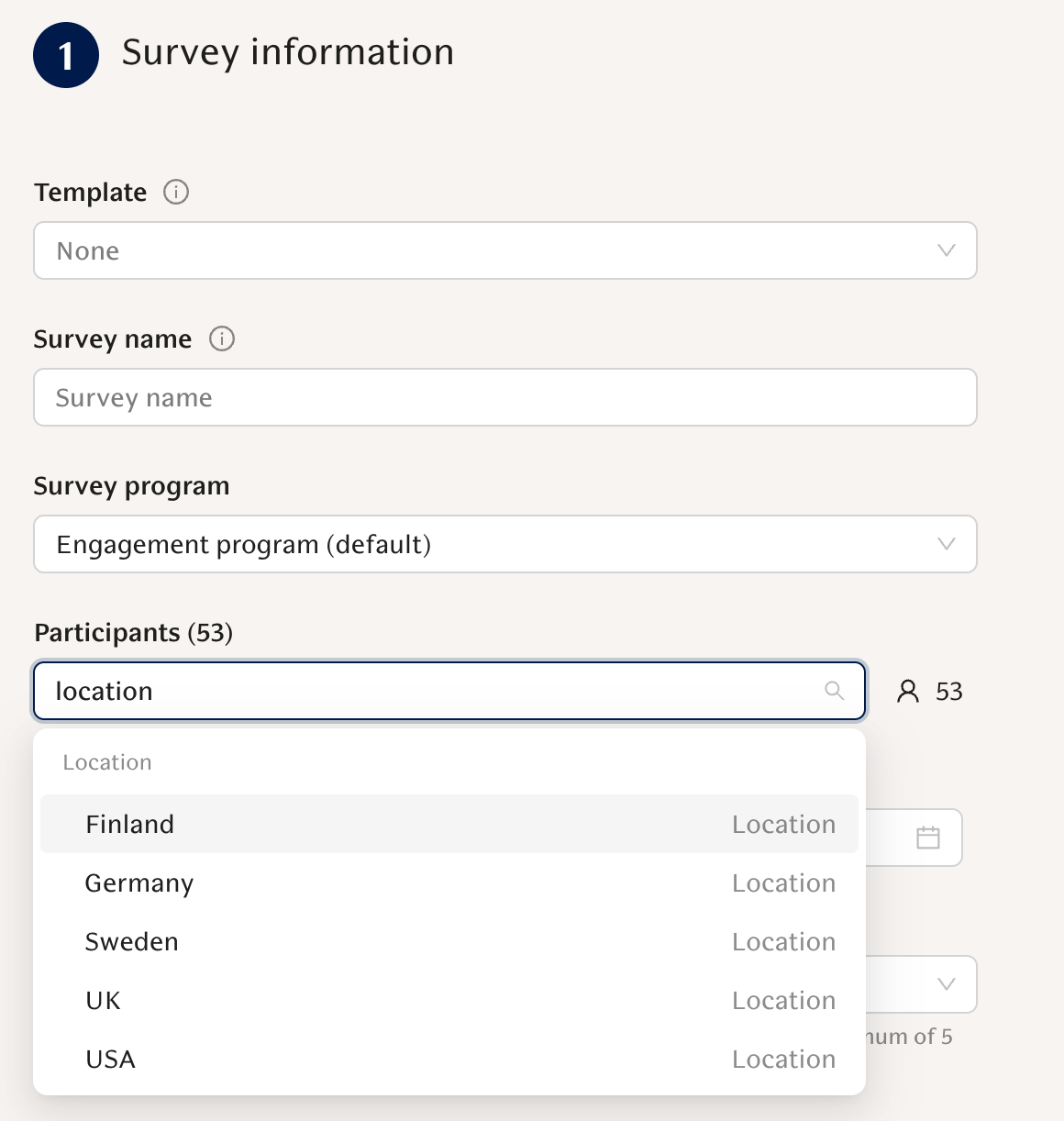
You can now target engagement questions to dynamic employee segments (such as department, location, or tenure) in addition to teams. Response counts and rates automatically respect those segments across single-round, recurring, lifecycle surveys, and survey programs.
Manager segment views for reports
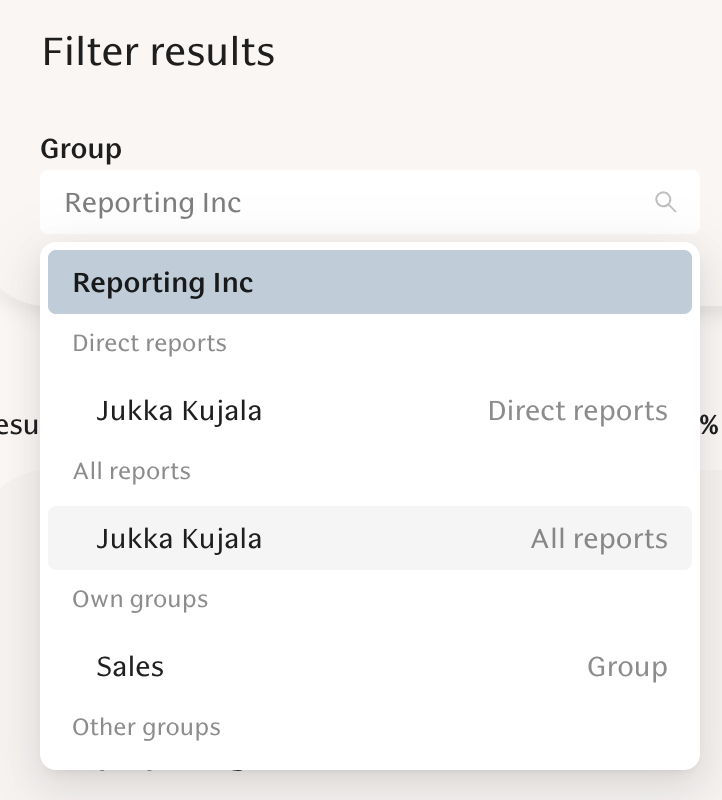
Managers can filter engagement results by Direct or All reports, with clearer segment grouping and a default workspace view for more predictable reporting.
New Features
Manager segments in comments: Managers and admins can see manager-segment attribution next to survey comments, with redaction applied for small groups and full respect for visibility permissions.
Workspace comparisons & insights in result snapshots: Snapshots now show your workspace (company) average alongside benchmarks and highlight intelligent insight labels like “Trending up” and “Above org avg,” helping you quickly spot meaningful trends and variance.
NPS as a survey scale: You can use NPS (0–10) as a custom survey scale and see promoters, passives, and detractors directly in results.
Export recurring survey schedule to CSV: Export up to 104 upcoming recurring survey rounds (dates, questions, themes, KPIs) to CSV with confirmation and a dated filename.
Preview surveys before launch: Preview draft or scheduled surveys exactly as participants will see them (preview answers are not saved).
Improvements
Engagement tooltips now show the weighted average on a 1–5 scale alongside the 1–100 score.
Slack reminders now re-send the interactive survey questionnaire instead of plain text.
Interactive Slack notifications include emoji-prefixed preview text for clearer push notifications.
The “My answers” page now includes a histogram view.
Organization-average visibility now includes a tooltip explaining when company averages appear.
Bug Fixes
Survey question checkboxes now work correctly for never-scheduled questions.
Manager segment views correctly apply anonymity/redaction limits.
Survey streaks display correctly.
Clearing a segment now returns to the workspace view.
Engagement results now invalidate correctly when new answers arrive.
Performance
Real-time collaborative editing for Discussions & Documents
You can now co-edit discussion notes and documents with live cursors and synced updates. Changes autosave reliably, prevent overwrites, and batch Slack updates to avoid channel noise.
Custom document types
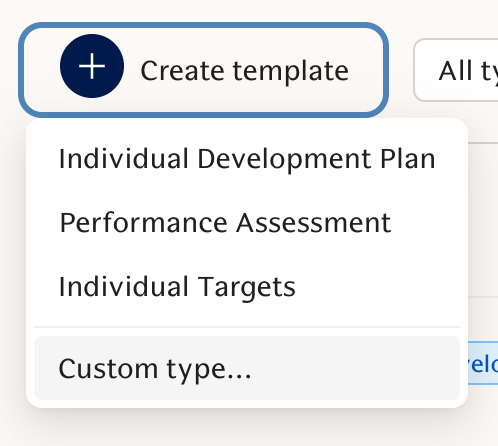
Create custom document types (e.g., “Career Conversation,” “Onboarding Plan”) with editable AI instructions so documents follow your team’s workflows.
New Features
Structured feedback answering in Slack: You can complete structured feedback directly in Slack via a multi-step modal or home tab, with draft autosave, a review screen, and reliable submission.
Edit and delete growth feedback topics (Focus Areas).
Question descriptions in structured feedback (visible on web, Slack, and Teams).
New Individual Targets document type with configurable creator mode and approval flow.
View as Employee / Manager toggle on feedback results.
Improvements
Feedback request status table: “Select All” now selects all requests not just the ones on the first page.
Feedback Requests status table shows last reminder, next reminder, and channel.
Clearer privacy copy with live template previews.
Structured feedback deadlines show exact time and timezone.
AI Feedback helper now supports pause/resume and manual reload.
New time range filter selections: “This year” (YTD) and “Last year.”
Performance CSV exports include an email column.
“Requested by” column added to evaluation progress.
Actions dropdown added to document list view.
Bug Fixes
Infinite update loop on feedback page resolved.
Additional recipients/managers can mark comments as seen.
Managers can no longer request structured feedback without permissions.
Calibration respects active templates only.
Evaluation expiration preserves exact time.
Admin document UI and create-button issues resolved.
AI
Microsoft Copilot integration
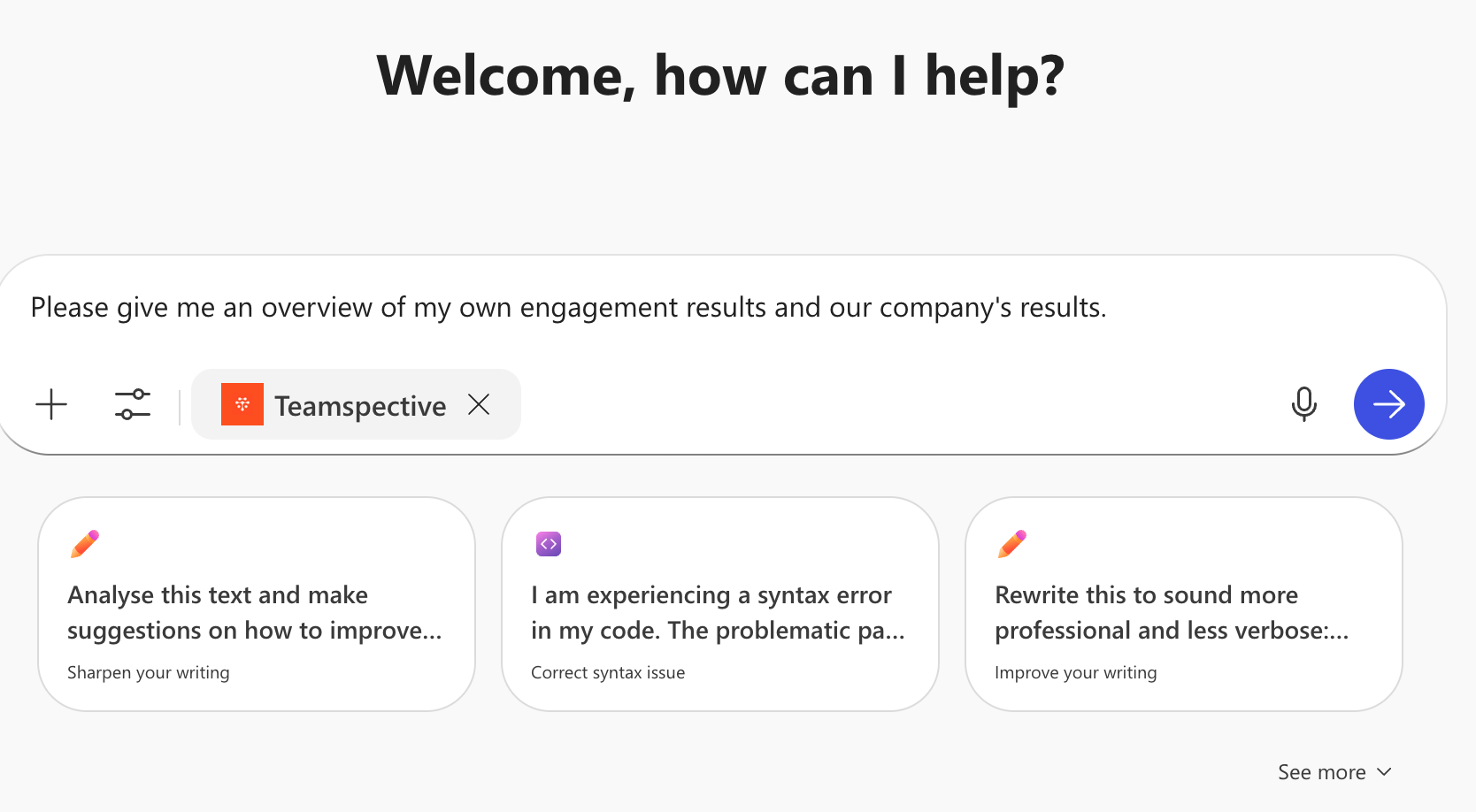
Use your Teamspective data directly from Microsoft Copilot (via Copilot Studio). This allows employees to access their Teamspective results with Copilot which already has company context knowledge and access to other tools such as PowerPoint or Excel. Start enabling the Copilot integration via Settings -> AI Connectors.
Company Principles for AI
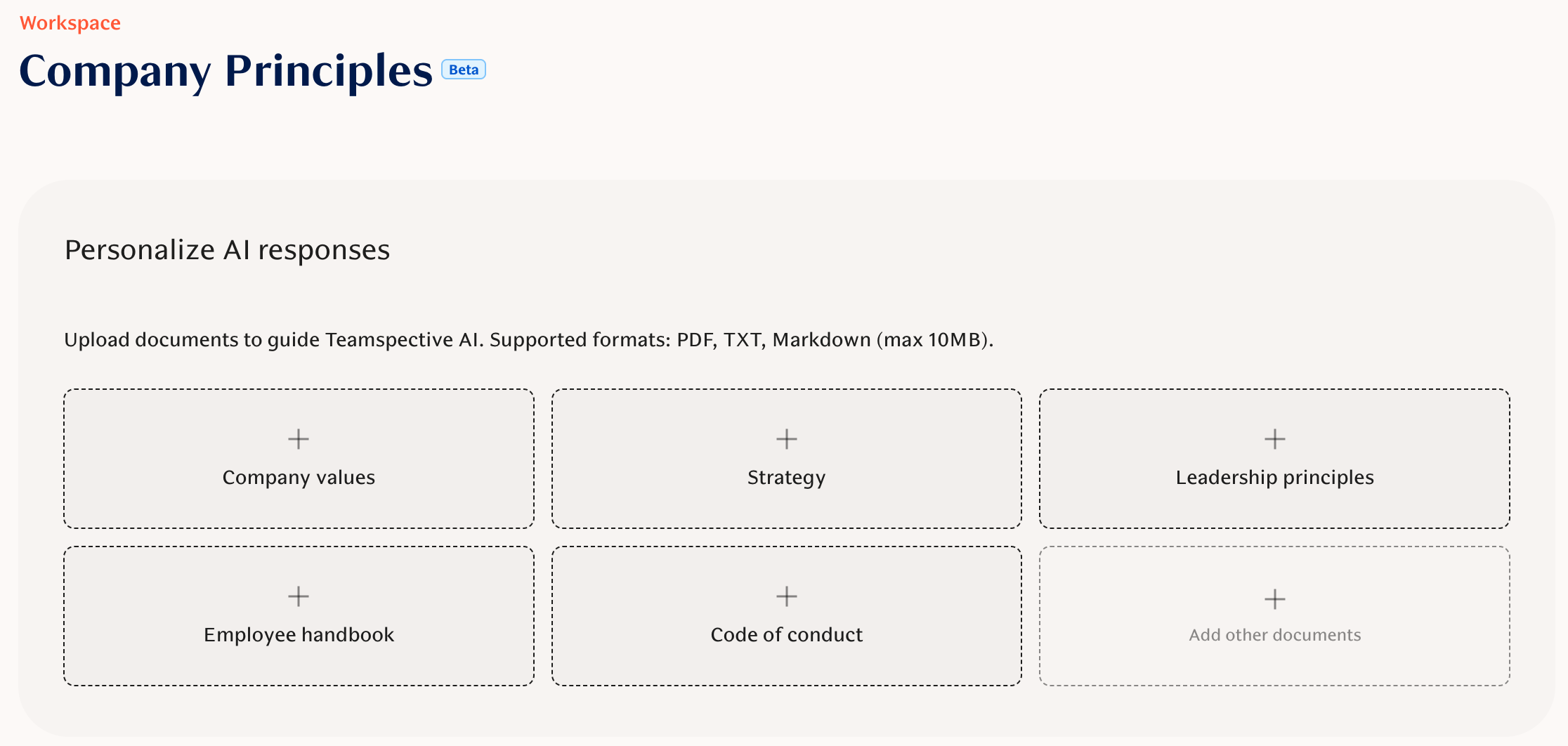
Allows admins to upload internal documents and guidelines that AI Chat uses for more organization-specific responses and context.
AI Chat for MS Teams
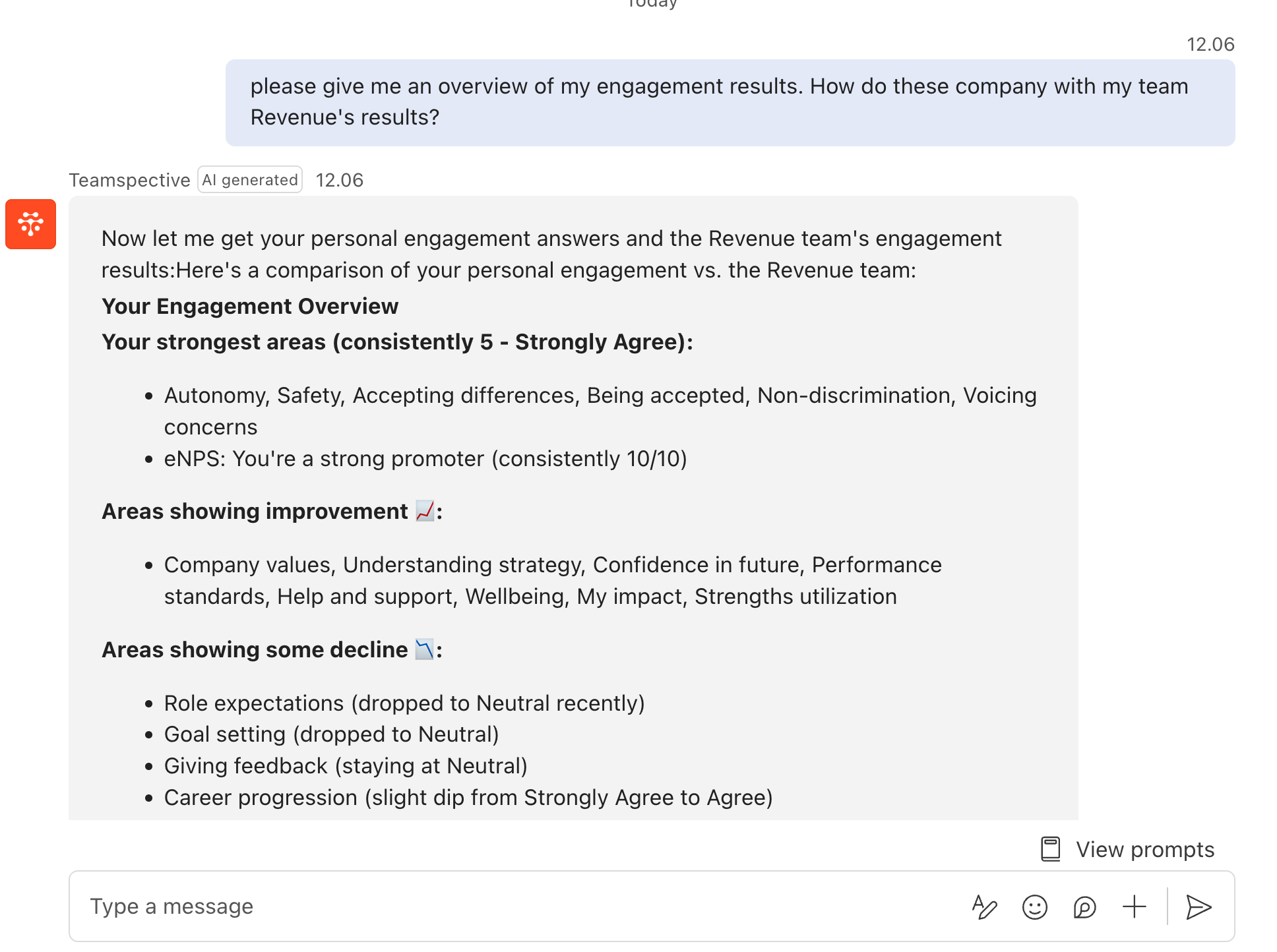
The AI chat experience is now available inside Microsoft Teams. Directly prompt Teamspective's AI Chat from within your Teams.
New Features
AI leadership tools for admins: Admins and managers can use AI-powered tools to explore hierarchies, segments, engagement data, and feedback with permission-aware responses.
Tasks via AI assistants (create, update, list with visibility rules).
Improvements
AI Personalization documents now include clearer naming, layout, and document type labeling.
Other
Tasks: create, view and manage tasks (Alpha)
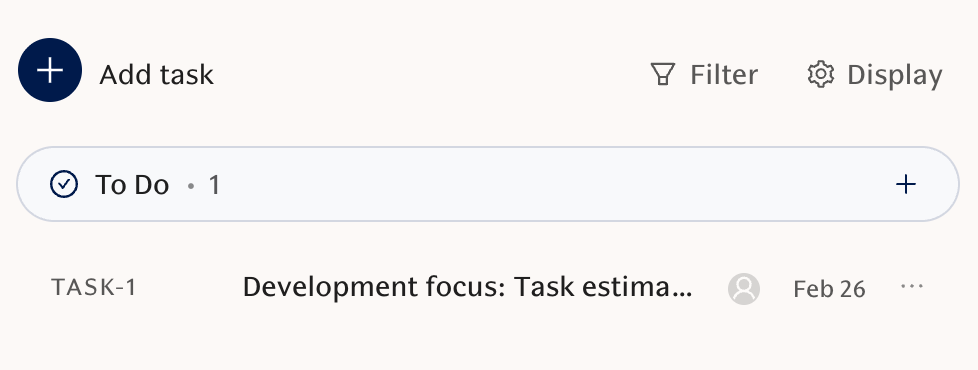
A new Tasks area provides list and board views, drag-and-drop updates, grouping, filtering, and a quick-create/edit modal with autosave. Reach out to your CSM or our Support to join the Alpha.
Code login for users without email
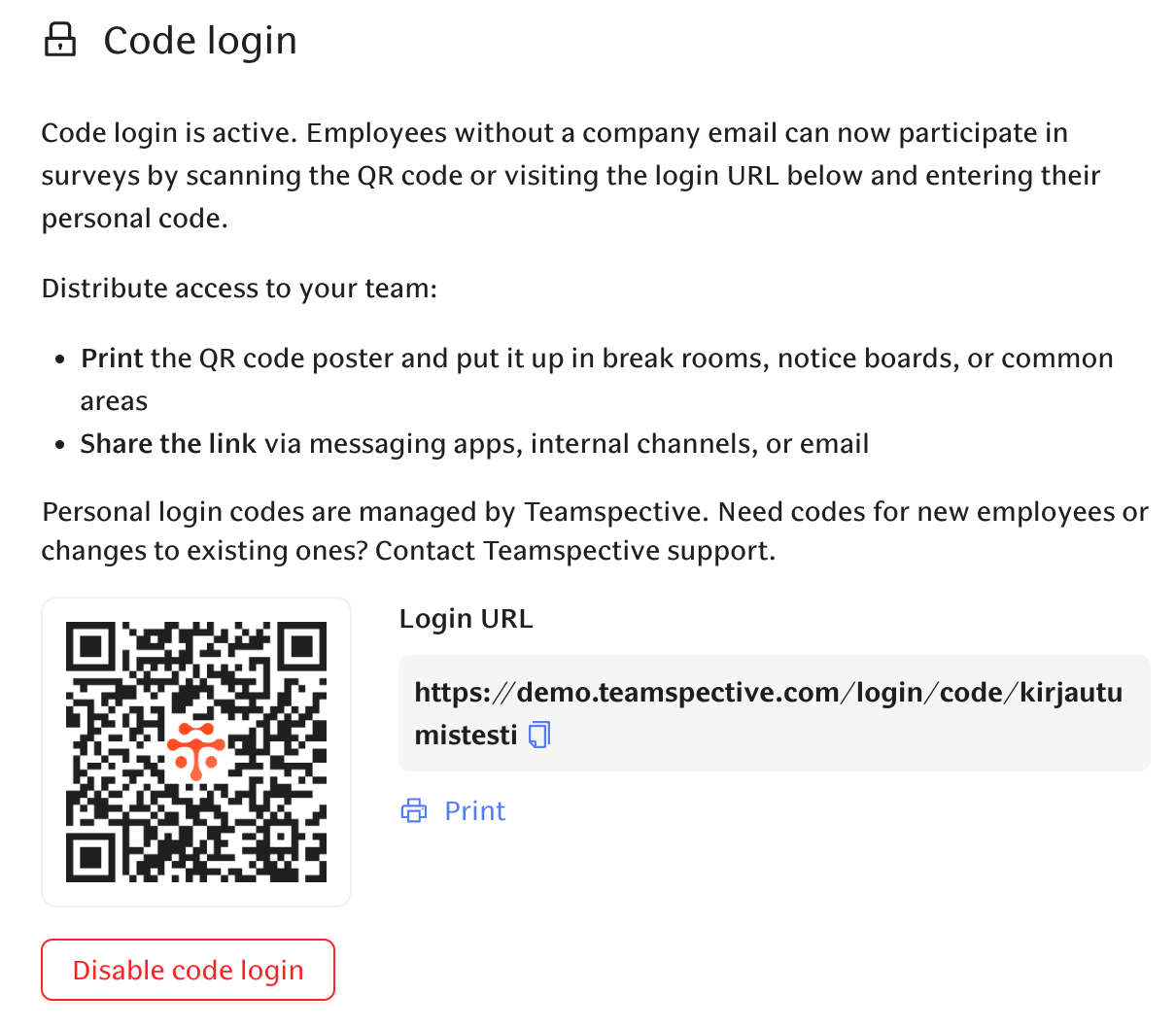
Enable code-based login with a generated URL and QR code for users imported without email addresses.
Attributes page for workspace admins
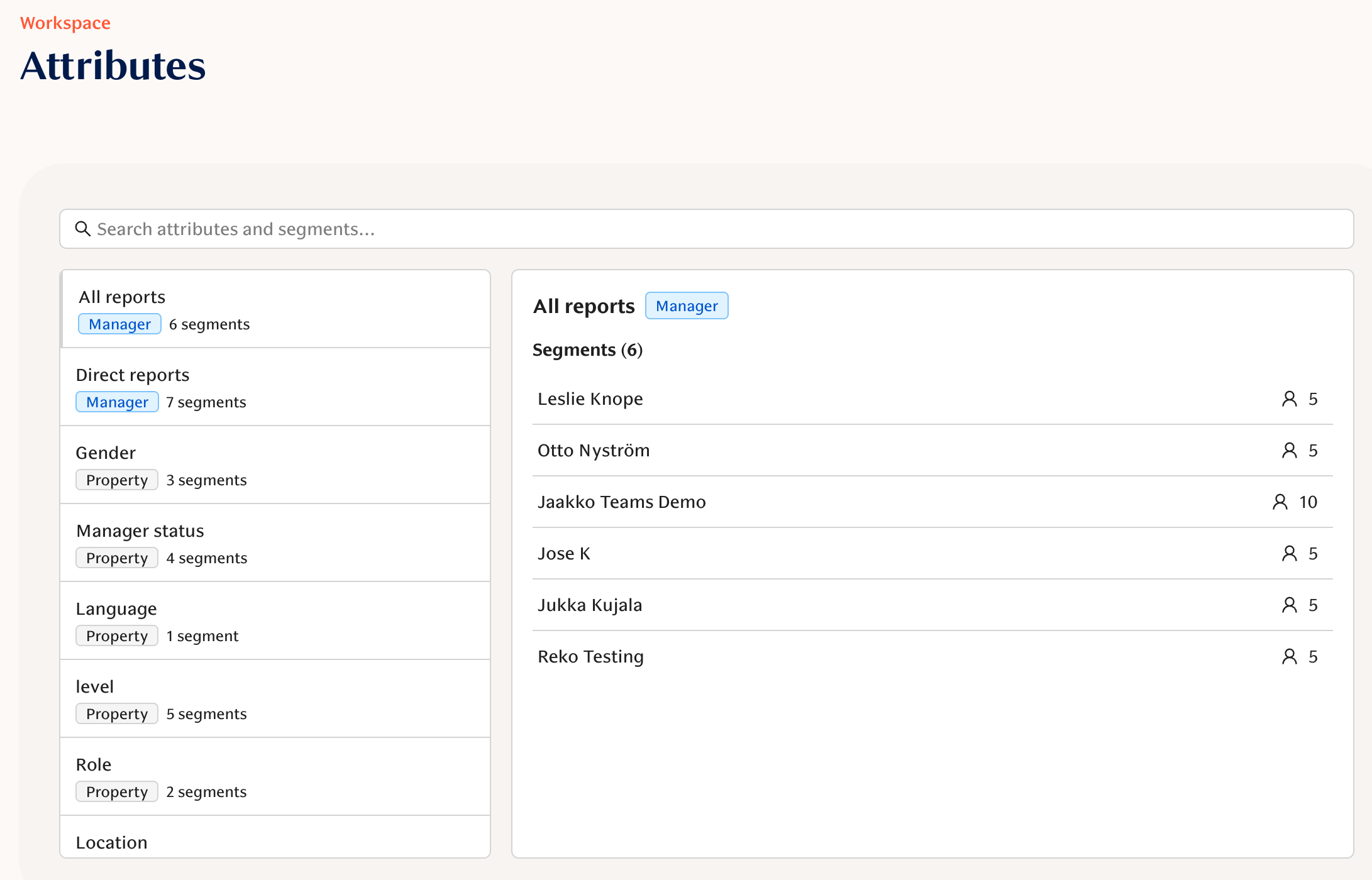
A dedicated Attributes page shows all attributes, segments, user counts, and member details for easier segment management.
New Features
User language selection in Slack and MS Teams.
Task context menu (right-click to edit key fields).
Improvements
Workspace settings page has been reorganized to improve usability.
Bug Fixes
Slack feedback modal handles large AI evaluations within limits.
Tasks refresh and state handling improved.
CSV exports include UTF-8 BOM for Excel compatibility.
January 30, 2026
AI
Teamspective AI Assistant in Slack
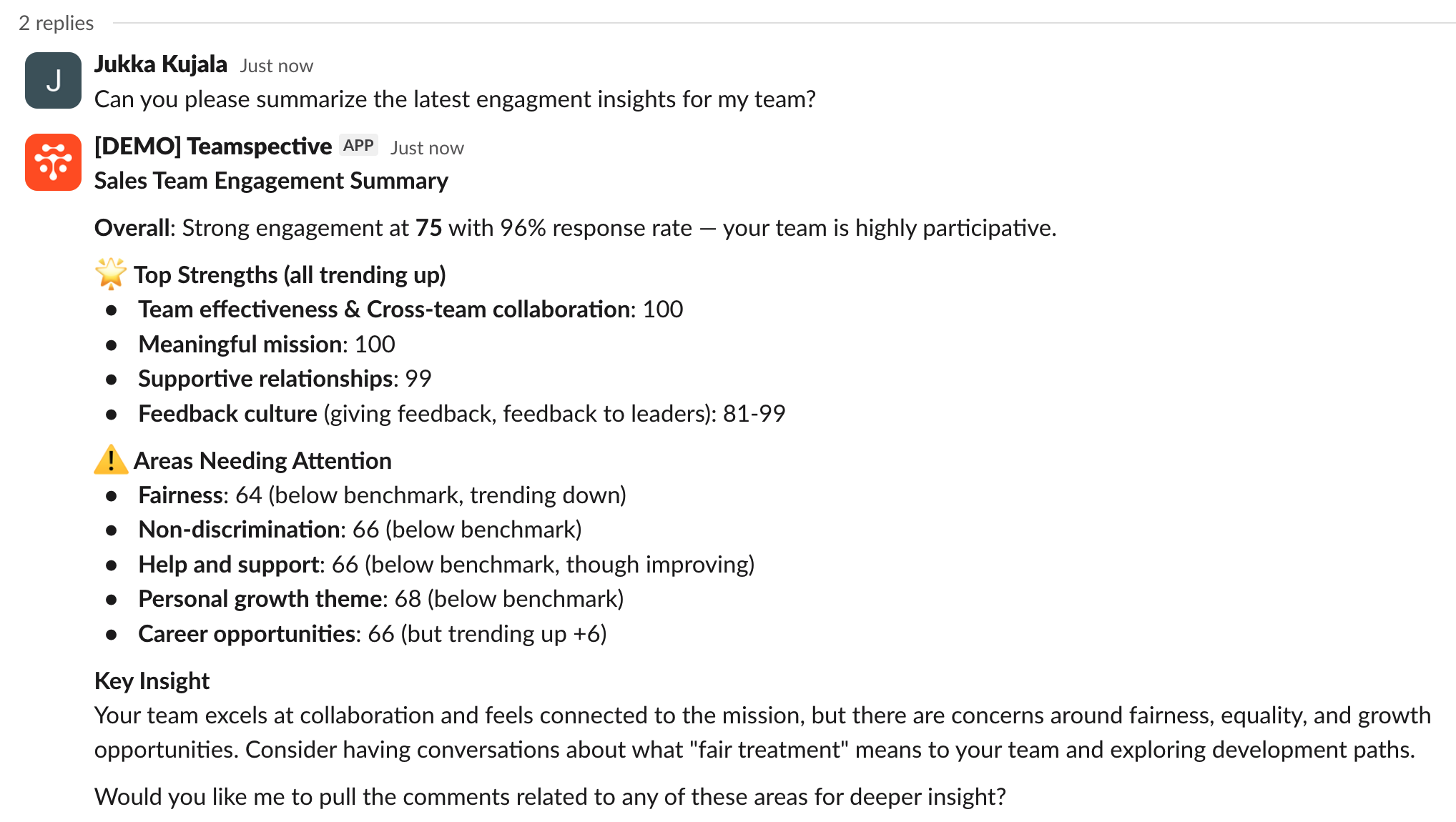
You can now use the Teamspective AI assistant directly in Slack (if AI chat is enabled), with localized messages, role-based suggested prompts, and real-time streaming replies. Activate the AI Chat via Workspace settings -> AI Chat.
New Features
Upgraded in-app AI chat agent: Stronger model, clearer answers, expandable “Steps” reasoning view, workspace-level rollout control, and additional consent where required.
Improvements
Engagement results and AI summaries match the UI: Hidden historical questions are excluded from results and AI summaries scores match what you see in the product (analysts can still include them when needed).
Workspace-aware discussion action tips: AI-generated discussion topics now incorporate your workspace’s custom action tips for more relevant talking points.
Engagement
Segments for reporting
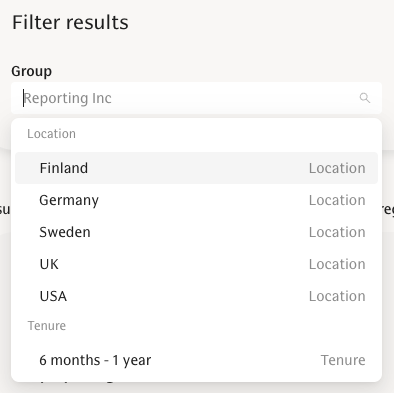
Privileged users can now view engagement results by segments across Overview, Heatmap, Comments, and PowerPoint exports—making it easier to analyze results beyond the organizational groups. Accessible segments can be found from the Group filter.
Custom Action Tips released to all customers
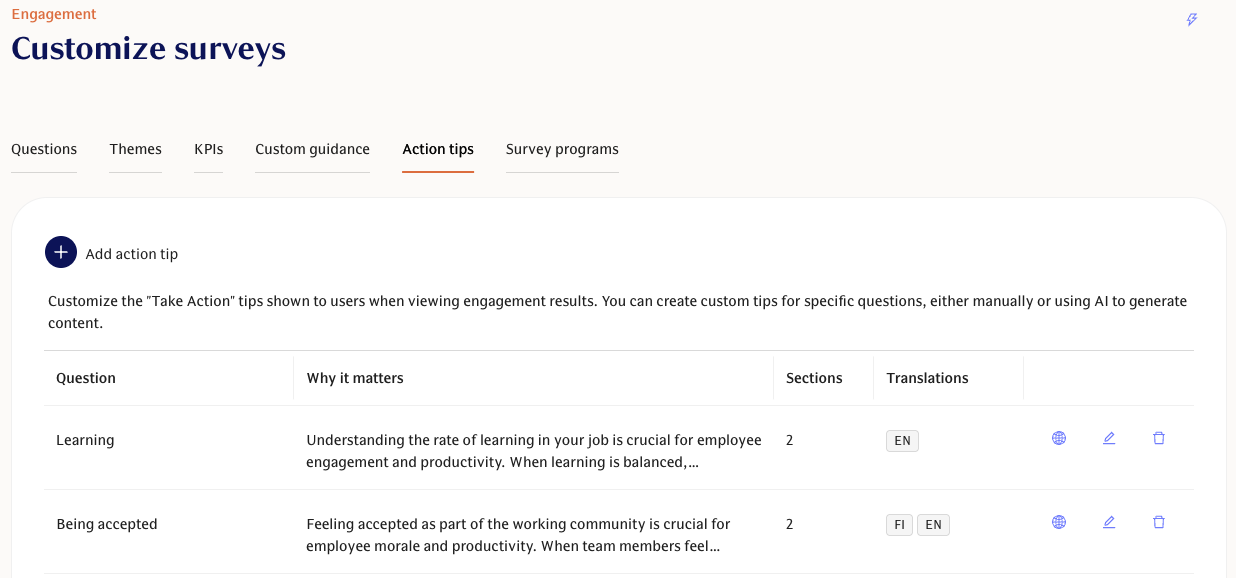
The Action Tips tab is now generally available in survey customization, so every customer can add custom take-action suggestions. Add or update action tips via Engagement -> Customize surveys -> Action tips.
Translate questions with AI
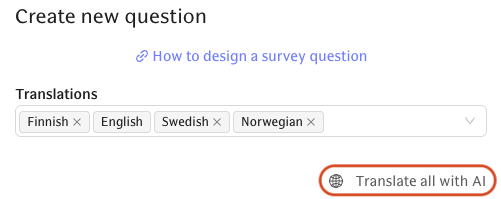
Use “Translate all with AI” to automatically generate translations (titles, labels, custom choices) for custom questions in Engagement surveys.
Improvements
Compare scores sorting improvements: The Compare scores table now defaults to sorting by response count, keeps redacted rows at the bottom, and supports column toggling.
Comment visibility shows parent teams: Visibility hover now shows parent teams for full context.
Use “Survey” consistently: UI text now consistently uses “Survey” instead of “Single survey,” including translations.
Bug Fixes
Survey participants display fixed: Editing a survey now correctly shows selected sub-teams in Participants.
AI comment summaries respect filters: Summaries now follow the selected comment type filters.
KPI and theme visibility respects accessible teams: KPIs and themes now correctly reflect your team access.
Performance
“Individual Development Plans” are now “Documents”
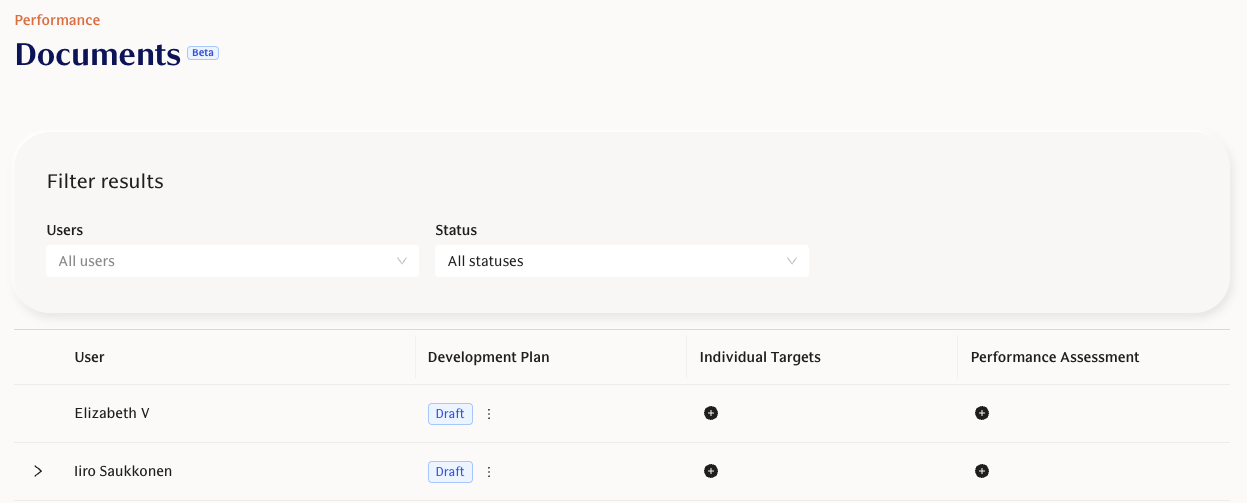
The new Documents feature allows you to create a multitude of different documents to keep track of everything from Development Plans to Goals to formal Performance Assessments. Workspace admins can start creating Documents templates from Performance -> Templates & Questions -> Document templates.
Documents with private drafts and sharing
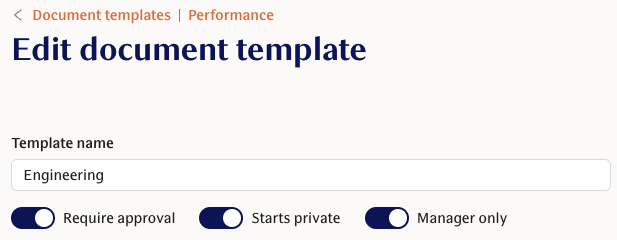
Supporting true private drafts (visible only to the creator) and simple sharing with managers/admins. Managers can also create independent drafts for their reports. Adjust these settings within the document template editor.
Performance Assessment document type
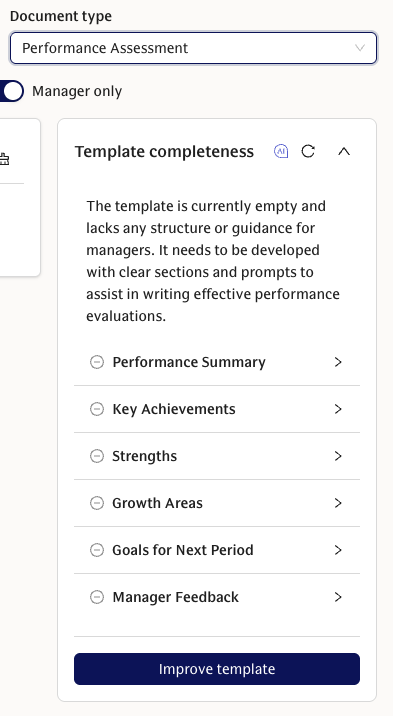
Managers can create formal Performance Assessment documents that default to private, require employee acknowledgment, and are clearly labeled with document type badges and filters. Use this document type in the template editor to create your formal assessment template.
New Features
Multi-user Documents listing for managers: Managers get a team-focused listing view with hierarchical filtering, status filters, and the ability to create documents directly—making it easy to spot who needs a plan.
Limit publishing rights to workspace admins: Only admins can publish feedback when this setting is enabled; managers can still view, redact, or reopen feedback.
Select feedback providers by team: When creating structured feedback requests, you can select feedback providers by entire teams or groups, speeding up bulk setup.
Improvements
Simplified Documents template creation and steadier AI helper: One-click template creation and a more stable AI helper panel.
Hide platform default when workspace has custom templates: Only your custom templates are shown when available.
Sticky alert when viewing another user’s document: Persistent banner clarifies whose document you’re editing.
Stable ordering for templates and themes: Predictable ordering in feedback and template lists.
Updated feedback email copy: Clearer wording and workspace name included.
Preferred feedback provider approval view toggle to hide empty entries: Approvers can hide users without selected preferred feedback providers.
Preferred feedback provider reminder controls: Only workspace admins can send preferred feedback provider reminder notifications.
Show question source and themes in structured feedback templates: See whether questions are default or custom and their theme tags.
Rename “Perf & Collab scores” to “Review scores”: Clearer terminology on the My Feedback page.
Hide irrelevant visibility settings for self-reflections: Cleaner template configuration.
Remind all managers with management permissions: Reminder flows include all responsible managers that are defined in the Management permissions settings page.
Filters apply everywhere on Structured Feedback results pages: All charts, summaries, and scores respect your evaluation type filter.
Consistent feedback ordering: Feedback results grouped and ordered by feedback type.
Theme tags in structured feedback Results view: Theme tags visible in “List by template" view.
Privacy messaging and anonymity consistency: Disclaimers and anonymity behaviour aligned across web, Slack, and Teams.
Bug Fixes
Self-reflection publishing fixed: Self-reflection scores now publish correctly.
Structured feedback theme scores respect date filters: Only themes with data in the selected time range are shown in the Table view on Results page.
AI feedback example text selection fixed: Text can now be selected and copy-pasted normally to make giving feedback quicker.
Document listing visibility fixed: Filtered document lists now respect Management permissions.
Feedback request reliability fixes: Request flows now respect subscription and private feedback settings to prevent failed or blocked submissions.
Other
Swedish available as system language
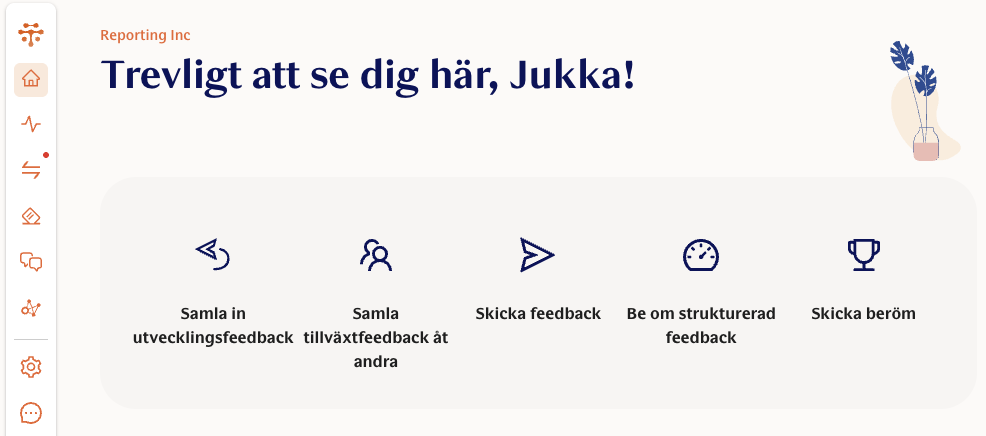
Web app, Slack, and Teams messages now support Swedish as the full system lanaguage. Previously Swedish was only available as a survey question translation.
New Features
Sandbox onboarding and workspaces: Branded Sandbox environment for exploring all Teamspective features.
Sandbox task checklist: Interactive checklist in sandbox workspaces with saved progress across sessions.
Improvements
Feature development phase tags in navigation: Alpha/Beta labels displayed with explanations.
Cleaner font rendering: Improved body font readability, including accented characters and Windows display fixes.
Onboarding mobile tweaks: Better layout and usability on smaller screens.
Image upload guidance and constraints: Suggests square images and prevents overflow.
Skip “book a meeting” during onboarding: Temporarily removed to avoid broken link issues.
Bug Fixes
Preserve URL hash after login: Users return to the exact page fragment after signing in.
Recover from expired workspace access regression fixed: Session state resets correctly for clean re-authentication.
Provide feedback layout fixed: Correct light layout when accessed from onboarding.
Slack onboarding connection styling fixed: Slack connection step displays correctly.
Emails render workspace name correctly: Workspace name now shows accurately in email templates.
Small text fixes (pluralization): UI labels now display grammatically correct plural forms.
December 31, 2025
AI
AI engagement & manager context tools
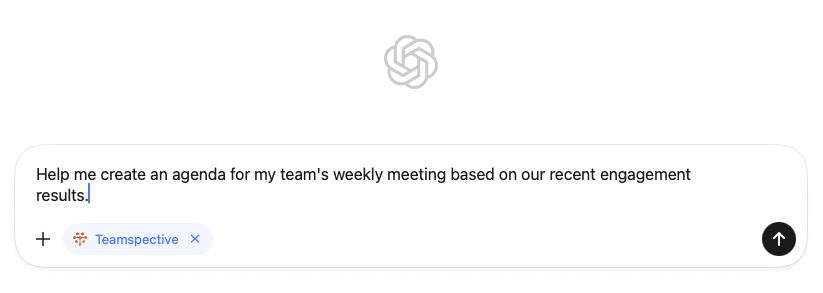
You can now ask AI for engagement summaries, trends, survey comments, and contextual user information (like role and direct reports). Integrations are more reliable with improved sessions and updated ChatGPT instructions, and returning users can choose “Remember this authorization” to skip the consent step next time. Enable AI connectors for you employees via Workspace settings -> AI Connector.
Other
Customizable workspace logos
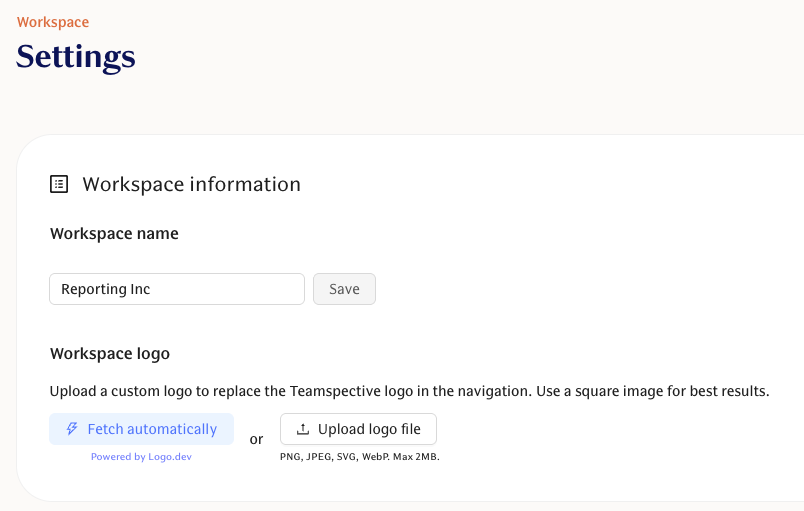
Workspaces can now display a custom logo which replaces the Teamspective logo in the navigation bar. We automatically suggest a logo based on your email domain, but admins can also upload any custom company logo to their workspace. Add your company logo to your workspace via Workspace settings -> Settings -> Workspace logo.
Improvements
Better font fallback for low-DPI Windows screens: Windows users with low-resolution displays now see a clearer system font, improving readability and reducing confusion between similar characters (such as “i” and “l”).
December 12, 2025
Performance
IDP versioning and review workflow
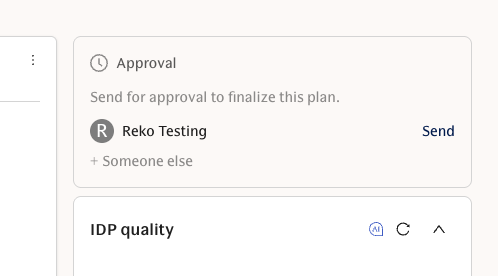
Individual Development Plans now support version history and a formal review flow. You can send an IDP for review (instead of signatures), track clear states like draft, pending review, and approved, and allow managers to approve or decline with email notifications. Review requests can also be canceled if plans change.
Preferred feedback provider reminders
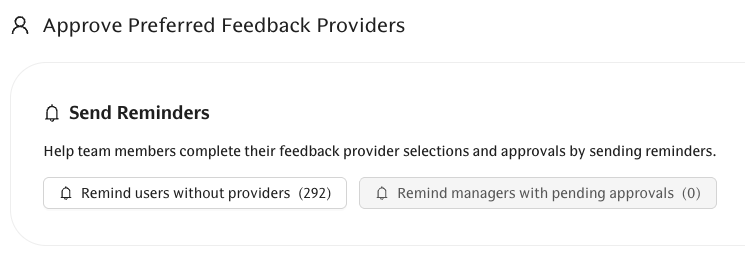
Managers can now remind and approve nominated feedback providers, and you can send reminders to selected employees to nominate their providers using new notification options—making feedback collection easier to keep on track.
Improvements
Simpler default IDP template
The default IDP template is now a streamlined five-section layout to make plans quicker to complete and less overwhelming.Smarter AI helper in the IDP editor
The AI helper sidebar now follows your cursor and surfaces guidance tailored to the section you’re editing, with sticky behavior and smoother transitions.Toggle workspace averages in structured feedback
You can now choose whether workspace theme averages appear in feedback profiles, so score comparisons better match your processes.Faster user selection when adding feedback providers
The feedback provider picker now includes search, making it faster to find and select people.
Bug Fixes
Feedback results table fixes
Users with pending evaluation requests now appear correctly in Results, and row click behavior is more reliable across devices.Notification and link fixes
Feedback notification links now route to the correct page, and Slack notifications show accurate comment counts and deep-link to survey comments.Hide redaction actions when feedback is never published
Redaction options no longer appear for feedback configured to never be published.Binary question label fix
Yes/No question results now show the correct label even when answer mappings are inverted.
Engagement
Custom Take Action tips for engagement questions
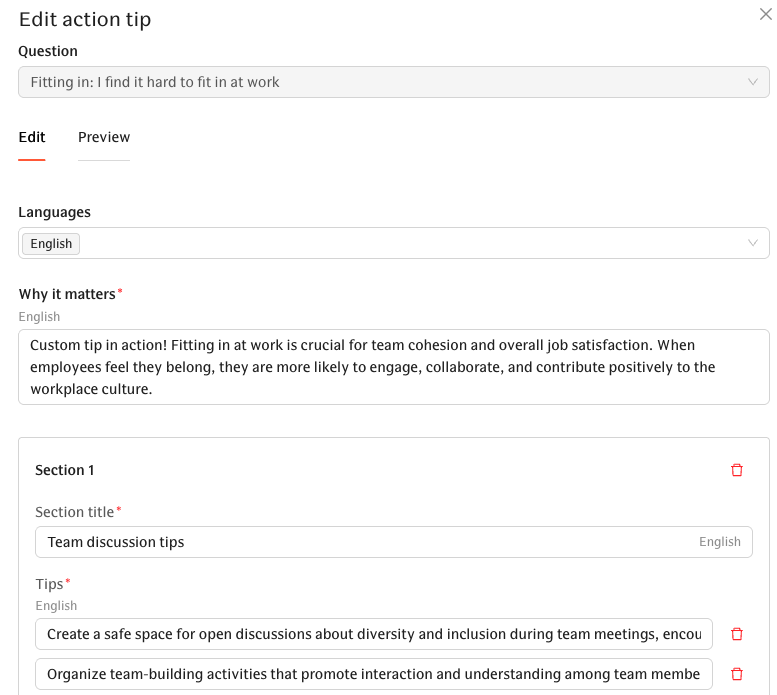
Admins can now create and manage custom “Take Action” tips for any engagement question, including custom questions. These tips appear directly in engagement insights to provide more relevant, actionable guidance.
Termination date lifecycle trigger
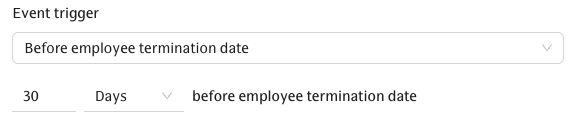
Lifecycle events like offboarding surveys can now be scheduled to run before an employee’s termination date, ensuring exit-related activities happen at the right time.
Bug Fixes
Engagement UI fixes
The brief “Not found” flash during survey creation is removed, the participant selector width is corrected, and warning visuals and copy are clearer or hidden when not relevant.
Other
Connect Claude (AI) to your workspace
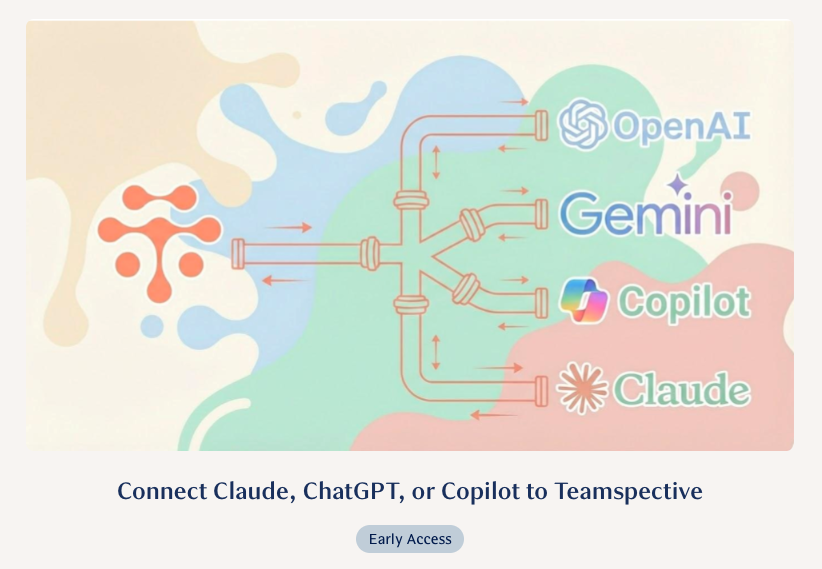
You can now connect an external AI assistant via Settings → AI Connectors. After reviewing a consent screen, the assistant can access approved tools like feedback summaries and direct reports, with all connections managed from Settings.
Improvements
Polished UI and copy updates
Avatars now sync from HR systems, onboarding includes a logout option, and multiple wording and styling updates make prompts and warnings clearer.
December 5, 2025
Performance
IDP templates with AI assistance
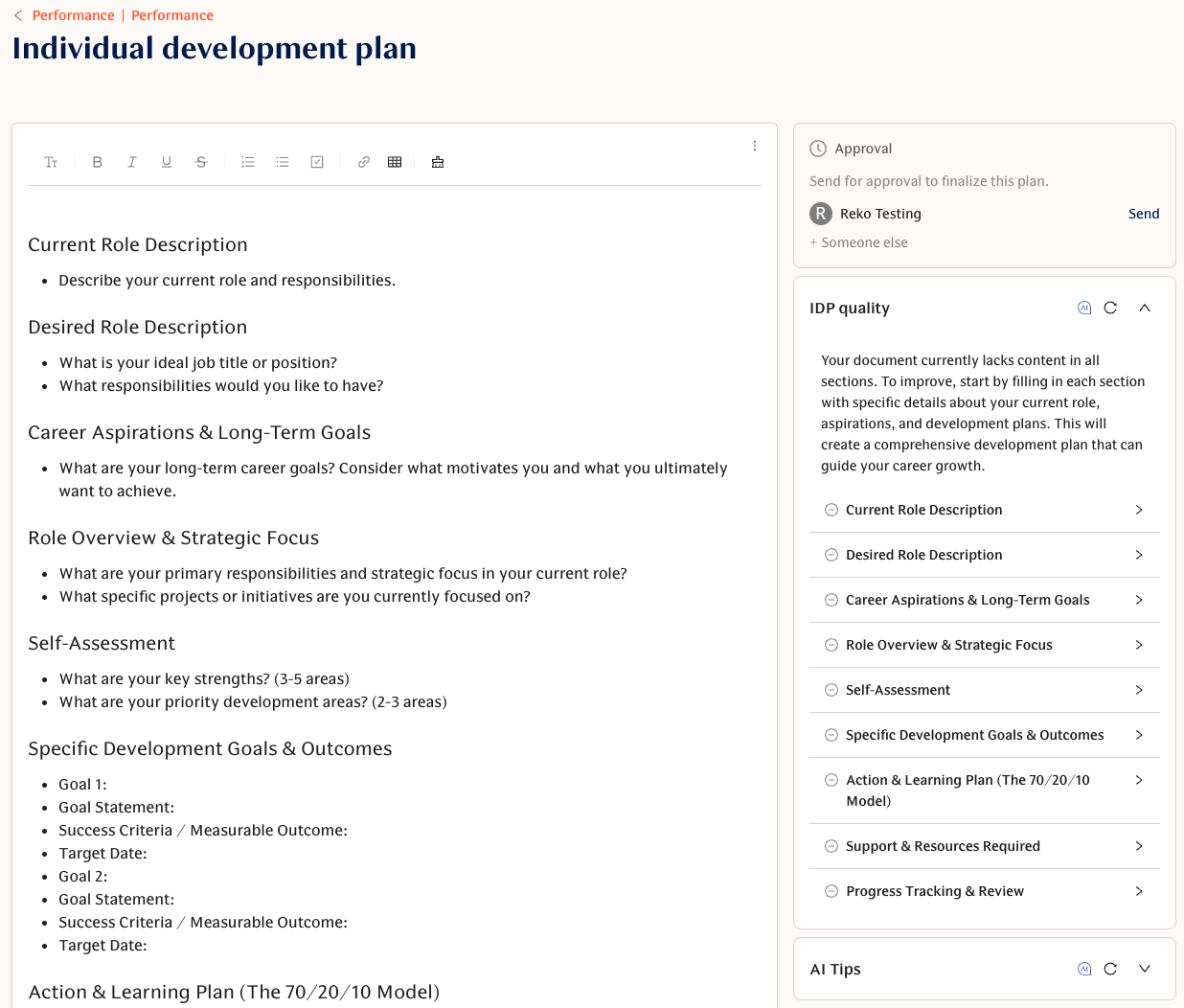
You can now create Individual Development Plans using workspace-defined templates, ensuring consistency across your organization. Template content is snapshotted into each IDP, IDPs can be deleted when no longer needed, and a new AI helper in the template editor suggests improvements and example content to speed up authoring.
Evaluation trend chart for theme scores
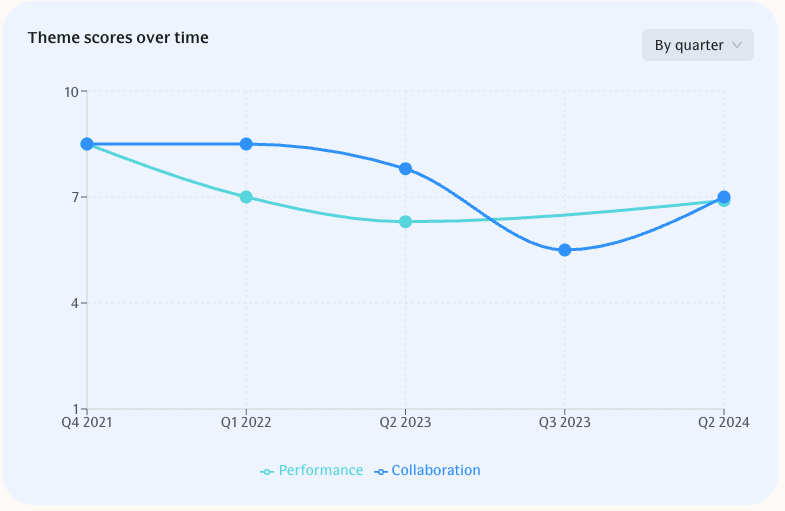
Individual profiles now include a time-range chart showing how theme scores change over time, making it easier to spot quarterly or annual trends and investigate what shifted between evaluations.
Improvements
Archive instead of delete for evaluation questions:
Questions are now archived and can be unarchived later, preserving historical theme scores while keeping current templates clean.Cleaner evaluation filters and template visibility:
Evaluation tables now respect template filters and hide unused or inactive templates so you only see relevant themes.Calibration access for managers:
Managers with feedback management permissions can now access calibration without requiring workspace admin rights.
Bug Fixes
Inactive or unselectable templates no longer appear selected:
Evaluation views no longer auto-select inactive templates or show theme columns for filtered-out templates, reducing confusing filter states.
Engagement
Bug Fixes
Accurate survey activity and response rates
Survey response and activity counts now correctly include open-ended answers and avoid double-counting respondents, ensuring accurate participation metrics.Recurring survey preview dates fixed
Previewing paused recurring surveys with fixed-time questions now simulates future rounds correctly.Admin-only comment group labels fixed
Admin-only comments are now labeled only for groups where you have appropriate access, removing misleading group labels.
Other
New Features
Expandable navigation with labels
You can expand the left navigation to show short labels under icons and right-click to toggle between “Icons and text” and “Icons only.” Your preference now persists across sessions.Mark feedback to Anonymous chat as processed
Recipients of anonymous chat messages can mark feedback as processed. This stops weekly reminders and records who mark the feedback as processed and when.
Improvements
Polished onboarding and app layout
Onboarding now includes accessibility and UX improvements, invited users no longer see irrelevant steps, and the marketing footer has been removed from the authenticated app.Clearer wording in filters and metrics
Filters and metric labels now use your organization’s name for clearer context (for example, “Acme Inc. average”).Early access page for AI connector requests
A new early access form lets you request MCP connector access and share which AI assistant and use case you’re interested in.
November 28, 2025
Performance Calibration [Performance]
Workspace admins and managers can now calibrate results for structured feedback, allowing them to review and align review scores across the organization before publishing results with employees to ensure fairness.
Read more about the Calibration mode.
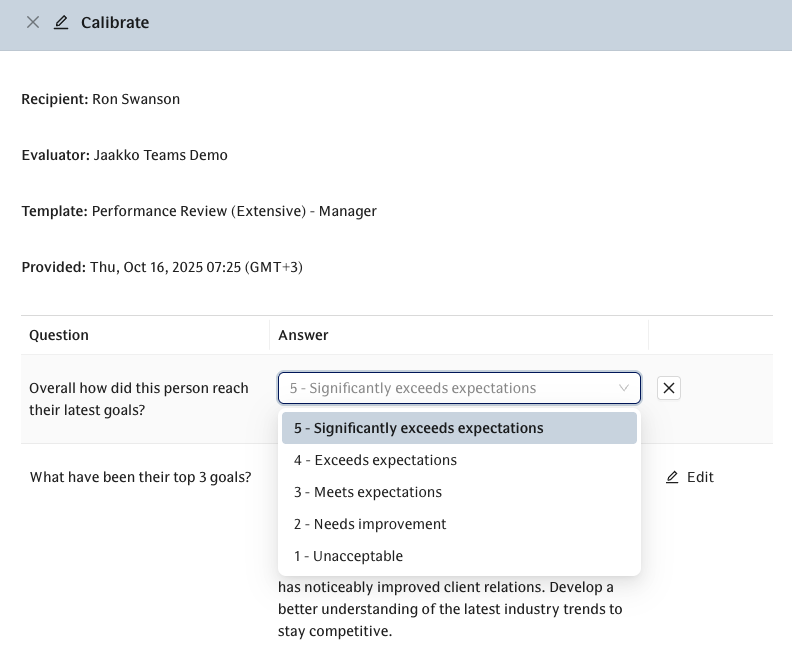
Toggle for response rates [Engagement]
The heatmap page now includes a toggle to switch between "Response count" and "Response rate," making it easier to spot participation trends regardless of team size.
Export workspace members [Admin]
Workspace admins can now export a CSV list of all users and their group memberships directly from the Members page. This is handy when you need to extensively review which employees are included in Teamspective.
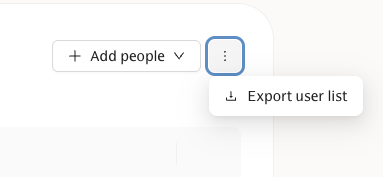
🚀 New Features
Performance Calibration [Performance]:
Admins can now enable calibration for structured feedback, allowing them to review and align evaluation scores across the organization before sharing results with employees to ensure fairness.
10-point custom scale [Performance]:
You can now use a 10-point scale for structured feedback questions when you need more granular feedback options beyond the standard 5 or 7-point scales.
Toggle for response rates [Engagement]:
The engagement heatmap now includes a toggle to switch between "Response count" and "Response rate," making it easier to spot participation trends regardless of team size.
Export workspace members [Other]:
Workspace admins can now export a CSV list of all users and their group memberships directly from the Members page. This is handy when you need to extensively review which employees are included in Teamspective.
✨ Improvements
Baseline comparisons in charts [Engagement]:
Score charts now display a dashed baseline, helping you instantly see how your current results compare to your organization's benchmarks or historical averages.
Simplified self-reflection requests [Performance]:
When you add a self-reflection template to a review cycle, the system now automatically includes the self-reflection request, saving you an extra manual step.
Clearer survey reminders [Engagement]:
The automated reminders in Slack and Teams have been updated with more inclusive language that works perfectly for monthly or quarterly surveys, not just weekly pulses.
Better heatmap filtering [Engagement]:
You can now select monthly or quarterly date ranges even when filtering by multiple specific surveys, giving you more flexibility in how you slice your data.
"My Answers" privacy reassurance [Engagement]:
We added a clear banner to the "My Answers" page to remind you that these responses are visible only to you.
Filtered theme scores [Performance]:
The results table now dynamically updates theme scores based on your active filters, and automatically hides themes that don't have any relevant data.
Anonymous chat clarity [Anonymous Chat]:
The button to initiate feedback in Slack is now clearly labeled "Start anonymous chat" to better reflect that it can be used for general feedback, not just management reporting.
⚒ Bug Fixes
Praise channel selection [Performance]:
Fixed an issue where praise wasn't always sent to Slack channels if the workspace also had Microsoft Teams configured.
PowerPoint exports [Engagement]:
The "Trending Questions" slide is now automatically hidden if there isn't enough historical data to show a trend, keeping your presentations cleaner.
Long questions in Slack [Other]:
Extremely long survey questions will no longer cause the Slack survey modal to crash or fail to open.
Evaluation template removal [Performance]:
Removing a self-reflection template from a user now correctly cleans up the associated draft evaluation.
Comment permissions [Performance]:
Additional recipients on praise requests can now properly mark comments as seen without receiving permission errors.
November 21, 2025
🚀 New Features
Cohorts on the overview [Engagement]:
You can now view and compare cohorts directly on the overview page so group-level trends are easier to spot.
Workspace control for growth feedback privacy [Performance]:
Workspace admins can now turn private growth feedback on or off, so you can choose whether private growth feedback is allowed. In some organizations, managers always need to have access to all possible feedback.
Web modals for Teams feedback and praise [Performance]:
Links from the Teams bot open browser-based modals for writing feedback or sending praise, giving a smoother, more capable form experience across devices.
✨ Improvements
Clearer overview activity and response rate [Engagement]:
The overview now shows a simpler "X% response rate", removes confusing question counts, and excludes very old question results from insights.
KPI window drives what you see on overview [Engagement]:
Overview charts and pinned items use your KPI window as the primary filter (you can expand to see older results when needed).
eNPS handling simplified and renamed theme [Engagement]:
eNPS is now treated at the question level (not as a KPI), existing eNPS pins migrate to the question, and the default eNPS theme is renamed "Commitment & Confidence" and calculated on a 0–100 scale for more consistent reporting.
Privacy warnings for Groups [Engagement]:
Admins now see a warning when a group’s hierarchy structure could risk respondent anonymity. For example, when a subgroup mirrors its parent with only a one person difference.
Smoother all-feedback list and better mobile spacing [Performance]:
The combined feedback list is more responsive with infinite scroll, improved filters, and cleaner mobile layouts so browsing feedback feels faster and clearer.
Longer theme names allowed [Performance]:
Theme names in structured feedback now accept up to 64 characters so you can use more descriptive titles.
November 20, 2025
eNPS KPI and Theme deprecated [Engagement]
The eNPS KPI and Theme have been deprecated and we have created a new Theme called Commitment & Confidence which includes the eNPS question. The eNPS question can now be pinned to allow having it visible on the Overview page. This effectively replaces the old eNPS KPI.
How did the eNPS KPI and Theme work previously?
The score of the eNPS question was copied onto the Theme and KPI levels in our results hierarchy.
This setup was needed because pinning question results was not yet supported on the Overview page.
What changed?
eNPS KPI has been removed.
eNPS Theme has been changed to Commitment & Confidence which includes the eNPS question. This new Theme now follows the 0-100 scale like all other Themes.
The eNPS question has been automatically pinned to all workspaces which had the eNPS KPI visible on the Overview page.
What do I need to do?
Check that the eNPS question score is visible in all your reports in replacement of the previous eNPS KPI. You shouldn't need to do any changes here.
Review the new Commitment & Confidence theme which includes the eNPS question. This theme belongs to the Engagement KPI by default. Make any changes in Customise surveys -> Themes if you feel necessary.
Why did we make this change?
Having the eNPS score on 3 different reporting levels was clearly creating confusion for our users when analysing engagement results.
eNPS has a very specific calculation logic which doesn't mix and match nicely with other Theme-level scores.
Pinning questions to the Overview page allowed us to replace the eNPS KPI with the question score in this reporting view. This essentially made the eNPS KPI obsolete.
November 17, 2025
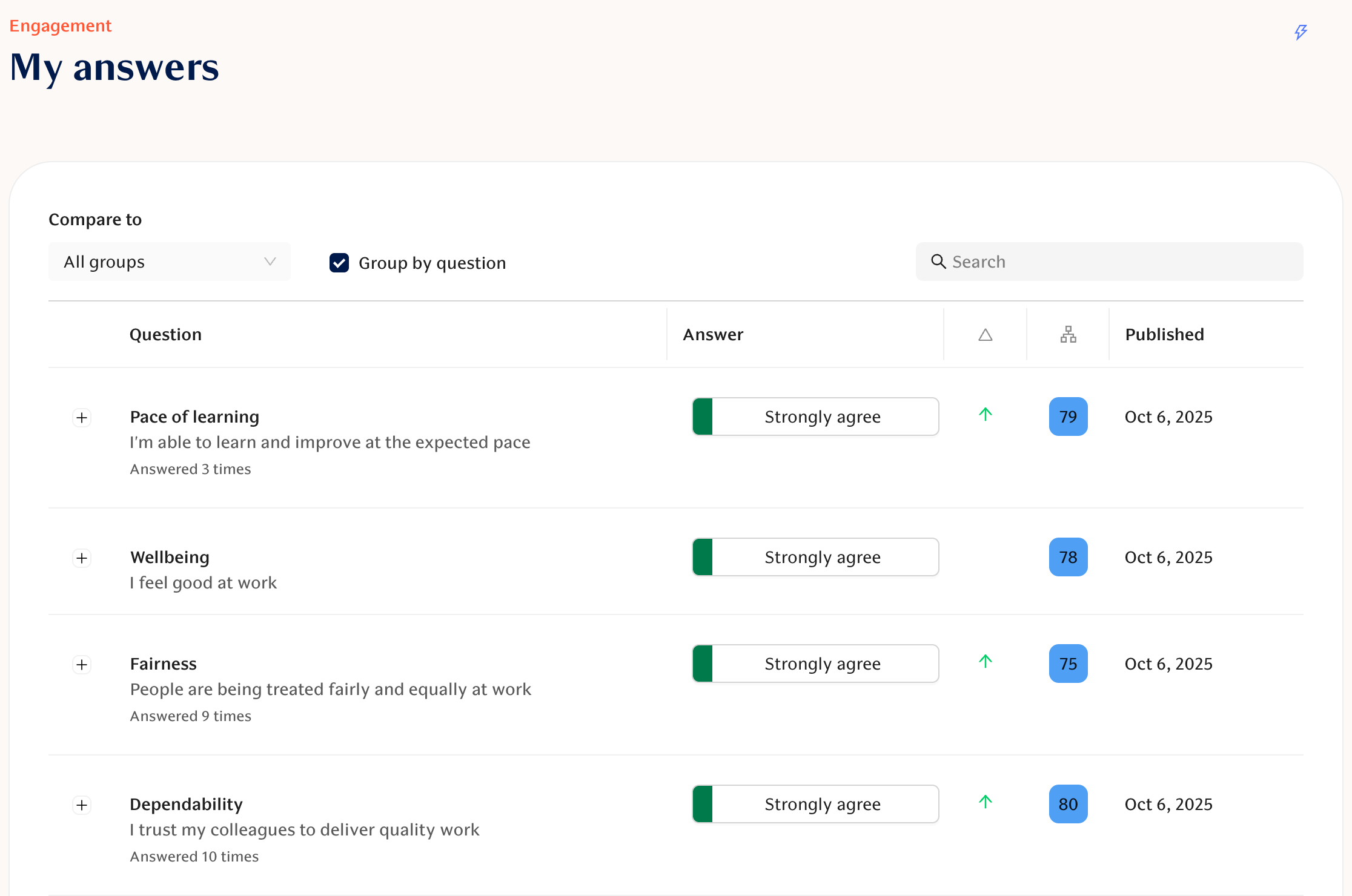
My answers page [Engagement]
The My Answers page shows the employee's own historical engagement survey answers. This allows to check what you responded to a specific survey question and also understand how your answers have changed over time. This helps to self-reflect on how you have been doing lately and whether there are topics that should be discussed with your manager or team.
This view needs to be enabled by the workspace admin from Engagement -> Settings.
Pin questions to overview [Engagement]
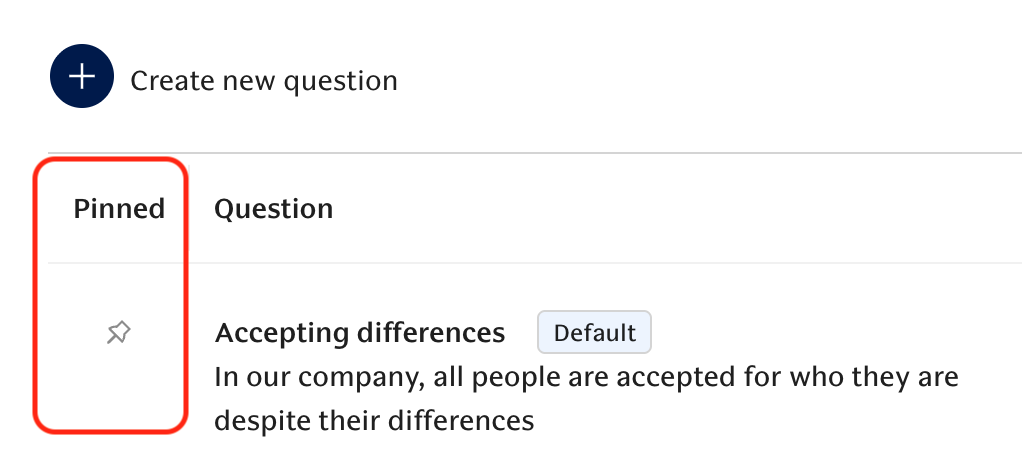
You can now pin specific questions (for example eNPS) to the Overview page so that you can follow key metrics more closely. This rounds up our fully customizable reporting as now KPIs, Themes and Questions can all be separately pinned to ensure you are always reviewing the most important results first.
Questions can be pinned at Engagement -> Customize surveys -> Questions.
Feedback activity card [Performance]
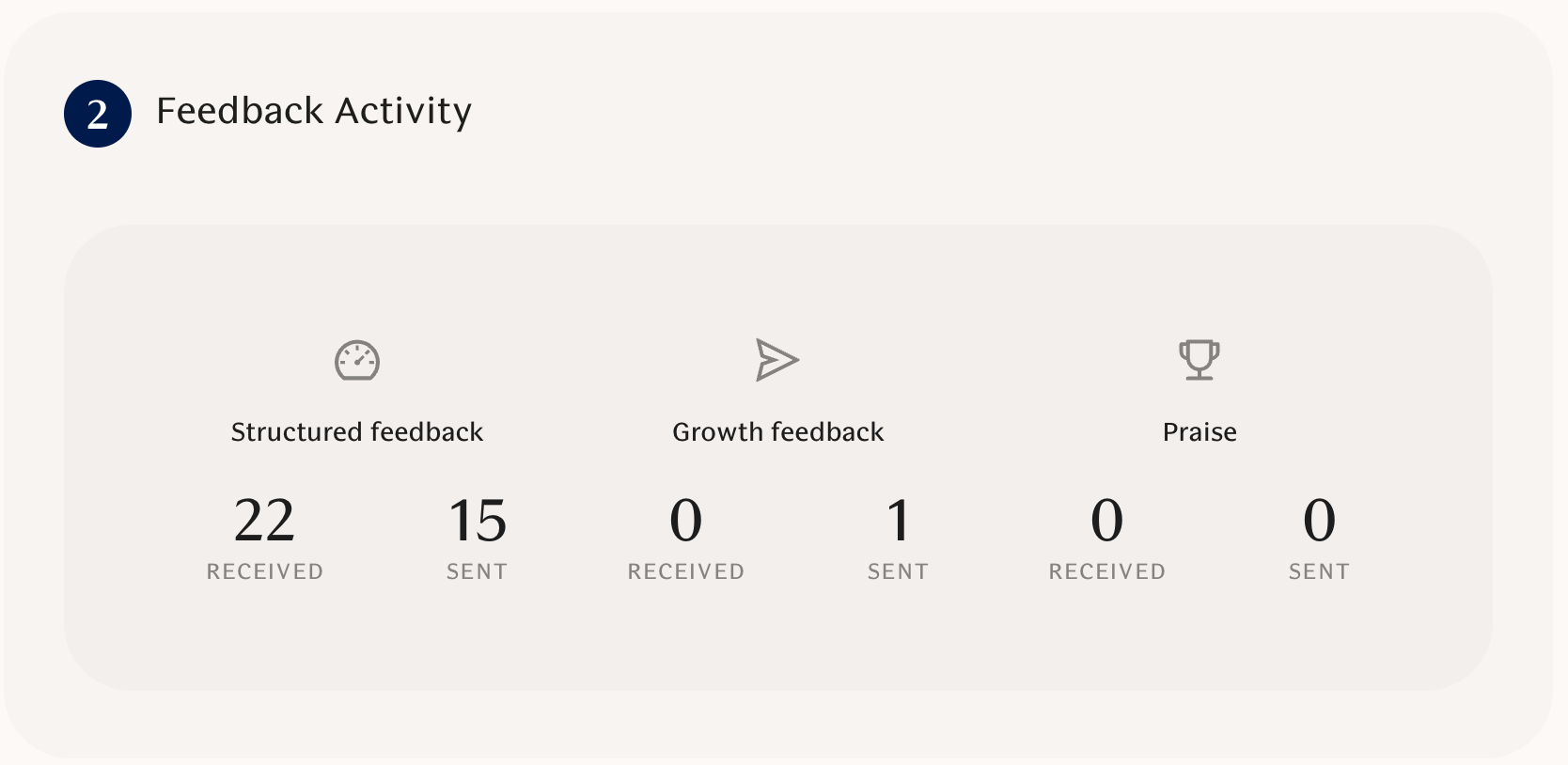
The combined My feedback page now includes a "Feedback Activity" card that shows counts of received and sent praise, growth and structured feedback. This helps employees understand and track how actively they have requested and received feedback.
🚀 New Features
Performance statistics view [Performance]:
You can now see feedback theme scores broken down by evaluation type with progress bars and workspace-average markers, and filter by time range to track trends.
My answers page [Engagement]:
You can now open a personal view to see your own history of engagement survey answers (this view is enabled by workspace admins).
Feedback activity card [Performance]:
The combined feedback page now includes a "Feedback Activity" card that shows counts of received and sent praise, growth, and structured feedback (with time range filtering).
Pin questions to overview [Engagement]:
You can now pin specific questions (for example eNPS) to the overview so you can follow key metrics more closely.
Duplicate and edit unused questions [Engagement]:
You can duplicate any question to create workspace-specific variants, and edit questions that haven’t been used yet (so you can tweak before sending).
Web feedback form in Microsoft Teams [Performance]:
When enabled by your workspace, unsolicited feedback started in Teams opens a web feedback form in the Teams task module for a fuller, more consistent experience.
✨ Improvements
Benchmark explanations in tables [Engagement]:
Tables that show benchmark values now include info labels so you can quickly see what the benchmark means and how to interpret it.
Mobile-friendly combined feedback and tables [Performance]:
Combined feedback tables and other tables now render better on small screens (stacked cards on mobile) so content is easier to read in Teams and on phones.
MS Teams feedback form usability [Collaboration]:
The feedback form in Teams is clearer on mobile (edit icon to focus the message, drafts open extra message section by default, and clearer info labels), and AI guidance reads less instructional.
PowerPoint export page rendering [Engagement]:
The question slides used in PowerPoint exports now match our updated page styles so exports look cleaner and more consistent.
Quick actions layout [Other]:
The quick actions row is more responsive so all actions fit nicely on larger screens and remain usable on mobile.
Represented questions in reports [Engagement]:
Reports now consider which questions are actually included in a KPI or theme so you no longer see old or irrelevant questions listed alongside scores.
🛠 Bug Fixes
Respect evaluation template privacy for numeric answers [Performance]:
Linear-scale answers are now hidden from subjects when the template is configured to hide them (managers still see all answers), fixing an incorrect visibility issue.
Missing custom question scales fixed [Engagement]:
Custom 4- and 5-point scales are restored so questionnaires render correctly in Slack and Teams (no more errors when those scales are used).
Managers receive structured feedback reminders [Performance]:
Notifications for pending structured feedback now correctly consider direct managers, so managers get the reminders they're entitled to.
Hide automated providers for self-reflection templates [Performance]:
The automated feedback provider control is now disabled for self-reflection templates so only the respondent is shown as the provider where appropriate.
November 7, 2025
Combined feedback view [Performance]
A new unified feedback page brings growth feedback, structured feedback, and praise into one searchable view with filters and AI-generated summaries so managers can see a fuller picture of a person’s feedback in one place.
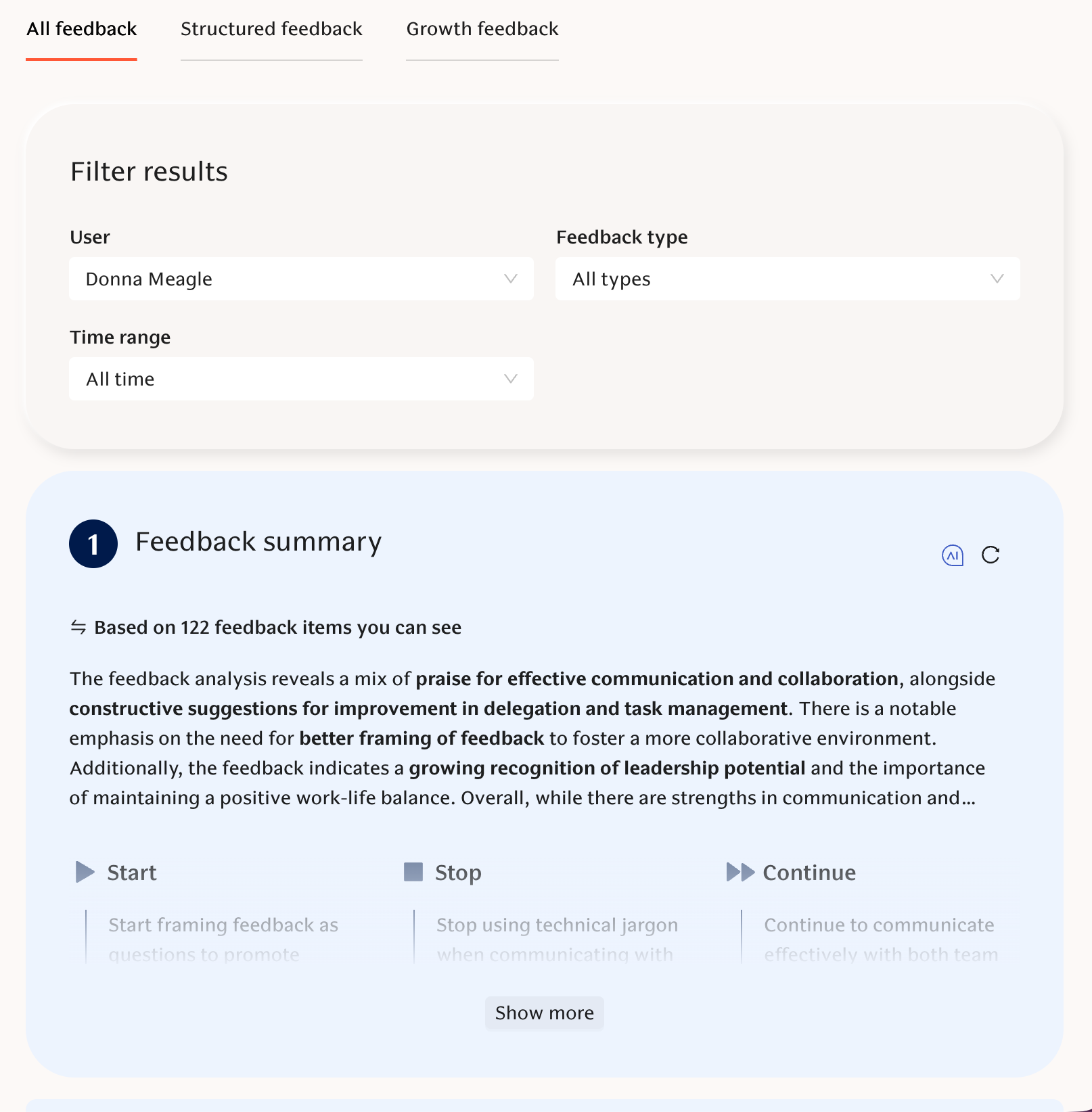
🚀 New Features
Request growth feedback on behalf of others [Performance]:
Managers and admins can now request growth feedback for team members from a new page where you select the recipient, multiple feedback providers, topics, and add a personal message; requests clearly show who initiated them.
Combined feedback view [Performance]:
A new unified feedback page brings growth feedback, structured feedback, and praise into one searchable view with filters and AI-generated summaries so managers can see a fuller picture of a person’s feedback in one place.
✨ Improvements
Engagement score dials visually improved [Engagement]:
Engagement score dials now use clearer color contrast and subtle shadowing so mid-range scores stand out better.
Time range selector for engagement graphs [Engagement]:
You can now zoom engagement-over-time graphs (defaulting to the last 12 months) so charts focus on the most relevant period.
Engagement chart tooltips and legend updated [Engagement]:
Tooltips and legend text are standardized for easier reading and consistent ordering across graphs.
Survey completion clearer in browser [Engagement]:
Web survey pages now show an explicit confirmation that your answers are saved so respondents aren’t left wondering if their response went through.
Login code input improved on mobile [Engagement]:
Email/code fields no longer trigger auto-capitalization or spellcheck on mobile, helping users log in more reliably.
Better narrow-screen rendering and copy [Engagement]:
Engagement graphs and copy now render properly on smaller screens for a smoother mobile web experience.
Partially edit and translate custom survey questions [Engagement]:
Workspace admins can now add new language translations to existing custom questions without changing past responses (existing translations stay locked to protect data).
Highlighted group colors in performance grid [Performance]:
Performance grids can now color groups for easier visual comparison and quicker spotting of outliers.
🛠 Bug Fixes
Engagement results grouping bug fixed [Engagement]:
Grouping issues in engagement results are resolved so group comparisons behave correctly.
Manual participation notification bug fixed [Engagement]:
When you turn a user’s survey participation on manually, the survey is now re-sent to that user (not to the person making the change).
Team selection bug in old engagement fixed [Engagement]:
Dropdown team and person selections now reliably apply in the older engagement view.
Engagement focus graphs render fix [Engagement]:
Engagement focus graphs that were failing on narrow screens now render consistently.
October 31, 2025
Aggregation windows for KPIs and Questions [Engagement]
You can now choose aggregation windows at the workspace or survey-program level. This allows to include responses from a wider timeframe than just the most recent survey.
This is especially useful for organizations that run multiple smaller engagement surveys in different parts of the organization. You want to review the combined results instead of just looking at individual survey results.
Moreover, you can also use aggregation windows to include responses from employees who weren't able to respond to the most recent survey. This gives a more accurate understanding of employee sentiment.
Read more below:
📄 How are Engagement survey question scores calculated?
📄 How are KPI and Theme scores calculated in Engagement?
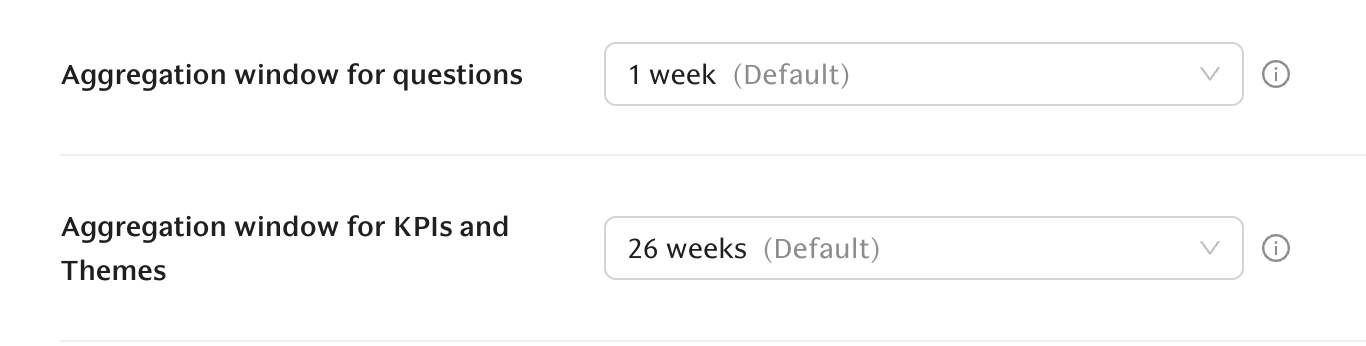
Reschedule feedback request deadlines [Performance]
Workspace admins can now update expiration dates for pending structured feedback requests individually or in bulk, so you can extend deadlines without cancelling or recreating requests.
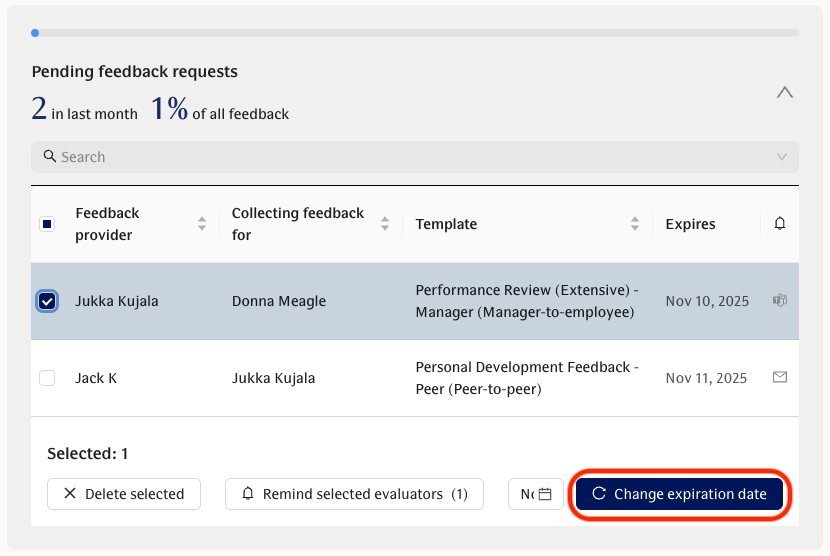
New engagement survey languages [Engagement]
Engagement surveys now support 3 new languages: Estonian, Russian, and Indonesian.
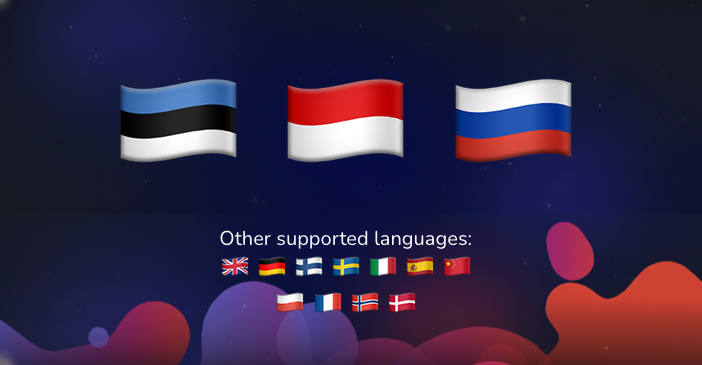
🚀 New Features
Aggregation windows & survey-based mode for KPIs and Questions [Engagement]:
You can now choose aggregation windows at the workspace or survey-program level, and enable a new survey-based mode that anchors KPI/Theme results to the last time a survey ran so you can include only the surveys you care about (recent only, quarterly, etc.).
Reschedule feedback request deadlines [Performance]:
Workspace admins can now update expiration dates for pending structured feedback requests individually or in bulk, so you can extend deadlines without cancelling or recreating requests.
New engagement survey languages [Engagement]:
Engagement surveys now support 3 new languages: Estonian, Russian, and Indonesian.
✨ Improvements
Clearer engagement calculation copy and tooltips [Engagement]:
Tooltips and explanatory copy now explain how engagement numbers and aggregation windows are calculated, so you have better context for what the charts mean.
"New" label for latest-round comments [Engagement]:
Comments from the workspace's latest survey round are now marked as "New," making it easier to spot recent feedback at a glance.
Create missing user profiles during sync [Other]:
When integration data includes the necessary information, missing user profiles are now created automatically to make provisioning smoother.
Structured feedback summaries handle numeric answers [Performance]:
AI-powered structured feedback now takes non-written and numeric answers into account (for example converting numeric scales to text like “Agree”), giving you more accurate summaries.
More explicit feedback visibility wording [Performance]:
We replaced the term “non-private” with “shared with managers and admins” so it’s clearer who can see feedback.
🛠 Bug Fixes
Fix trends and survey metadata accuracy [Engagement]:
Trend calculations are corrected and survey metadata is passed through accurately so trend charts reflect the right data in all cases.
Polish translation code fix [Engagement]:
Polish translations now show correctly (previously a typo caused French strings to appear for Polish users).
October 24, 2025
1-5 scale for feedback theme scores [Performance]
Admins can now choose to display feedback theme scores on a 1–5 scale. Previously 1-10 was the only available scale. This gives more flexibility to align Teamspective as closely as possible with your existing performance framework.
This can be adjusted in Performance -> Settings.
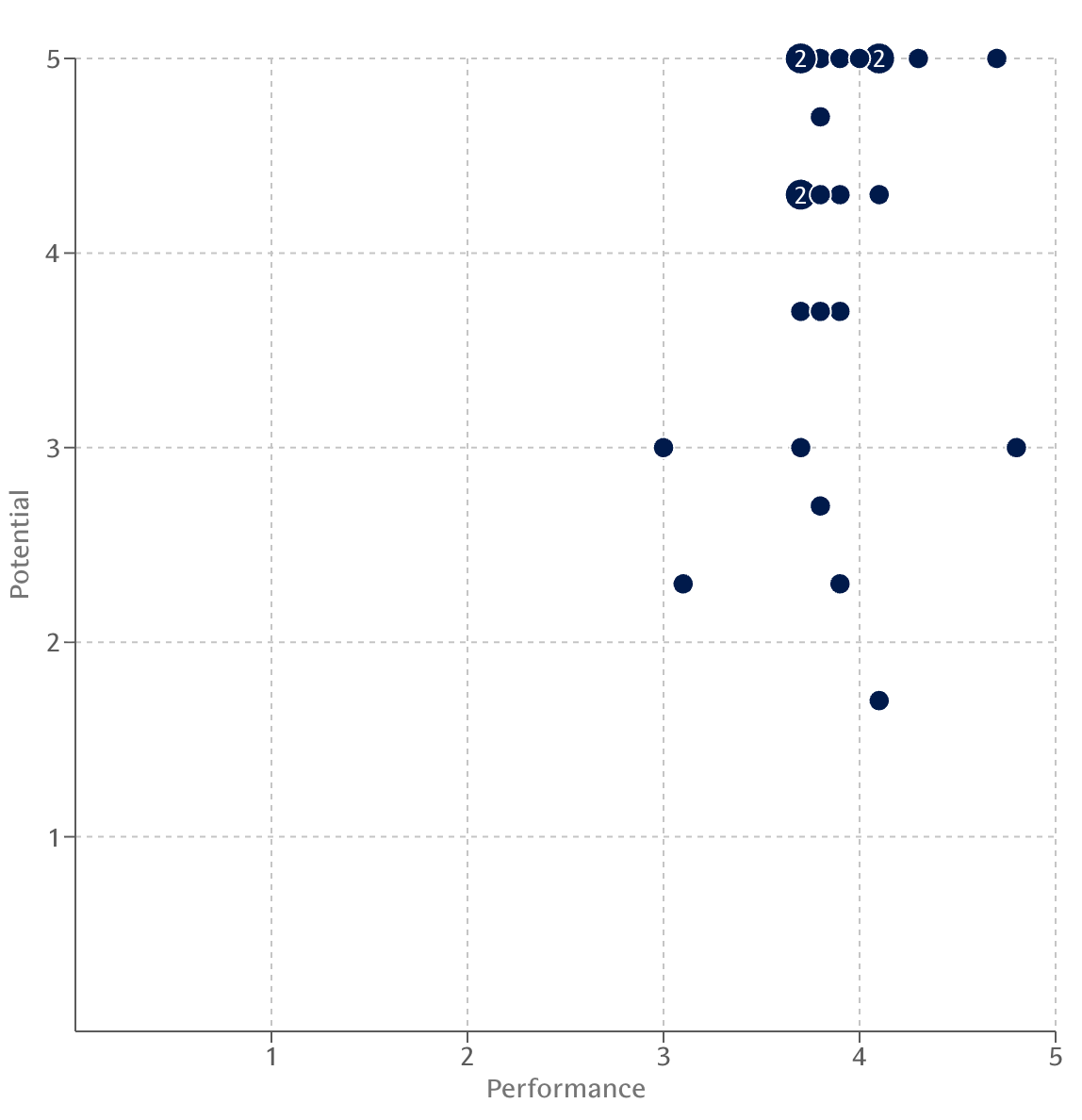
Archive discussions [Discussions]
Discussion hosts can archive and unarchive discussions and use a new “Archived” filter. This helps to keep lists tidy and remove any unused discussion threads. Linked Slack channels are also archived/unarchived when these have been synced.
🚀 New Features
1-5 scale for feedback theme scores [Performance]:
Admins can now choose to display feedback theme scores on a familiar 1–5 scale so results align with your internal performance framework. Previously 1-10 was the only available scale.
Archive discussions [Discussions]:
Discussion hosts can archive and unarchive discussions and use a new “Archived” filter to keep active lists tidy (linked Slack channels are archived/unarchived when in sync).
✨ Improvements
Engagement views updated [Engagement]:
Pages now use clearer terms (e.g., “Aggregated”), show survey-by-survey time series for questions while keeping a clear aggregated score, and warn you when a selected group has less than 50% response rate so you can interpret small-sample results with care.
Respect survey names everywhere [Engagement]:
Survey names you set now appear throughout the app and in emails/notifications so labels match what you expect.
Heatmap question display options [Engagement]:
The heatmap measurement selector now lets you show full question titles (and question text) so long questions are readable without extra clicks.
Template management UI updates [Performance]:
The templates page now shows how many times each has been used including clearer info/tooltips for template messages so managers can better track and configure templates.
Show membership source in group management [Other]:
You can now see whether a group membership comes from an integration and the UI prevents removing integration-synced members to avoid mistakes.
Visual polish and helpful tooltips [Other]:
We improved color contrast for easier reading, updated discussion note card styles with subtle borders and shadows, and added tooltips across feedback pages for clearer guidance.
🛠 Bug Fixes
PowerPoint export and multi-survey comments fixed [Engagement]:
PowerPoint exports, comments, and graphs now work correctly when you select multiple surveys (sorting and charts are accurate and included).
Response rate for recurring surveys fixed [Engagement]:
The response counts and percentages on recurring survey pages now match the surveys listing so response rates are accurate.
Evaluation template listing fixed [Performance]:
The template list no longer shows duplicate questions and now reports the correct “Times used” counts so template metrics are reliable.
Discussion insights formatting corrected [Discussions]:
Discussion themes and insights return in a readable format (without unintended lowercasing or transformations), improving clarity in AI-generated summaries.
October 17, 2025
Dynamic engagement cohorts [Engagement]
Teamspective now automatically builds survey cohorts based on how your employees respond to surveys and how they score on the different KPIs or Themes. This means you can pivot engagement results, for example, based on how Promoters, Passives and Detractors responded.
This allows leaders to dive even deeper into the engagement results and understand what to focus on with actions.
📄 How to use Dynamic Engagement Cohorts in Teamspective?
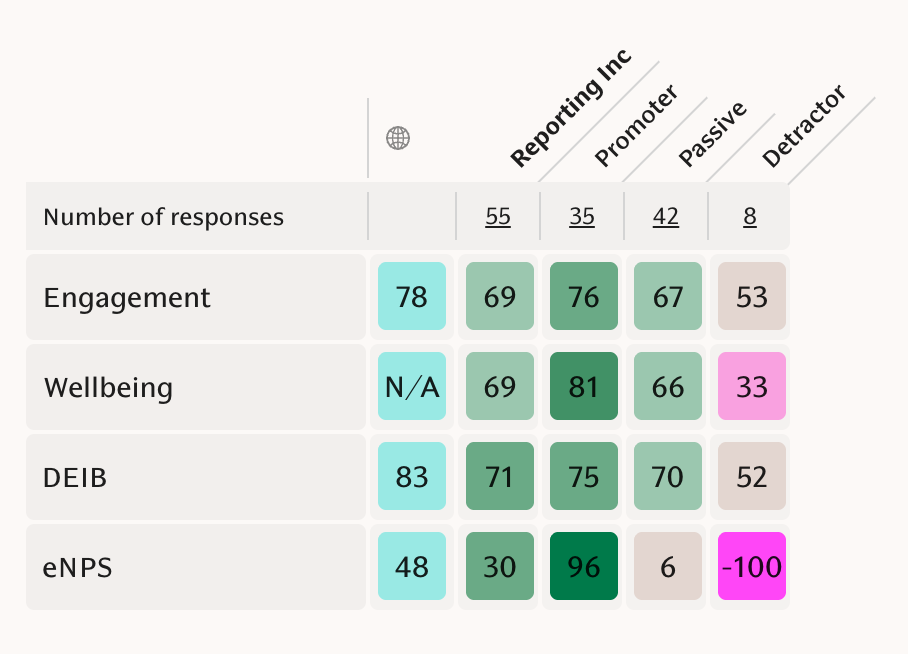
Extend survey deadline [Engagement]
Workspace admins can now extend the answering time for single surveys. This allows making corrections to your survey settings after launch or giving your employees a little more time to respond to your survey.
Group by team in Growth feedback results [Performance]
Managers can now group growth feedback by team so you see all team feedback in one centralized view. This helps understand feedback stats especially if you are managing multiple teams or a larger function.
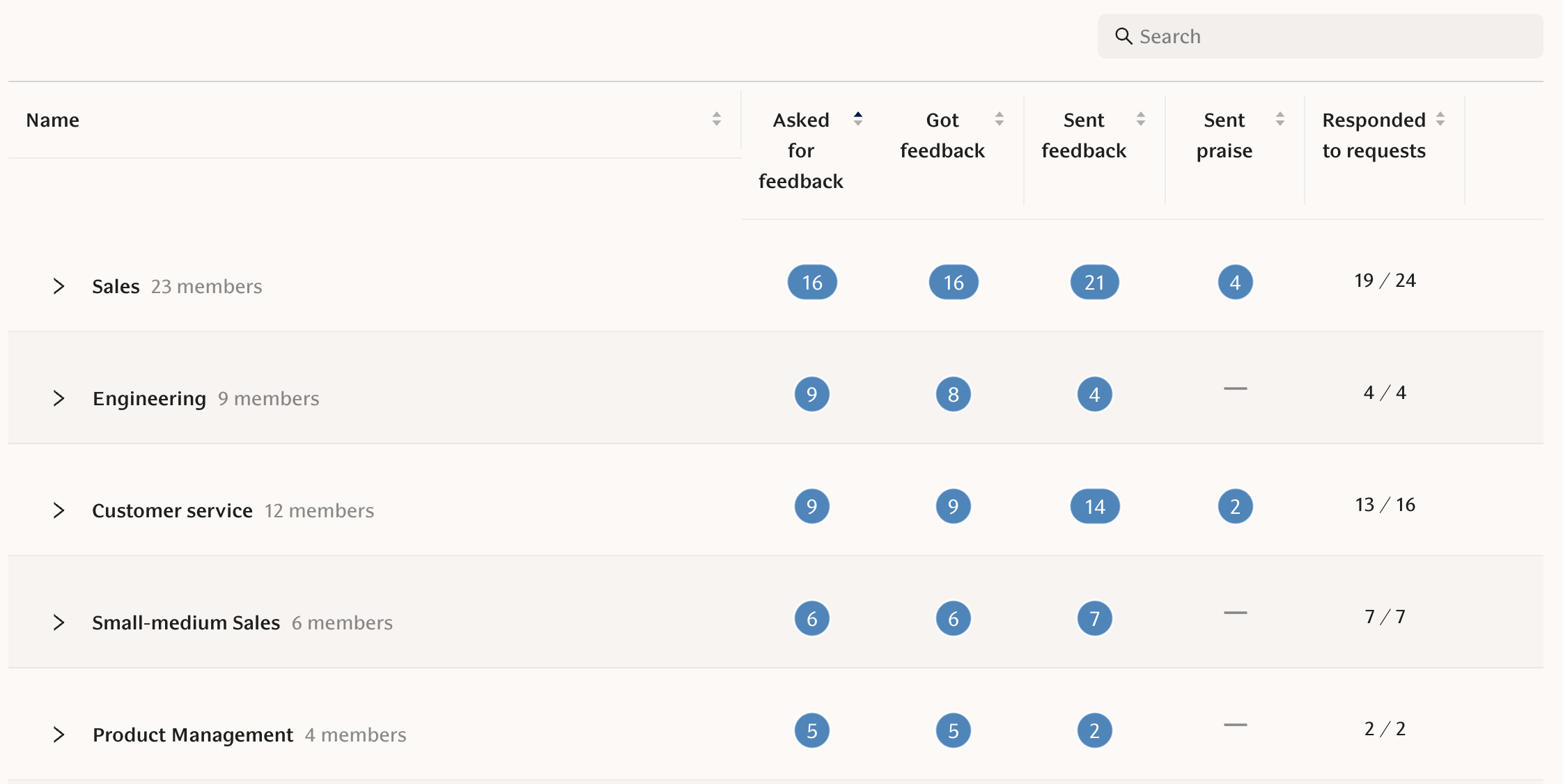
🚀 New Features
Dynamic engagement cohorts [Engagement]:
Teamspective now automatically builds survey cohorts based on how your employees respond to surveys and how they score on the different KPIs.
This means you can pivot engagement results, for example, based on how Promoters, Passives and Detractors responded.
Template names in feedback request status page [Performance]:
You can now see which template was used for each request, helping managers distinguish what was asked and track completion more easily.
Group by team in growth feedback results [Performance]:
Managers can now group growth feedback by team so you see all team feedback in one centralized view.
Extend single survey deadline [Engagement]:
Admins can now reschedule a single survey round from the UI.
✨ Improvements
Removed "Pulse" wording across product and notifications [Engagement]:
We replaced "Pulse" with clearer wording (survey / recurring survey / engagement) in the UI, emails, Slack and Teams so language better reflects how you use the product.
Cleaner mobile layouts and table tweaks [Other]:
New engagement table layouts and responsiveness improvements make tables and filters work better on smaller screens.
eNPS labels in Slack and Teams [Engagement]:
eNPS choices in Slack and Teams now show emoji-only labels (no duplicated number) for a cleaner selection experience.
Question wording and translations updated [Engagement]:
We updated several question titles (eg Coordination -> Cross-team collaboration).
To avoid misinterpretation and improve clarity, we rephrased the question Stress:
Any stress in my role is manageable-> The stress in my role is manageable.
Comment visibility copy clarified in Slack [Engagement]:
Comment visibility texts are clearer and now mention that visibility settings affect future surveys.
⚒ Bug Fixes
Discussions text editor fixed [Discussions]:
Typing in long discussions no longer becomes sluggish.
Expired session handling improved [Other]:
Expired sessions now redirect you to login and bring you back to the page you were on after signing in, avoiding confusing error pages.
Remove old users from discussions when removed from workspace [Discussions]:
Users removed from a workspace no longer remain stuck as discussion participants, so you can edit participants as expected.
Question table buttons fixed [Engagement]:
The "show more" and legacy buttons only appear when relevant, so you interact with results reliably.
Non-linear scales rendering fixed [Engagement]:
Team comparison bars and variance calculations now respect different question scales so distributions and colors are accurate.
All questions included in Overview [Engagement]:
Overview now includes all questions (regardless of KPIs/themes/pinning) so you don’t miss results.
October 10, 2025
Archiving Focus areas [Performance]
You can now archive (and unarchive) your focus areas. This helps to keep your list of active focus areas clean and relevant for your feedback requests.
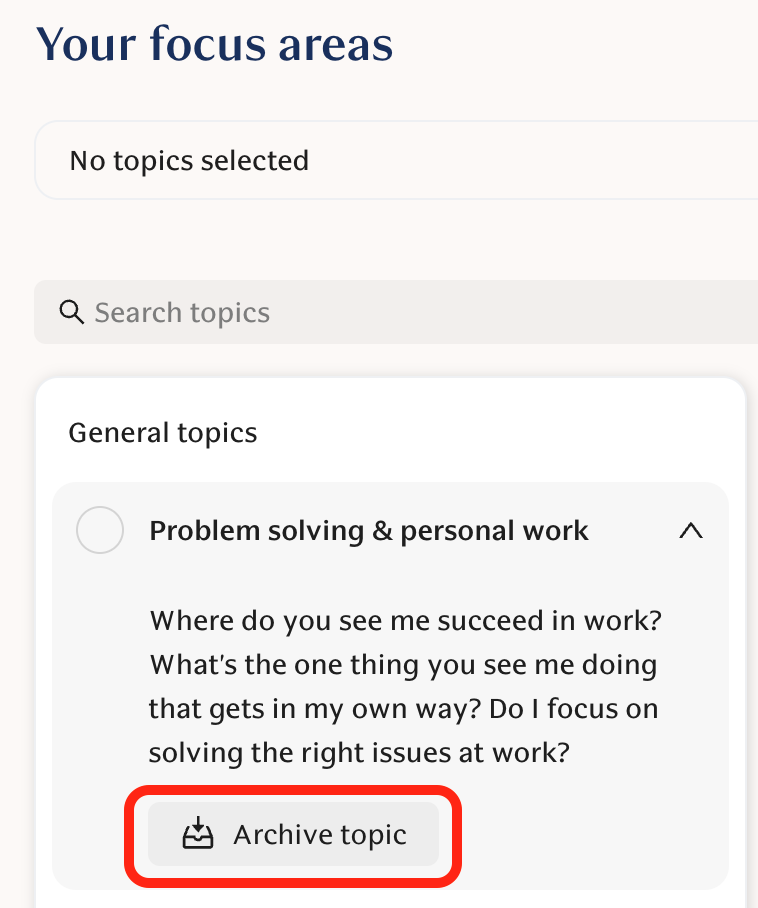
New workspace average score [Engagement]
Teams can now see the workspace average score when viewing their engagement results on the Overview page. This helps compare your score to the whole company's score when you are in the middle of analysing your results.
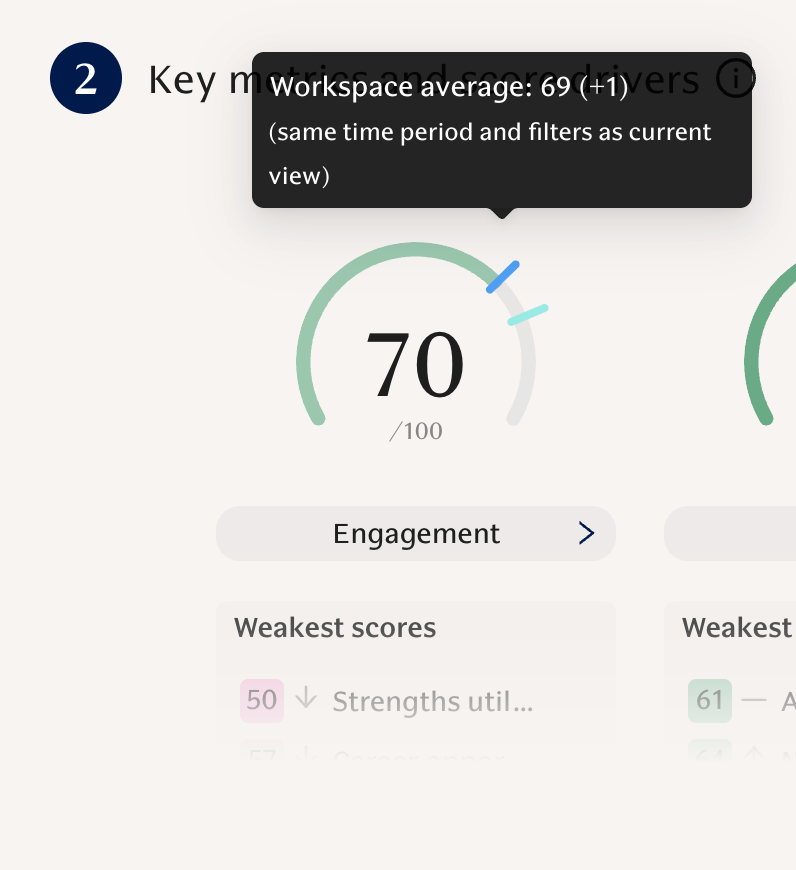
Notes can be downloaded as PDF [Discussions]
You can now download your notes from Discussions as PDF. Click Download at the top right to download all your notes, or the download icon on the individual note to download just that note.
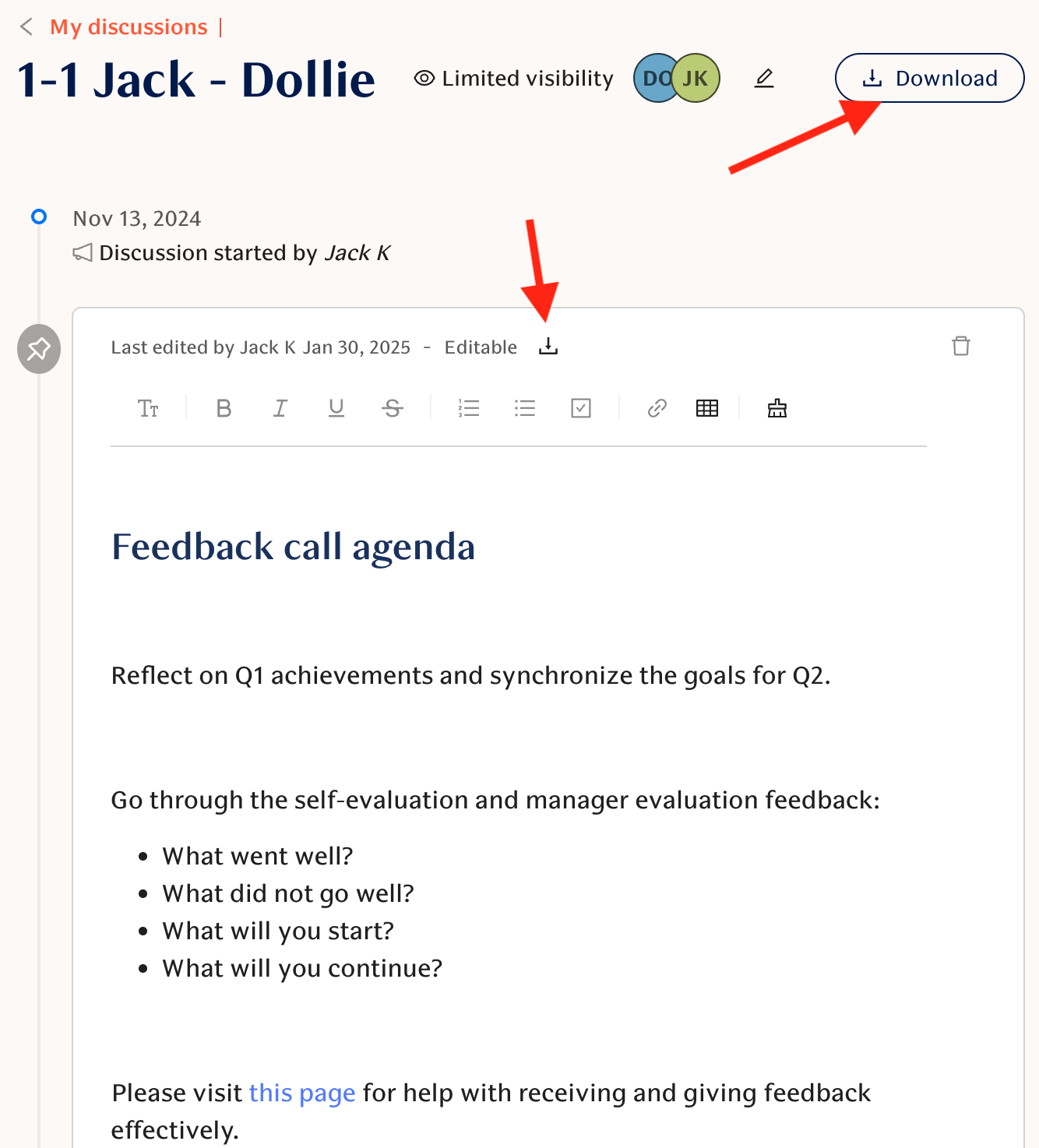
⚡ Small improvements and bug fixes:
[Engagement] AI Comments analysis is now completed using all the data you have selected in the filters. Previously this was limited to a set of latest comments.
[Engagement] Added confirmations when trying to delete feedback requests in Slack / Teams.
[Engagement] Updated engagement survey completion message in Slack / Teams to better highlight that survey has been completed.
October 7, 2025
Copy updates to our default engagement questions
We have made small improvements to the wording of our default questions to make them clearer. These updated versions have been available for the past year, and many of our customers have already made the switch.
After analyzing the results, we found that while the questions are now easier to understand, the impact on answer distributions has been minimal. The updated questions have now been rolled out to all customers.
List of changes:
Career opportunities
Old: Are you satisfied with the career opportunities in your job?
New: I'm satisfied with the career opportunities in my job
Clarity of Goals
Old: Is it clear what you should focus on and prioritize?
New: It is clear what I should focus on and prioritize
Dependability
Old: Do you trust your colleagues to deliver quality work in schedule?
New: I trust my colleagues to deliver quality work
Communication in team
Old: Do you get enough information about the progress and delays in your colleagues' work?
New: I get enough information about the progress and delays in my colleagues' work
Psychological Safety
Old: Do you ever hesitate to disagree or to voice your concerns at work?
New: I hesitate to disagree or to voice my concerns at work
Autonomy
Old: Can you influence your own work and decisions impacting it?
New: I can influence my own work and decisions impacting it
Competence
Old: Do you feel confident that you can do your job well?
New: I'm confident I can do my job well
Satisfaction with Feedback
Old: Are you satisfied with the quality and amount of feedback you get at work?
New: I'm satisfied with the quality and amount of feedback I get at work
Appreciation
Old: Do you feel appreciated enough at work?
New: I feel appreciated at work
Wellbeing
Old: How are you feeling at work?
New: I feel good at work
Fairness
Old: Do you think people are being treated fairly and equally at work?
New: People are being treated fairly and equally at work
Fitting in
Old: How often do you find it hard to fit in at work?
New: I find it hard to fit in at work
Recognition frequency
Old: I receive recognition or praise for doing good work on a weekly basis
New: I receive recognition or praise for doing good work on a regular basis
Voicing concerns
Old: Me and my colleagues are able to bring up problems and tough issues
New: My colleagues and I are able to bring up problems and tough issues
Stress
Old: Any stress in my role is manageable
New: The stress in my role is manageable
Other changes to Question Titles:
Collaboration —> Cross-team collaboration
Impact —> My impact
Relationships —> Supportive relationships
Acceptance —> Being accepted
Company ambition —> Performance standards
Values —> Company values
Agility —> Process agility
Processes —> Sufficient processes
July 2, 2025
Open-text questions in engagement surveys
Engagement
You can now add open-text questions to your surveys to capture richer feedback or include new types of topics to your surveys.
Beyond scores and scales, open-text responses can reveal the why behind the numbers, or help understand employee perspectives on the more complex topics.
Open-text questions can be analyzed with same rich features as survey comments:
Sentiment analysis
Idea detection
Continue discussion by commenting on the answers
To take this into use, create new custom questions and select 'Open text' as the response scale.
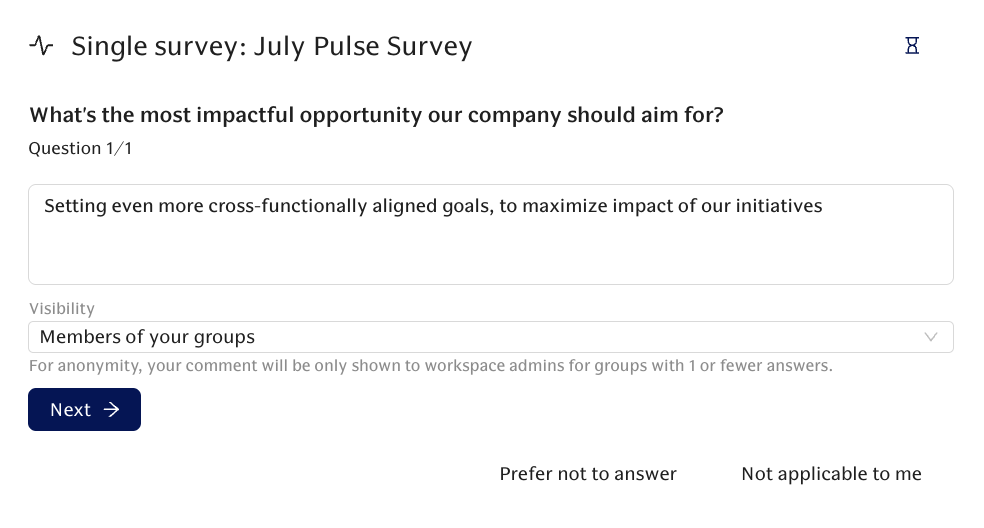
July 2, 2025
AI Feedback Assistant
Performance
We're excited to introduce AI Feedback Assistant, a new feature designed to improve your company's feedback processes.
We know that writing good feedback can be challenging and time-consuming. Our new AI assistant aims to simplify this, helping you build a stronger feedback culture.
What's New?
Completely renewed the user interface for both writing feedback and answering feedback requests.
Reinforcing and redirecting feedback are written within the same intuitive text window.
The assistant evaluates the quality of your feedback in real-time and provides concrete guidance to help you write high-quality, impactful feedback.
Benefits for Your Team:
Improved Quality: Write more effective and actionable feedback.
Efficiency: Streamline the feedback writing process.
Better Culture: Foster a more productive feedback environment.
Multi-Language Support: Works across different languages for diverse teams.
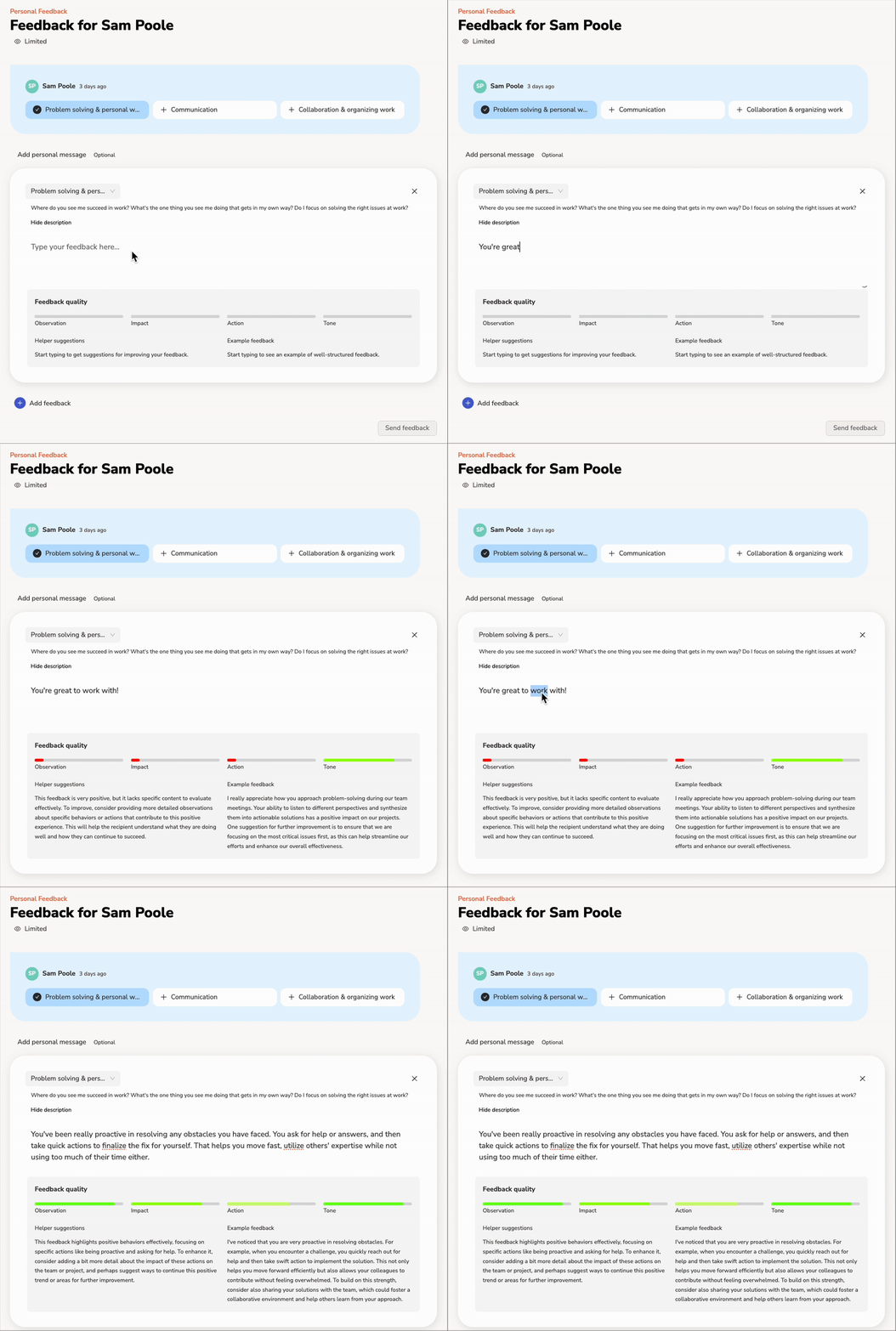
May 2, 2025
Updated Engagement Comments view
Engagement
We're excited to share a new way to make sense of engagement comments!
You'll now see open-ended comments grouped by the themes of the questions they were written for. Each group shows the overall sentiment—positive, negative, or idea—so you can quickly understand which topics are drawing attention and how people feel about them.
This gives a clearer high-level view of what's going well and what may need more focus, without digging through individual comments.
The new view is available by default, and workspace admins can choose to toggle between the new and previous views for their teams.
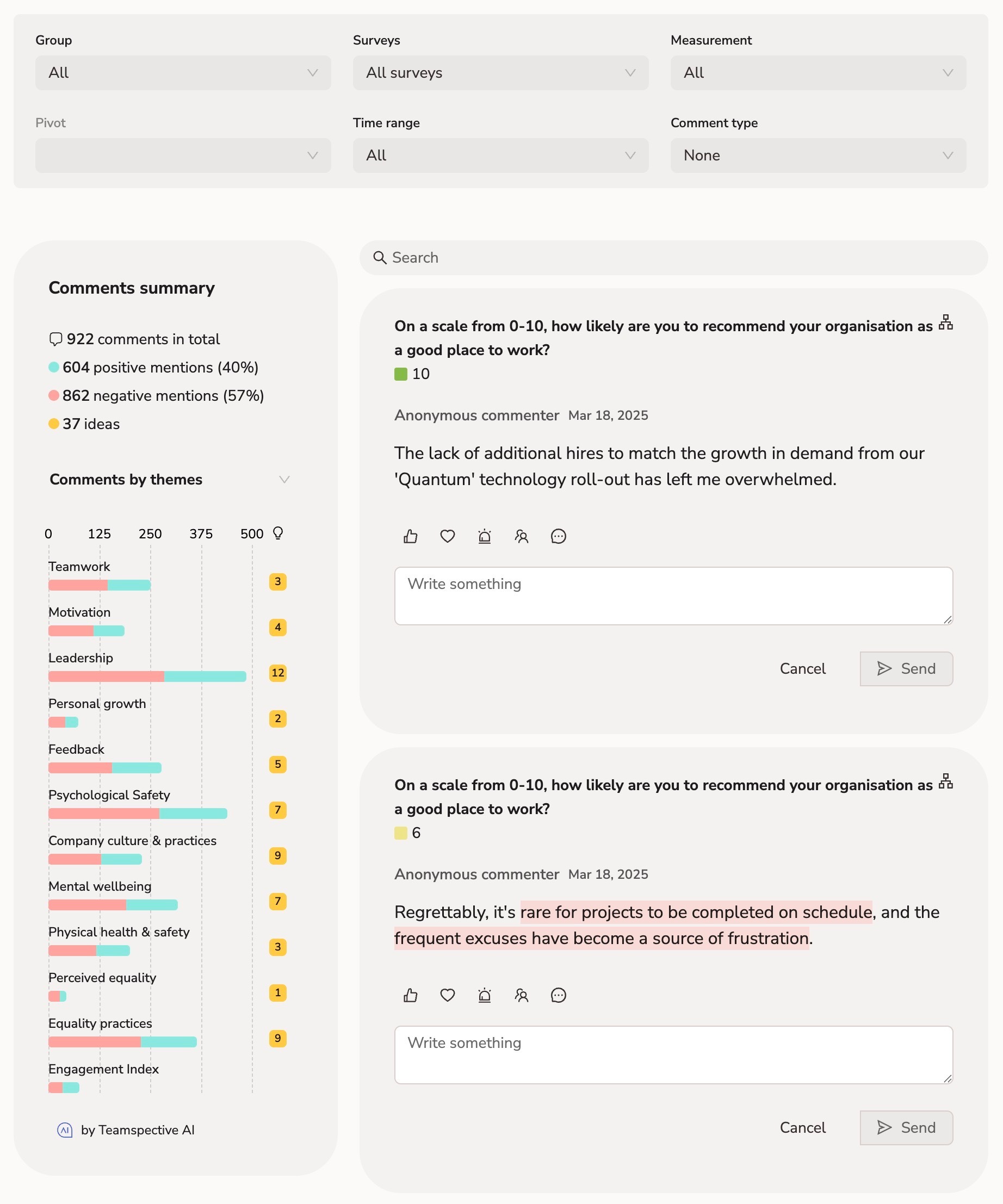
May 2, 2025
Brand Update
Whole Product
We’re excited to announce our new brand that we are rolling out in the coming weeks!
This new brand not only refreshes our brand style, but is designed to better reflect our overall mission of Normalizing Excellent Leadership. We are the only engagement solution provider that analyzes and helps improve employee collaboration patterns. We want to be laser-focused on guiding every leader to build the right connections and have the most impactful interactions with their co-workers.
Also the Slack and MS Teams icons will update to the new logo in near future. This doesn't require any actions from you, and the logo icon will continue to use the familiar Teamspective orange.
April 23, 2025
Multichannel Notifications
Engagement
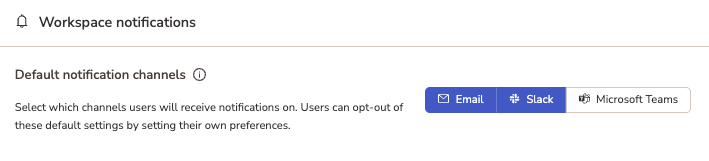
Workspace admins can now configure survey notifications to be sent via multiple channels. Individual employees can still override this setting by modifying their personal preferences.
This setting can be configured in workspace settings.
April 10, 2025
eNPS Cohorts (Beta)
Engagement
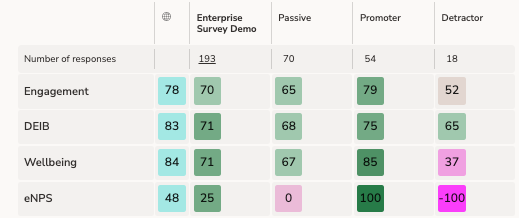
eNPS, and soon other KPIs can now be used to create cohorts for advanced reporting. Dive easily deep into correlation analysis, to identify on question level what is really impacting the eNPS and what is not.
April 10, 2025
Management Permissions for Personal Feedback
Performance
A new permission setting allows designated users with management responsibilities to access personal feedback data. This facilitates manager involvement in employee development and feedback review processes.
April 8, 2025
"Admins Only" Comment Visibility
Engagement
A new visibility setting allows engagement survey comments to be marked as visible exclusively to administrators. This feature provides greater control over the confidentiality of sensitive qualitative feedback.
April 2, 2025
HRIS Manager for Feedback Permissions
Performance
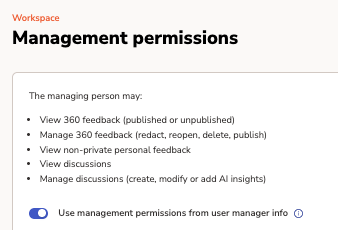
The system can now leverage manager information defined in the connected HRIS to automatically assign feedback access permissions. This streamlines permission management by aligning it with your official organizational structure, and keeping it up to date automatically.
Admins can access permissions management in workspace settings.
March 21, 2025
Updates to our DPA, Terms of Service and InfoSec Policy
Updates to Data Processing Agreement (DPA)
Effective: April 4, 2025.
The DPA is amended with these terms as applicable:
Expand to view changes
Update to section 7.7
Modified to use Option 2 of the EU standard contractual clauses, "General written authorisation". This aligns our processes with best practice and provides a structured and transparent process for sub-processor changes.
Adding a new sub-processor: Pylon Labs, Inc.
Pylon is a customer support platform that will enable us to provide you with better customer support across all channels, including Slack.
Update to section 3.
New section 3.2 is added to clarify the Customer's rights to object sub-processor changes and the process of handling such situations.
For full details, you can view the updated DPA here.
January 31, 2025
Google Calendar launched as passive data source for Collaboration product
Collaboration
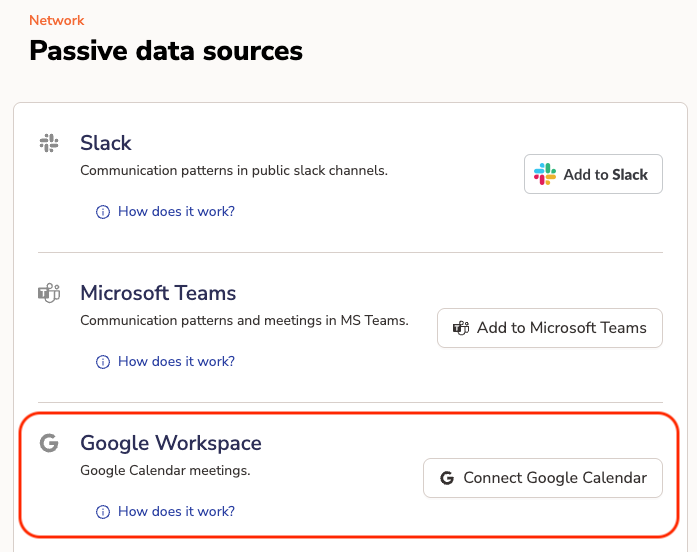
Teamspective can now analyze data from Google calendar meetings to give your organization insights on how individuals and teams are collaborating. Combined with other passive data sources this helps build a very accurate network of your organization and empower leaders to optimize performance.
Reach out to your CSM or via support@teamspective.com to learn more.
Coming soon: Leadership Styles insights to help develop your leaders!
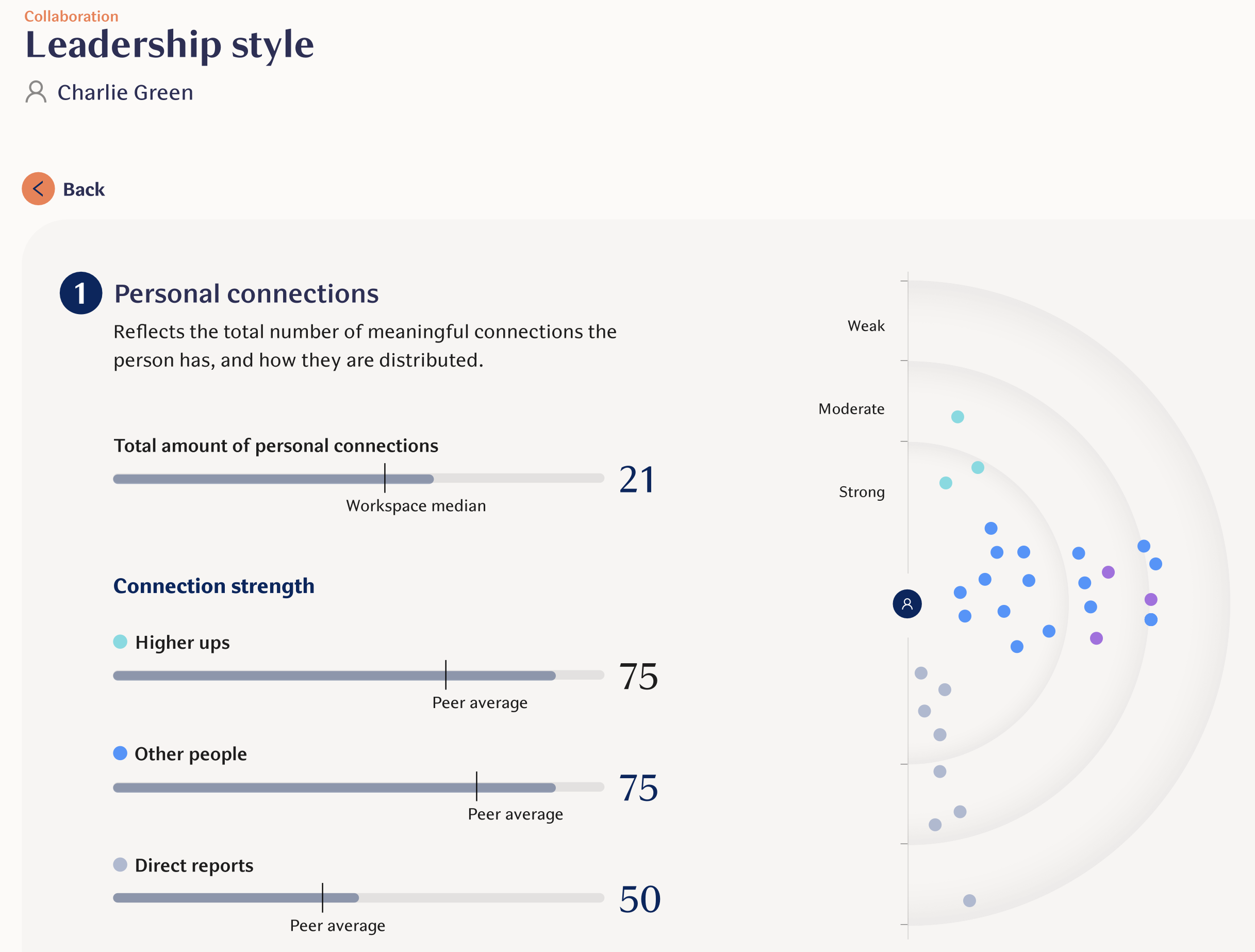
Survey results visibility is now based on responses
Engagement
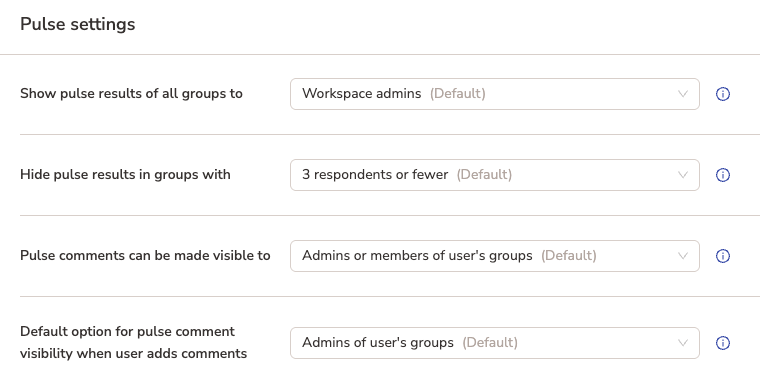
The visibility of engagement survey results are now based on the amount of responses for the group of employees you are inspecting. This change has been effective since Jan 14th, 2025. You can find this setting on the Settings page: https://app.teamspective.com/pulse#settings
Read the more extensive article describing the change and why we made it.
Filter surveys on results pages in Engagement
Engagement
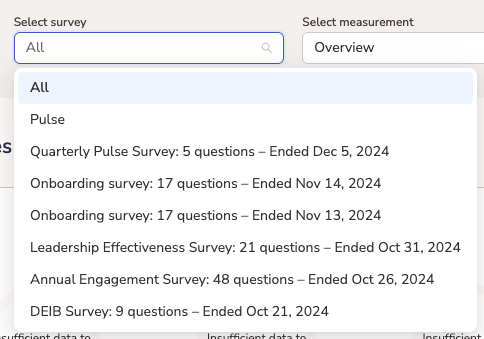
Looking for the results of an exact survey? Select a specific single survey or pulse surveys to inspect the exact survey results of any past survey. This filter is now available for all the results pages: Overview, Heatmaps and Comments.
Norwegian and Danish available for Engagement surveys
Engagement
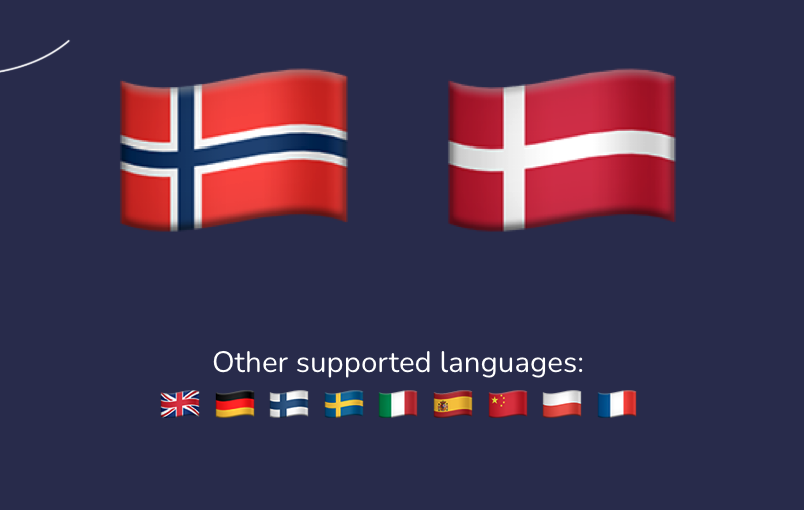
Norwegian and Danish have now been added as supported languages for engagement surveys! Users can select their preferred language from User Settings and this will be applied to Teamspective's pulse questions.
New view in 360 Feedback: Results by question
360 Feedback
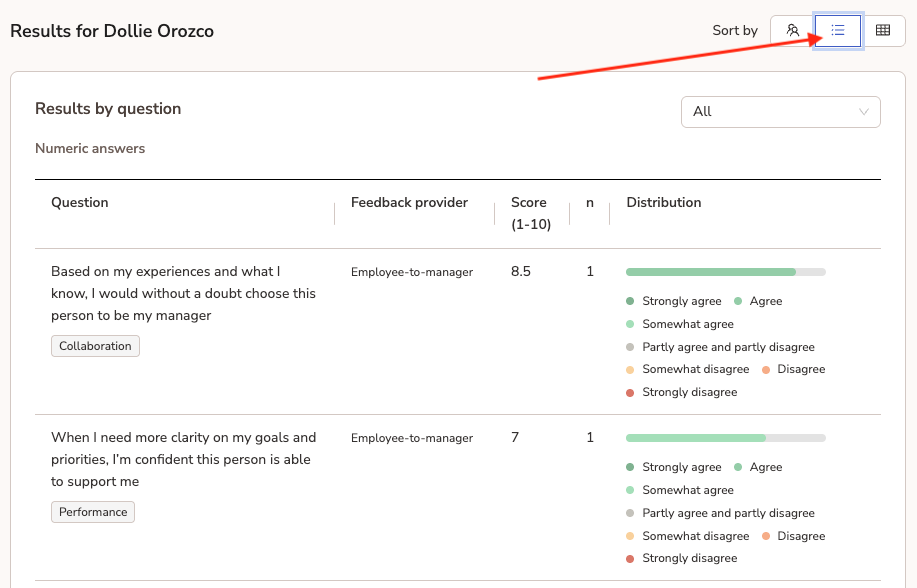
360 Feedback results can now be viewed by question to give a quick overview of results between different feedback provider types when the same question has been asked in different templates. This allows to analyse whether all feedback providers are aligned or if there are differing perspectives. Use the dropdown filter to only focus on results from a specific feedback provider group (eg peers).
This view has also been updated to the PDF export.
⚡️ Bug fixes and smaller improvements
"Stakeholder feedback" template type was renamed to "Feedback from other colleague" in 360 Feedback.
Workspace settings page has now been hidden from regular users (Workspace member). This improves information security and privacy.
Improved layout for replying to engagement survey comments in web app.
Workspace admins can manually remind users of pending feedback requests.
UI update to Overview page when inspecting engagement survey results.
Pulse light users can now select their preferred language when responding to the engagement survey.