Performance guide for team leads
Last updated: October 15, 2025
When granted a Permission to view and publish an employee's feedback you have some extended access and responsibilities in Teamspective. We'll go through them in this article.
If you’re completely new to Teamspective, we recommend that you check the new user guides first before diving into this content. These guides contain some basics which we will skip in this guide:
📄 Performance quick start guide
What does a Permission to view and publish mean?
In a nutshell, you have access to these features which a regular user does not:
Request feedback on behalf of other employees
View the feedback that other employees have received
This can also include Growth Feedback, depending on your organization's practices.
Moderate and publish structured feedback that other employees have received
Analyse numeric feedback that other employees have received
How do I request feedback on behalf of others?
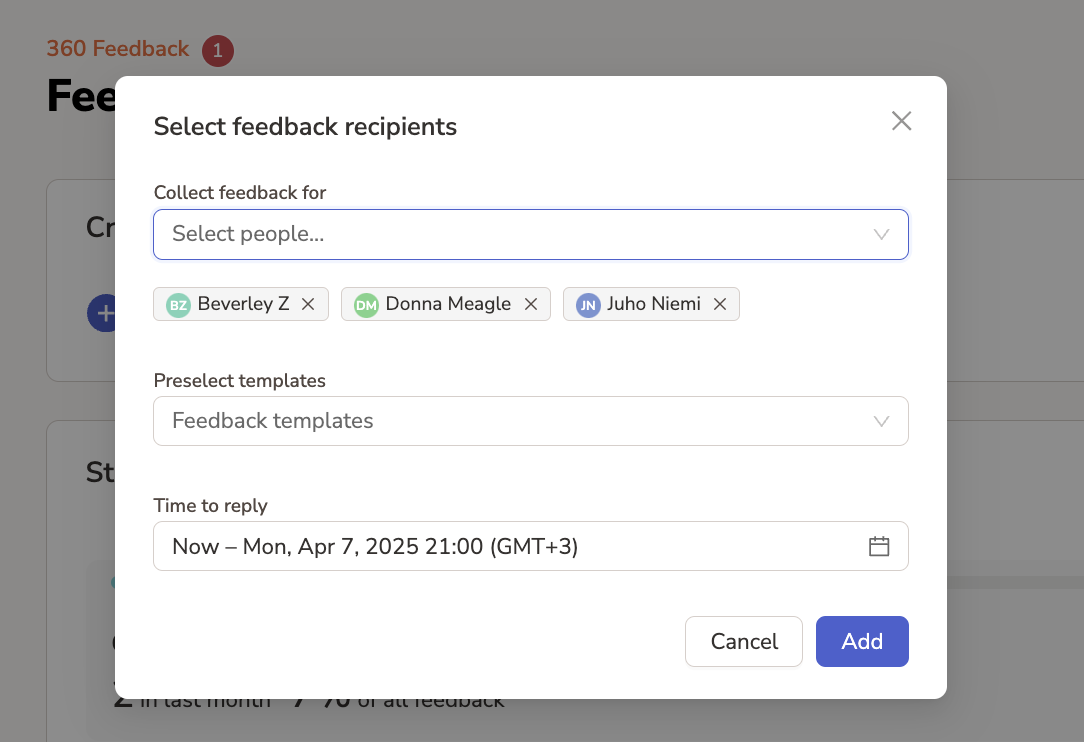
You can send feedback requests from the Feedback requests page by first selecting the employees you want to receive feedback:
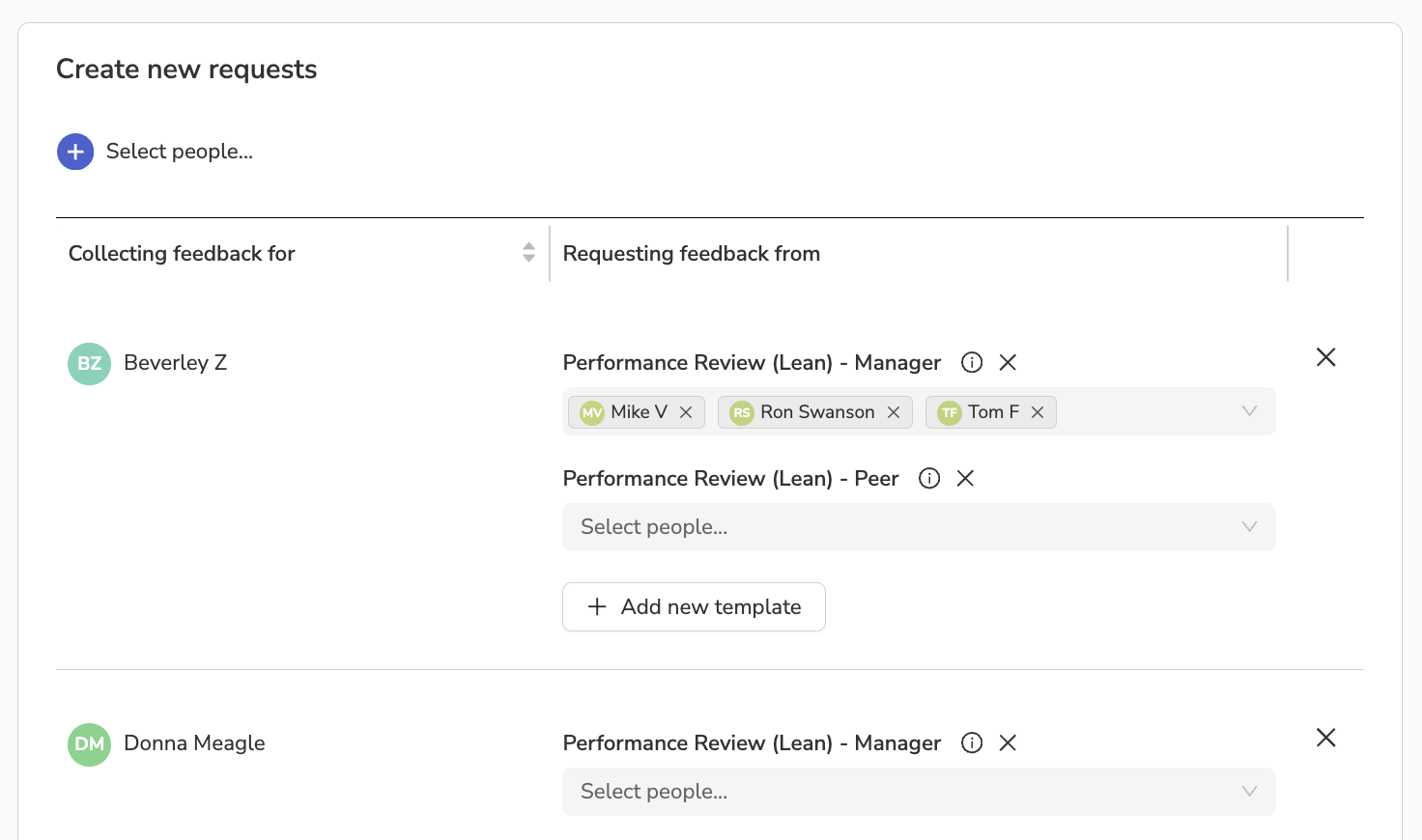
Next, assign the feedback providers - the people who will be giving feedback for the employees you just selected:
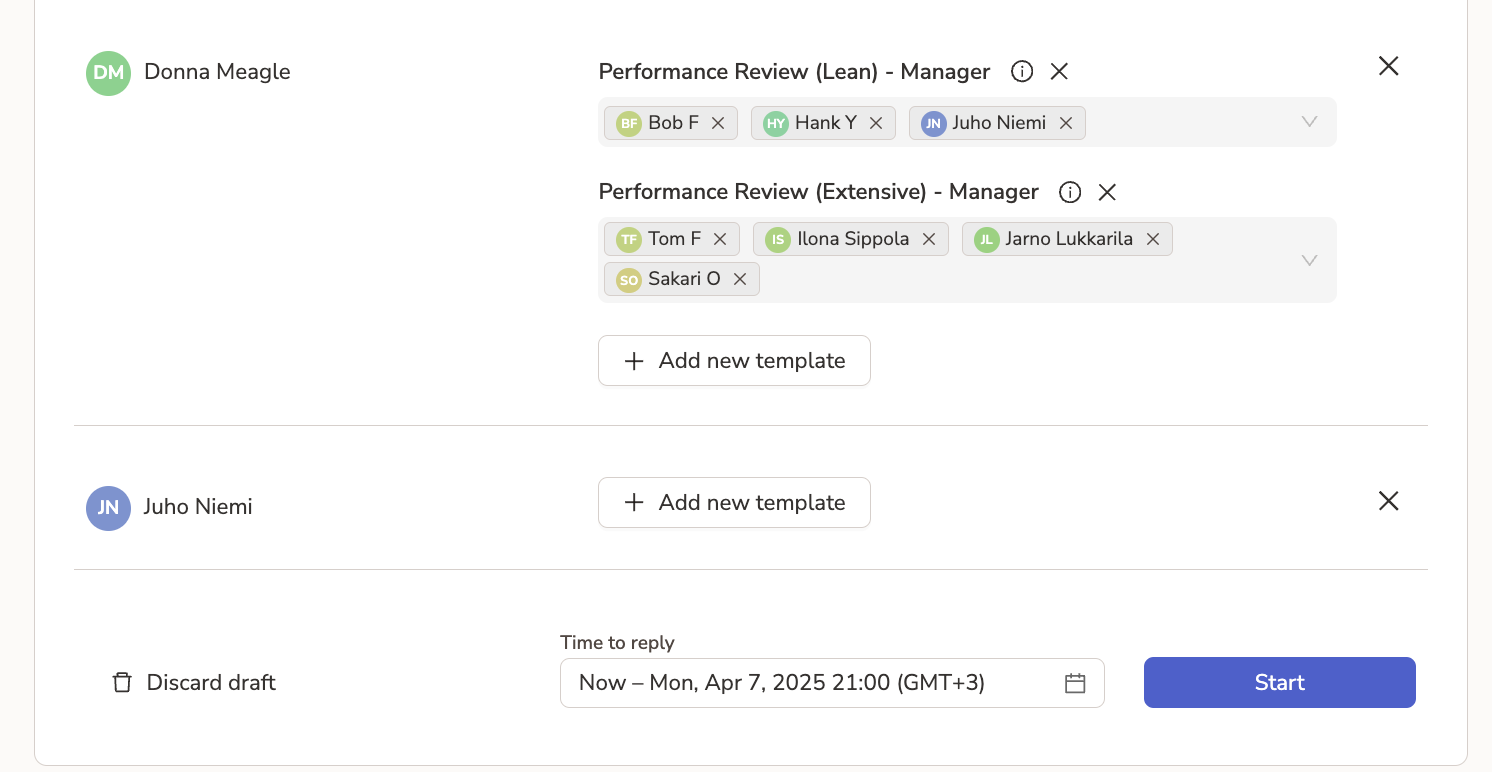
Finally, set a deadline and click start. Requests will be delivered and users automatically reminded if they do not give the feedback.
Viewing feedback
You need to have been given permission to view data of a certain group of people by your Workspace admin. Usually these are the people you manage.
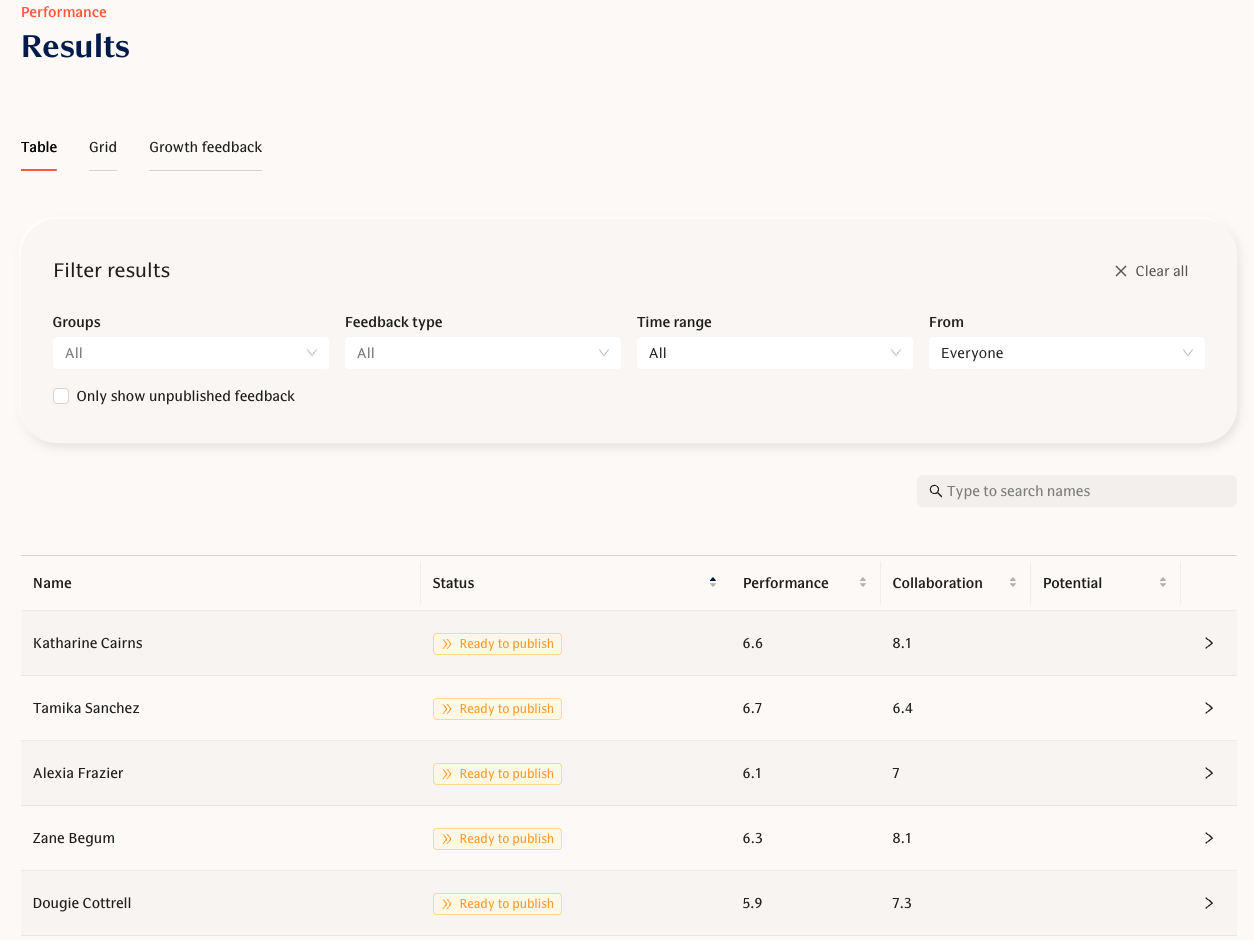
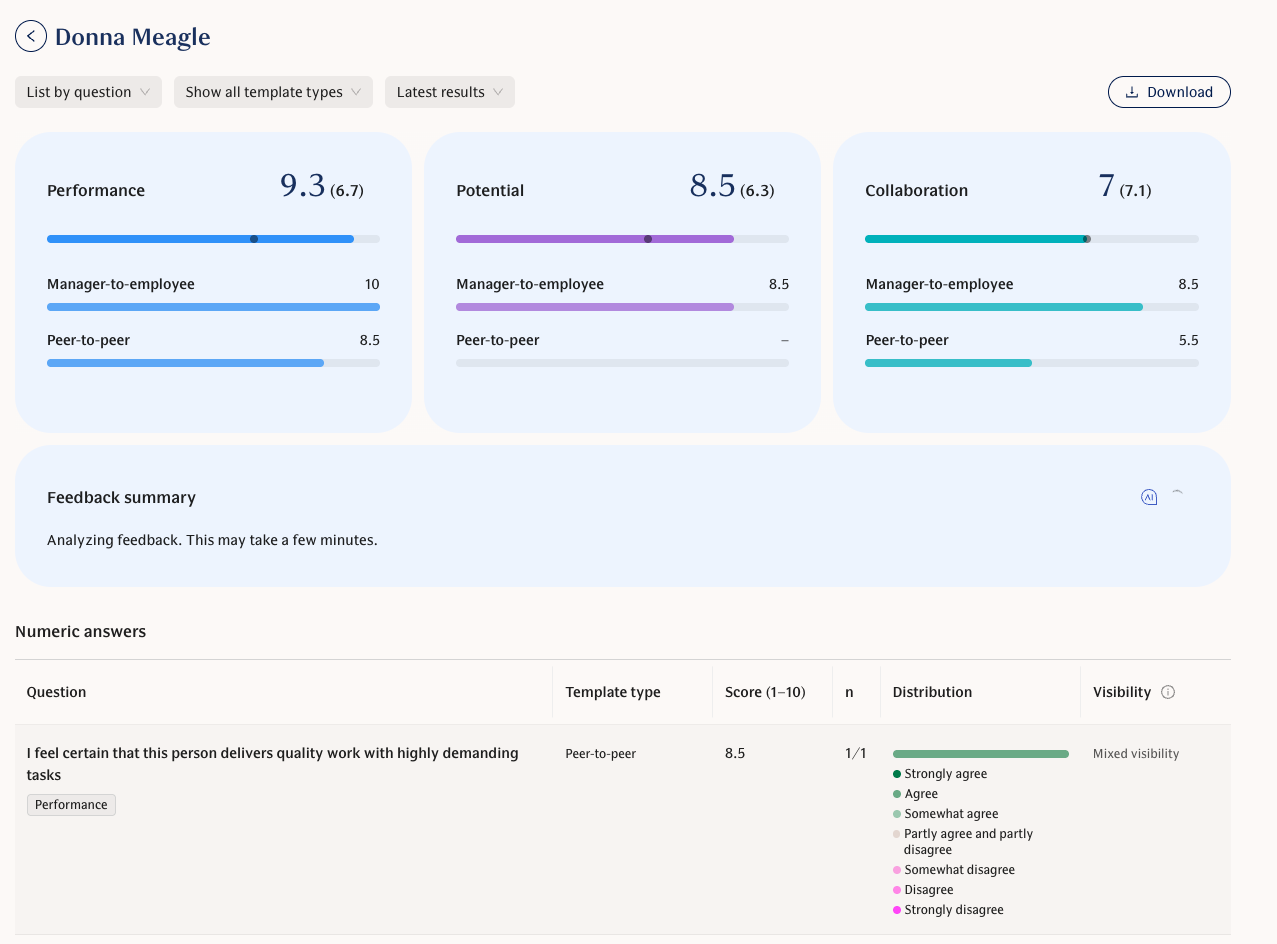
You can view their received feedback on the Results page:
Click on any individual's name to view their profile and feedback:
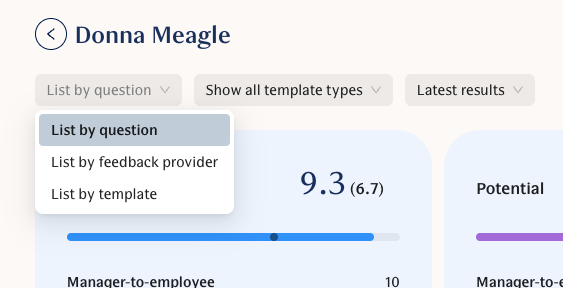
Analyze feedback by question, feedback provider or template:
Moderating and publishing feedback
Before an individual is able to see their feedback, the results need to be moderated and published.
You can moderate and publish feedback in the individual's Results page.
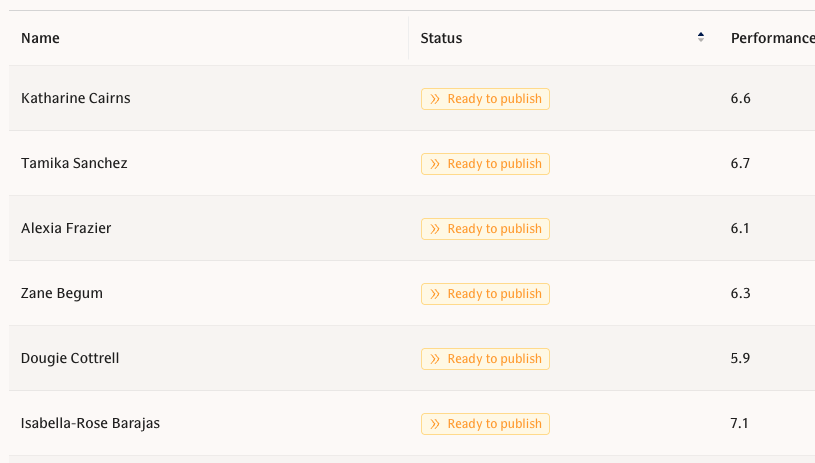
The status of individual feedback is visible in the results table. This helps to quickly sort which individuals have pending requests and who's feedback needs to be published once all requests have been filled:
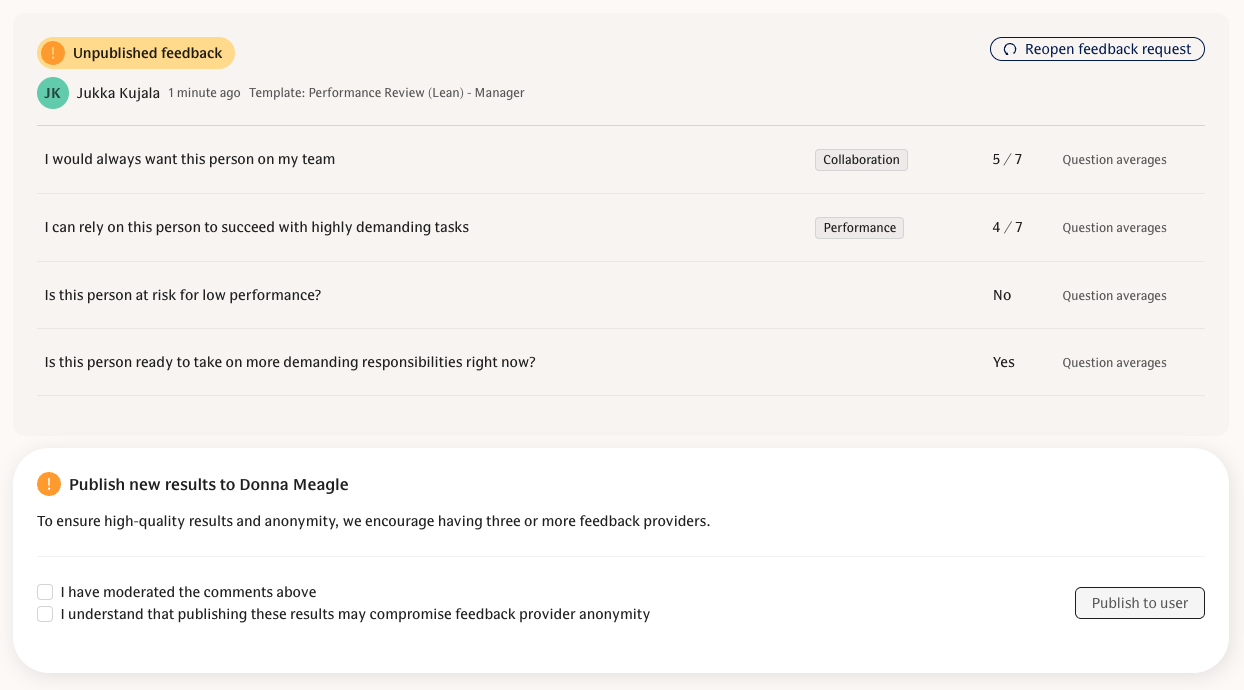
Unpublished, new feedback is highlighted in yellow and you can select which open comments to make visible or hide.
All published, open feedback is shown as anonymous to the individual, if not specifically configured otherwise by your organization.
Scores and other scale question responses will never be individually published. They will be combined as averages if made available in your organization.
Once moderated, you can publish the feedback to the individual:
Analyse numeric feedback
This data is only available if your company is using questions with scales that produce numeric data.
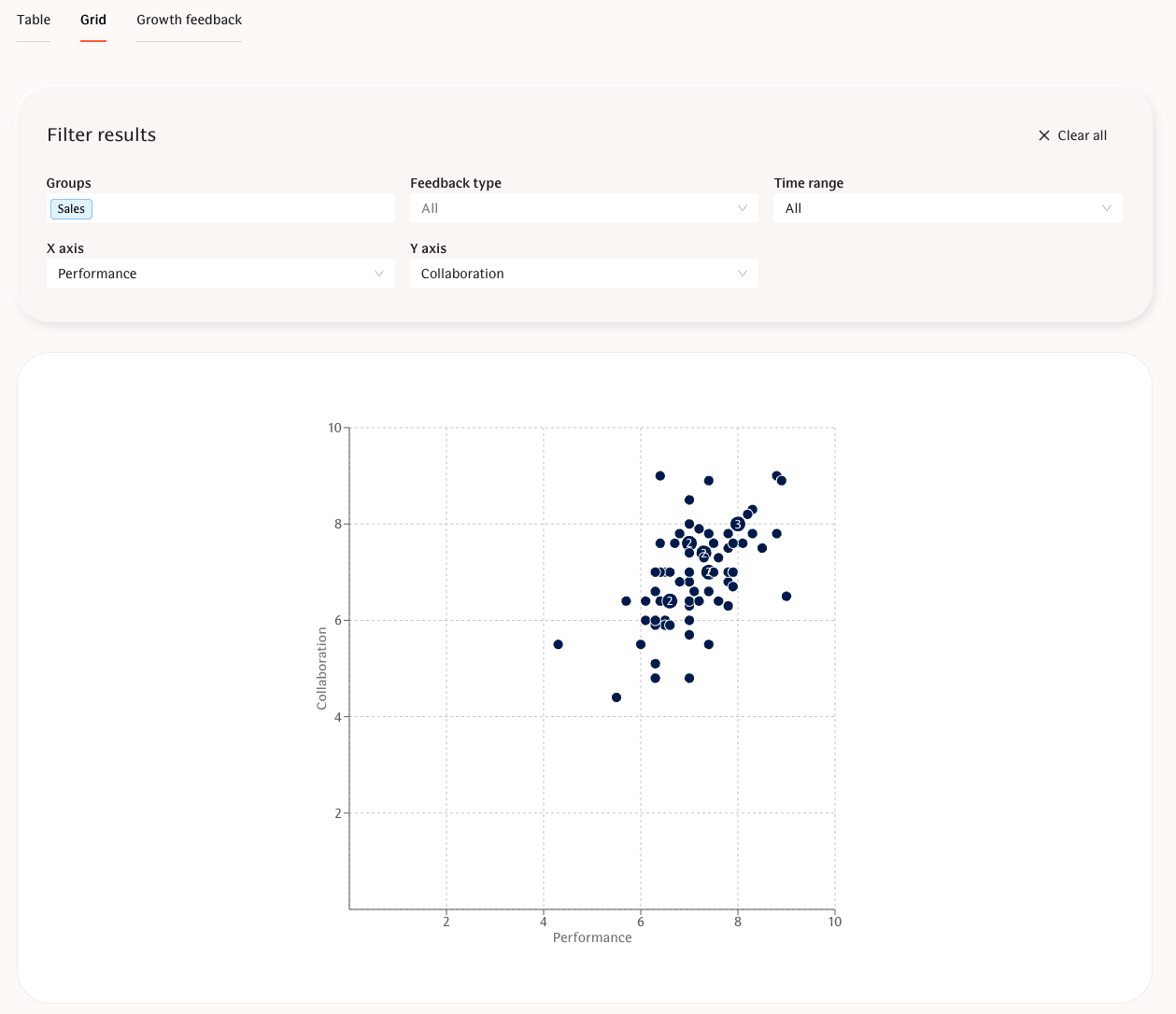
On the Grid page you can get a general overview of how different individuals are performing or meeting expectations in their current role.
Included in the graph:
Averages from 2 different themes - in the example: Performance x Collaboration.
Filters to adjust the visible scores in the graph:
Time range
Groups
Feedback type or template
Use cases for this view:
Assessing role fit - Is the person meeting expectations? Are they in a role where they can succeed?
Highlighting individuals at risk of low performance - these people should be discussed with urgently.
Noticing individuals that could be ready for more demanding role - What could this role be? The sooner you discuss growth opportunities the smaller the risk of this person leaving for a more interesting role elsewhere.
FAQ
Will an employee be able to see the numeric results as well?
No individual numeric responses can be published to the individual. We encourage you to decide on a company level whether you want to share the numbers to individuals.
The employee will be able to see the averages of numeric results if sharing numeric data to individuals is enabled – learn more in:
📄 Structured Feedback implementation guide
What if I don't publish the feedback to the individual? Will it remain visible for me (team lead)?
If the feedback is never published to the individual employee, they will never see it in their My Activity page. This can be a purposeful part of your process if you wish to only deliver the feedback in a summarized format via a growth or performance discussion.
In the situation of never publishing feedback, you will still have access to it indefinitely. The publishing functionality is in no way related to the storing of the feedback.
NOTE: The AI summary only analyses published feedback!
I can't see the Results page or any feedback for my team members although I am a team lead. How do I get this visibility?
In this case, you most likely haven't been given permissions to the selected team members by the workspace admin. We suggest notifying your workspace admin or reaching out to a People team member or similar employee in case you are unsure who your admin is.
If I publish the feedback to the individual employee, will they see who shared that feedback? Or will the feedback be shared anonymously?
All published feedback is generally always shared anonymously to the employee. However, your organization may decide to make the names visible.
The only exception with anonymous feedback is the manager-to-employee feedback as the employee will see which template the feedback belongs to and thus know that it came from their own manager. This is done on purpose as managers almost always share their own feedback with their own identity included.
Please read more about the anonymity setting in:
📄 Structured Feedback implementation guide
The AI Summary isn't generating any results, what's wrong?
Most likely you will need to publish feedback before you can see the AI summary. We only use published feedback to generate the summary and it will be available for the individual as well.
In case your summary is missing some parts (eg nothing listed underneath Development Areas), this is most likely due to your feedback missing content that the AI would allocate to that specific part of the summary. We have optimized the AI so that it will not populate content into the summary if there isn't enough certainty.
If you feel like the AI summary doesn't work as it should, don't hesitate to reach out to support@teamspective.com.